I build AI and automation systems that reduce repetitive work, such as following up overdue invoices, answering routine customer questions, preparing proposals and keeping your CRM up to date. I connect the tools your team already uses, use AI only where it helps, and build processes that are more dependable.
From request to done. Map the process, automate the repetitive steps, check that everything is ready, then route the result. Missing details are requested, not guessed.
Workflow automation
Invoice follow-ups
Customer enquiry assistants
Proposal and quote preparation
Document data capture
CRM automation
Booking and payment flows
Human approval steps
Workflow automation
Invoice follow-ups
Customer enquiry assistants
Proposal and quote preparation
Document data capture
CRM automation
Booking and payment flows
Human approval steps
Services
What I can automate for your business
Most of the work I automate falls into four areas. The examples below are labelled honestly. Most are portfolio demonstrations built with sample data or test payments, and one was delivered in a paid client trial. None is presented as a live client deployment.
Follow-ups and reminders
Chasing unpaid invoices, following up leads and reminding people about bookings is repetitive and easy to get wrong.
I build automations that send the right message at the right time, stop once someone has paid, booked or replied, and set unusual replies aside for a person to review.
Copying invoice details into a spreadsheet, pulling requirements out of tender documents or preparing proposals by hand is slow, and small mistakes are costly.
I build systems that read the document or form, pull out the details, apply your rules, and either save a checked record or prepare a draft for a person to review and approve.
When enquiries, bookings and payments live in separate tools, leads go cold and staff update records by hand.
I build workflows that move contacts through your sales pipeline, send booking reminders and confirmations, check online payments before access is released, and alert staff when something needs them. When a website or landing page is part of that journey, I build it as part of the workflow.
Not sure which of these fits? Book a call and we'll look at your process together.
Featured projects
Featured automation projects
Three larger systems, built as portfolio projects using sample data or a fictional business. Each case study explains the business problem, how the system handles it, where a person stays in control, and what has and hasn't been tested yet.
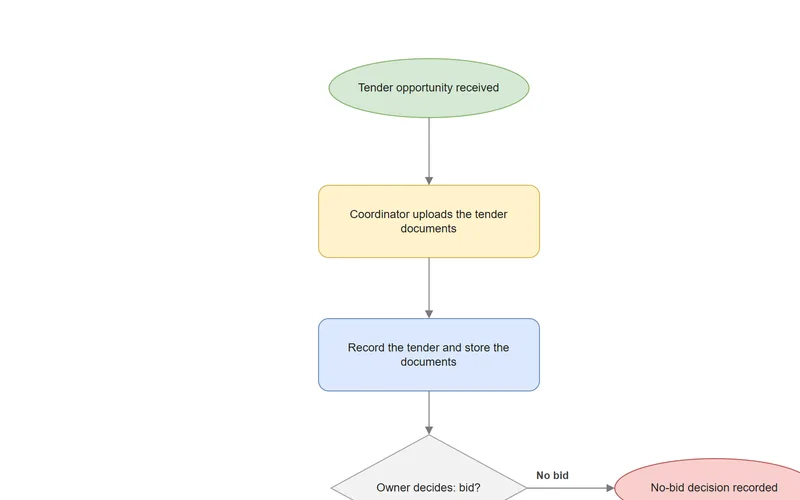
Follows up overdue invoices by email, with one message per customer, firmer as the invoice ages, and a final payment check just before each email is sent.
Helps a bid team answer tenders by pulling out the requirements and drafting answers from previously approved content, with a person approving each answer and signing off the bid.
n8n
PostgreSQL + pgvector
Ollama
OpenRouter
Case study →
Clinic website, booking & paymentsIn development · test payments
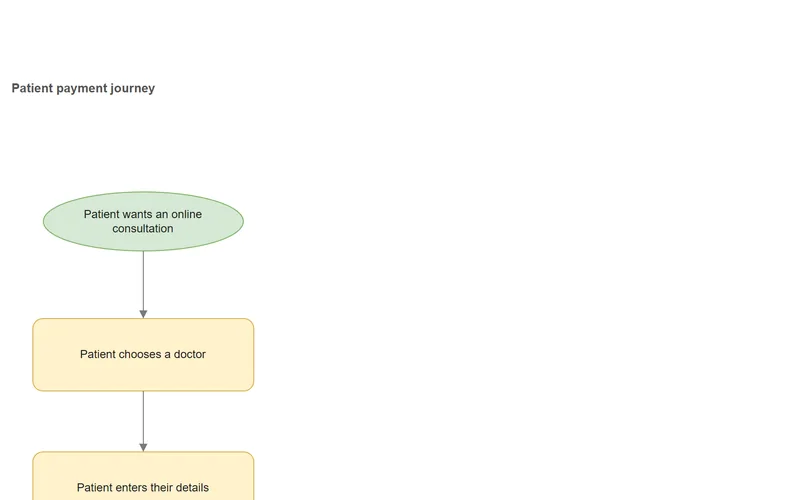
A fictional clinic's website and patient journey, designed so patients choose a doctor, pay online and receive their consultation link only after the payment is confirmed.
Delivered during a paid trial for an interior design firm. The firm isn't named, and its pricing rules, proposal content and client details are withheld.
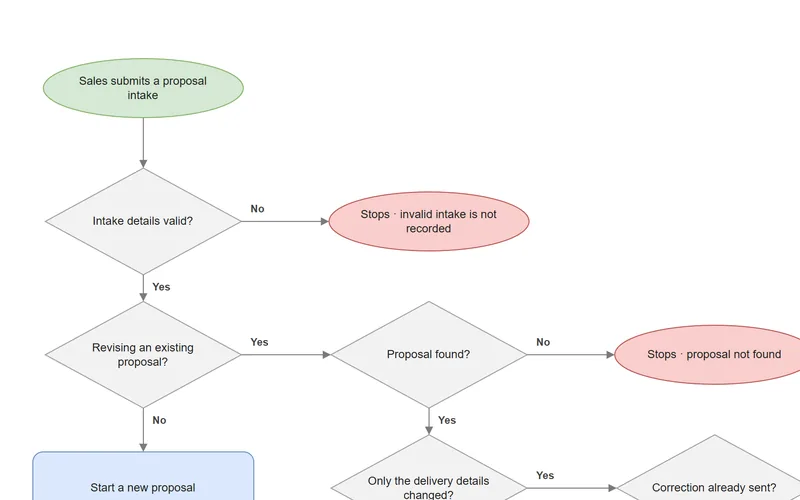
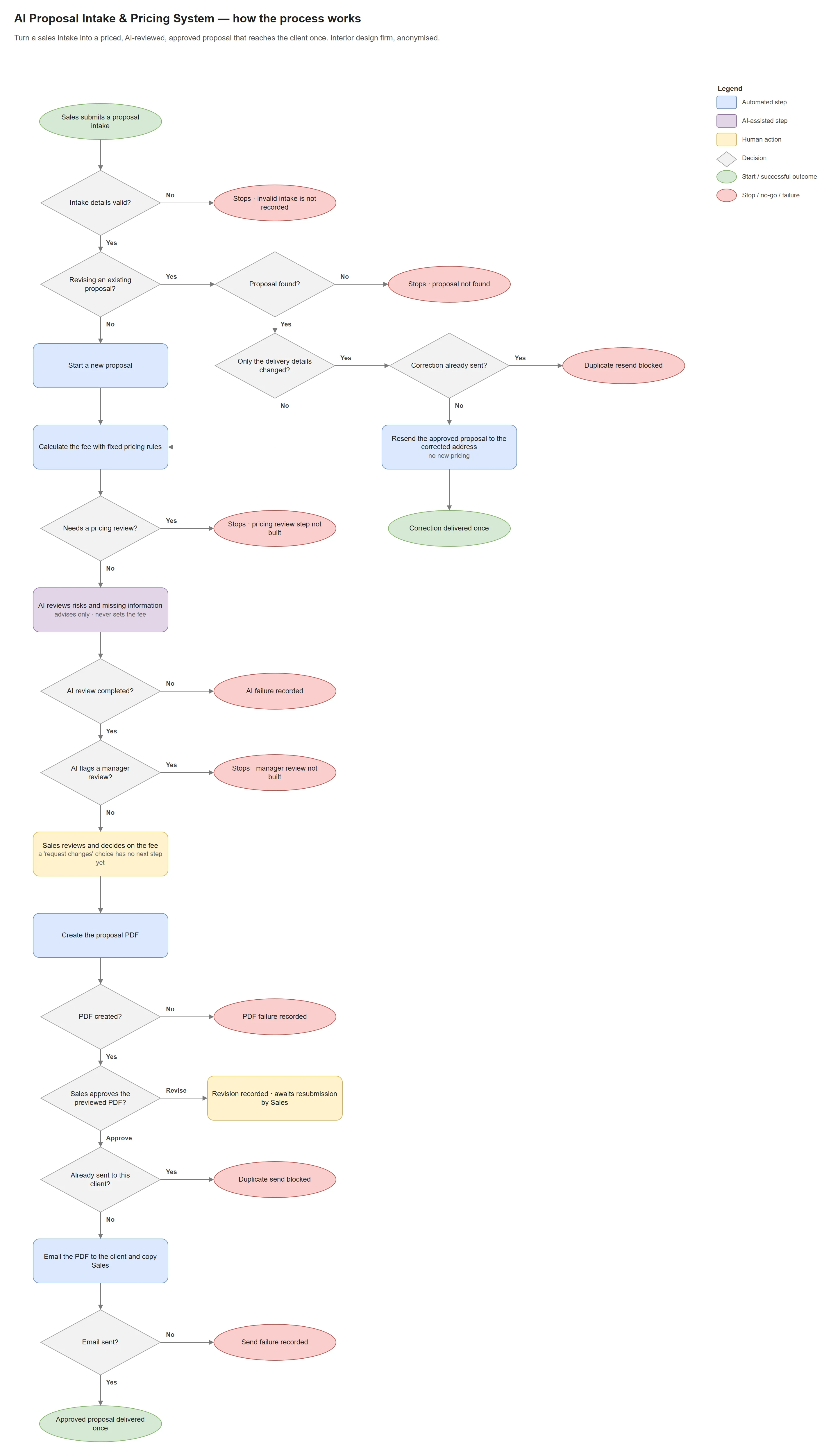
Turns a sales enquiry into a priced proposal PDF. Fixed rules calculate the base fee, AI reviews the proposal and recommends the final fee, and Sales reviews the figures before the proposal is built and approved for sending.
n8n Forms
OpenRouter (Llama 3.3 70B)
Google Docs & Sheets
Gmail
Case study →
All builds
More automations, assistants and CRM workflows
Smaller builds and experiments, including chat assistants that answer from documents, a voice booking assistant, invoice data capture and CRM follow-up pipelines built in n8n, Zapier and GoHighLevel. Several ideas in the larger systems above were first tried here.
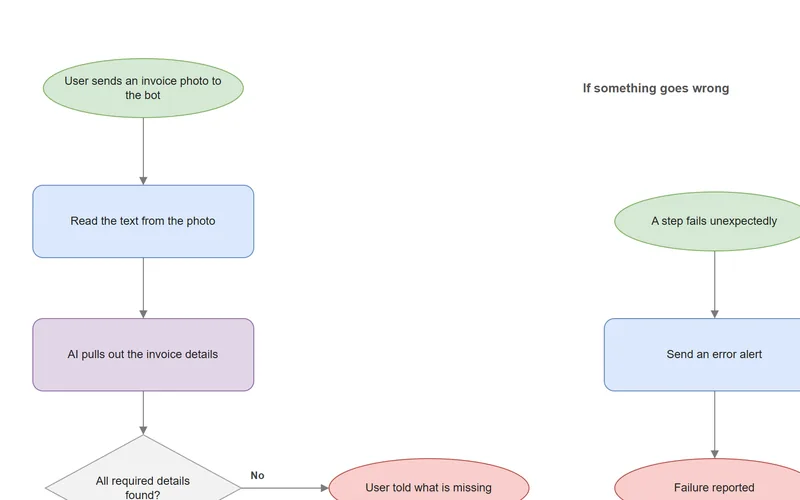
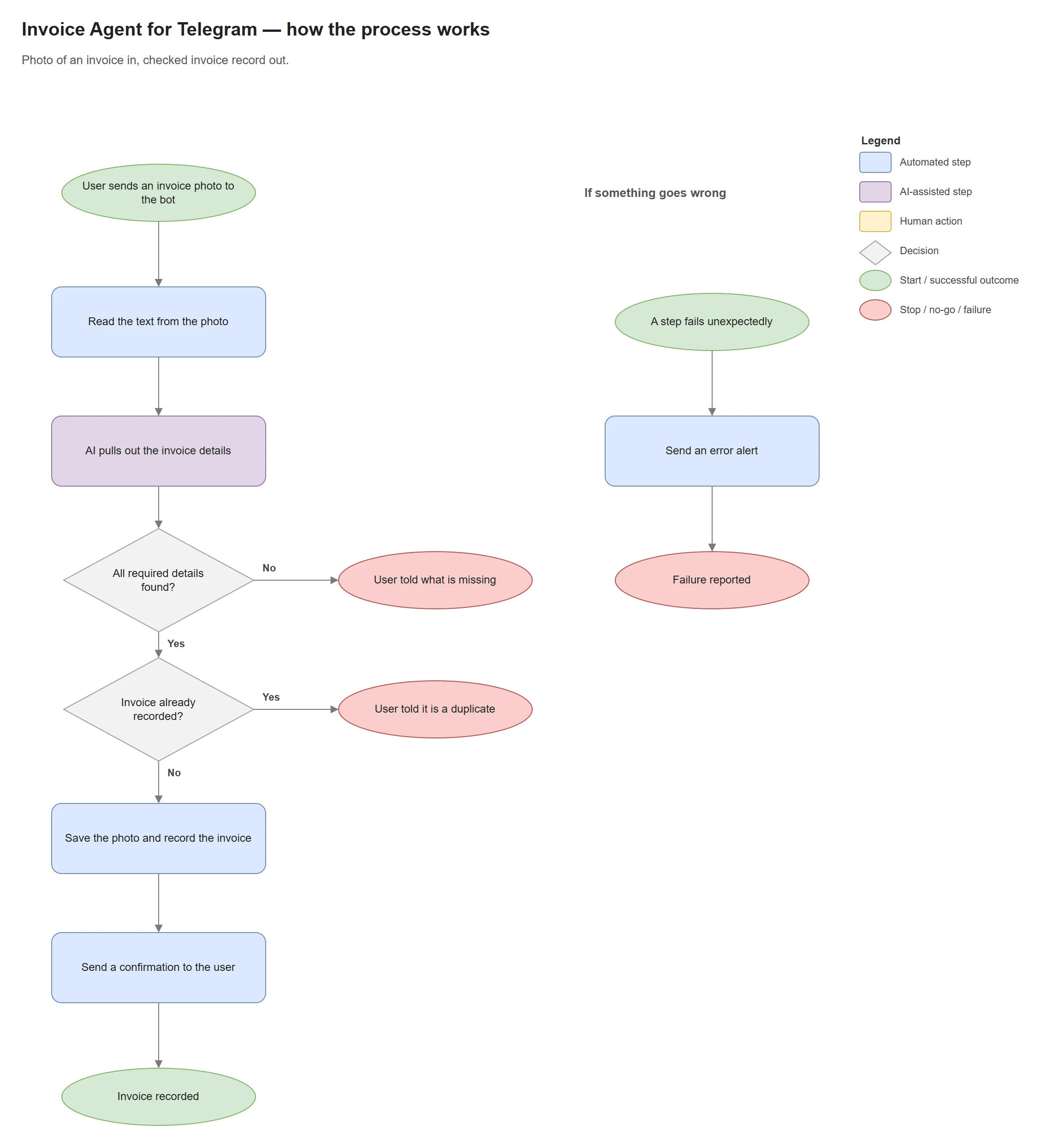
Send a photo of an invoice to a Telegram chat. It reads the details, catches missing key details and duplicates, and saves a checked record. Built and tested with test invoices.
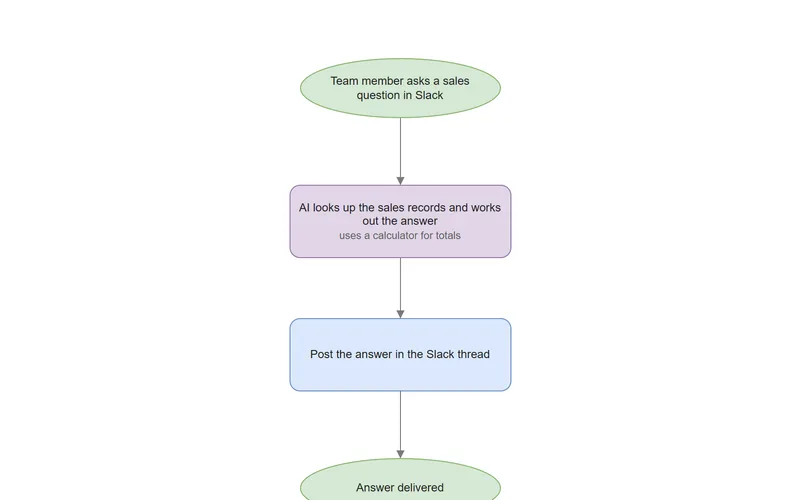
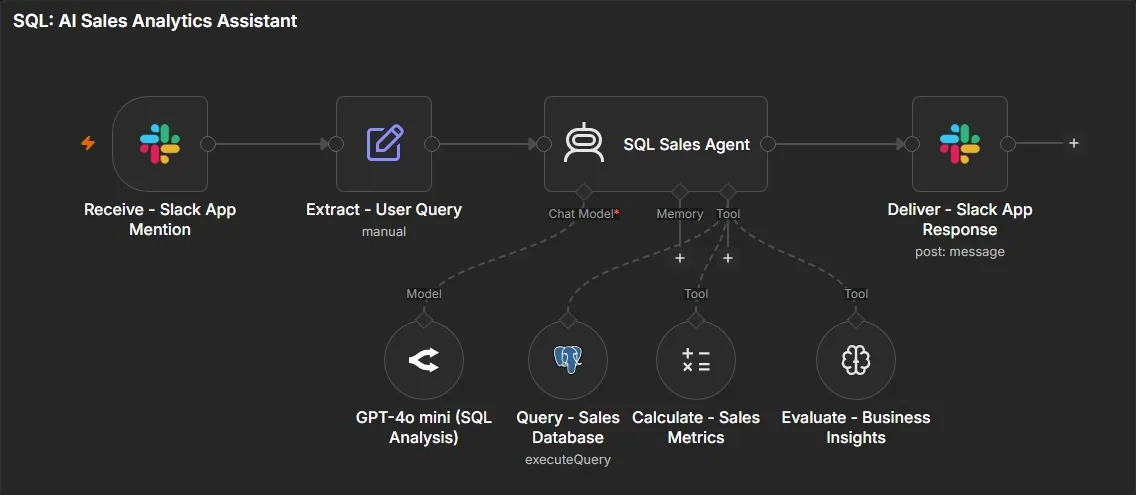
Ask questions about sales data in plain English and get answers with the figures. Tested on a sample dataset. AI answers can be wrong, so check important numbers.
Turns one audio recording into blog and social media drafts, then posts them to Facebook and LinkedIn or holds them for a person to review. Connected to my own social accounts.
The tools behind the projects on this page. Every one was used in at least one of them.
Main tools n8n systems, CRM, payments and AI
n8n
GoHighLevel
PostgreSQL
Supabase
PayMongo
OpenRouter
Ollama
Gmail
Slack
Telegram
Messenger
Google Drive
Google Docs
Google Sheets
JavaScript
HTML5
Earlier builds Zapier, Airtable and Vapi projects
Zapier
Airtable
Vapi
Background projects Thesis and internship
Python
R-CNNMask R-CNN
PHP
MySQL
How I build
How I plan and build an automation
I plan before I build: map how the work really happens, decide what should be automated and what stays with people, and look for what could go wrong — then build and test.
Map the process
Write down how the work happens today, who does what, where decisions are made and where automation should stop.
Decide what to automate
Choose what fixed rules should handle, where AI is genuinely useful and where the trusted record of the data lives.
Look for what could go wrong (premortem)
Imagine the system has failed and work out why. Identify weak points early and address them in the plan before building.
Write the build plan
Agree the steps, data, tests and scope. A plan that isn't ready to build goes back for another round.
Build and test
Test the normal path and the problem cases, such as blocked, duplicate and failed runs. Design checks and proof from real runs are reported separately.
Report honestly
Write down what is untested, what was deferred and the known limitations.
Deliberate failure testing is planned for each project but so far has only been partly carried out.
About
About Angelo Torrevillas
I'm Angelo Torrevillas, an AI Automation Specialist based in the Philippines. I build AI and automation systems that reduce repetitive business work. Connecting apps is the easy part. The real work is making the system dependable, so it keeps a clear record of what happened, follows fixed rules where accuracy matters, and asks a person to review the decisions that need one.
My background is in computer engineering. On every project I write down what has and hasn't been tested, because a demo should never imply more than it proves.
I take on client projects, and I'm also open to full-time, part-time, contract and freelance roles, ideally remote.
Based in
Philippines
Education
BS Computer Engineering, Technological Institute of the Philippines (2026)
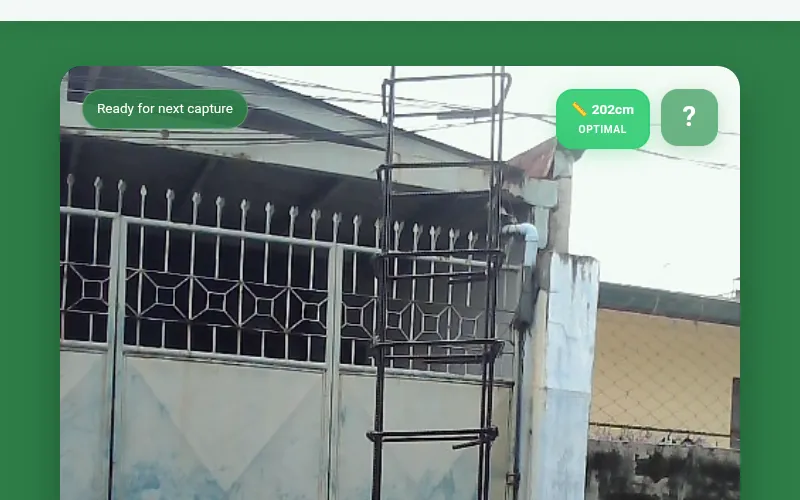
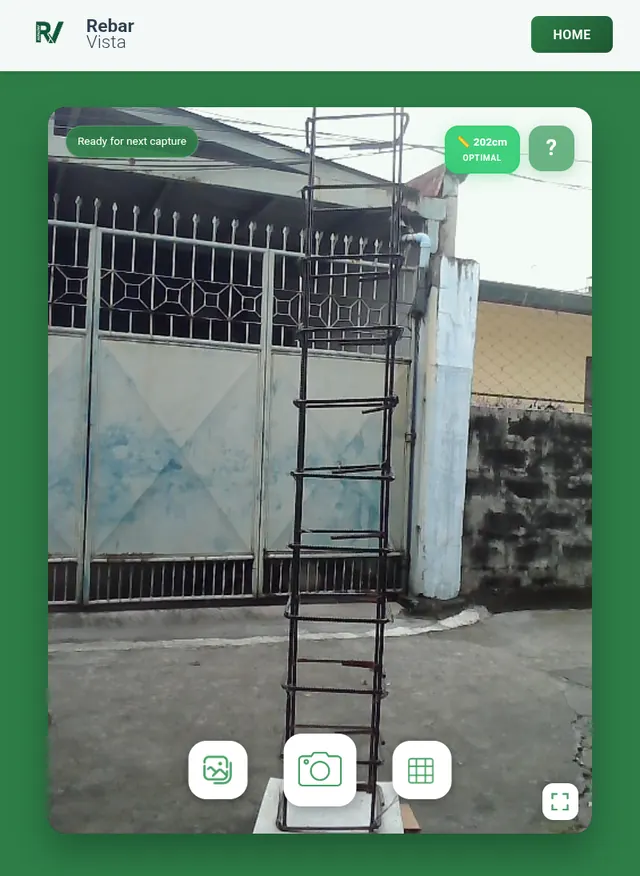
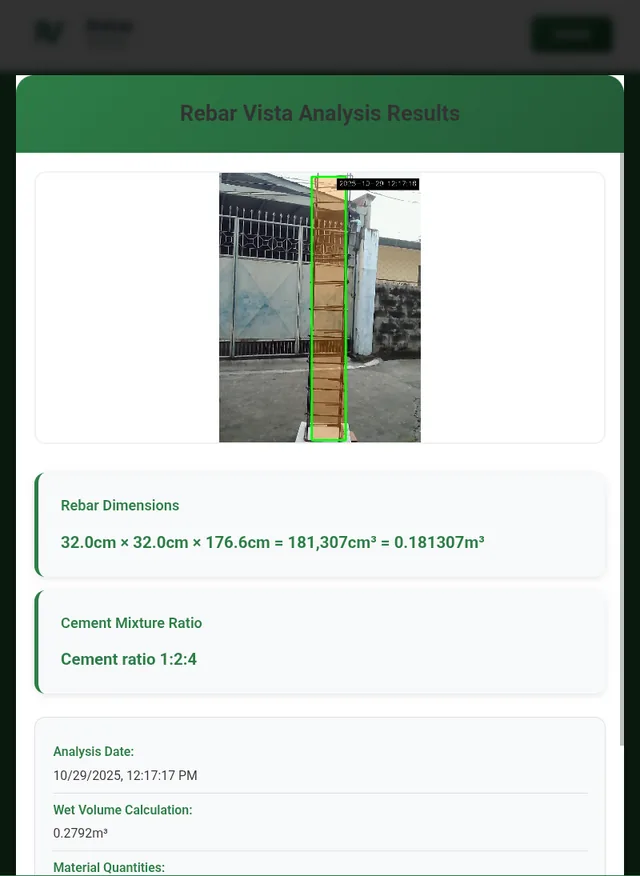
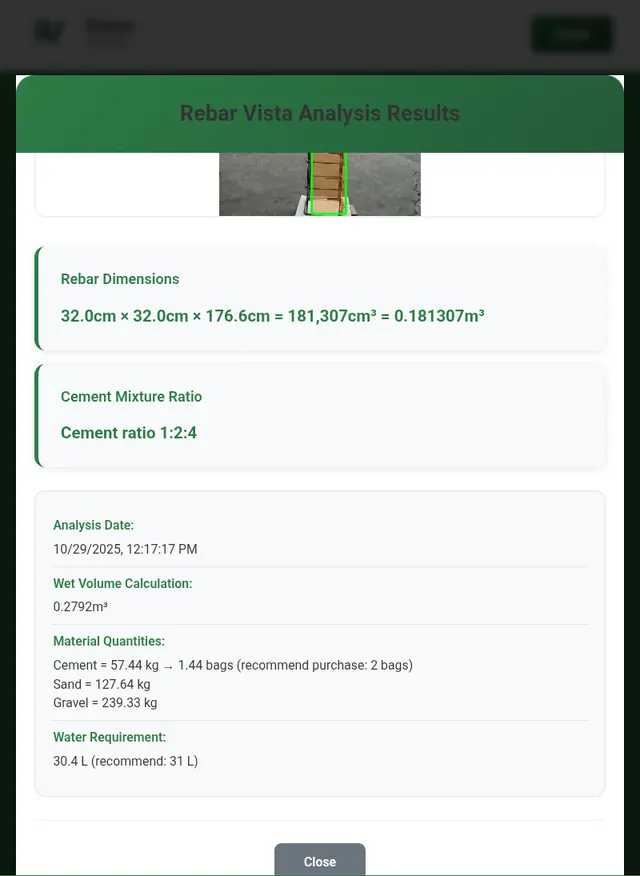
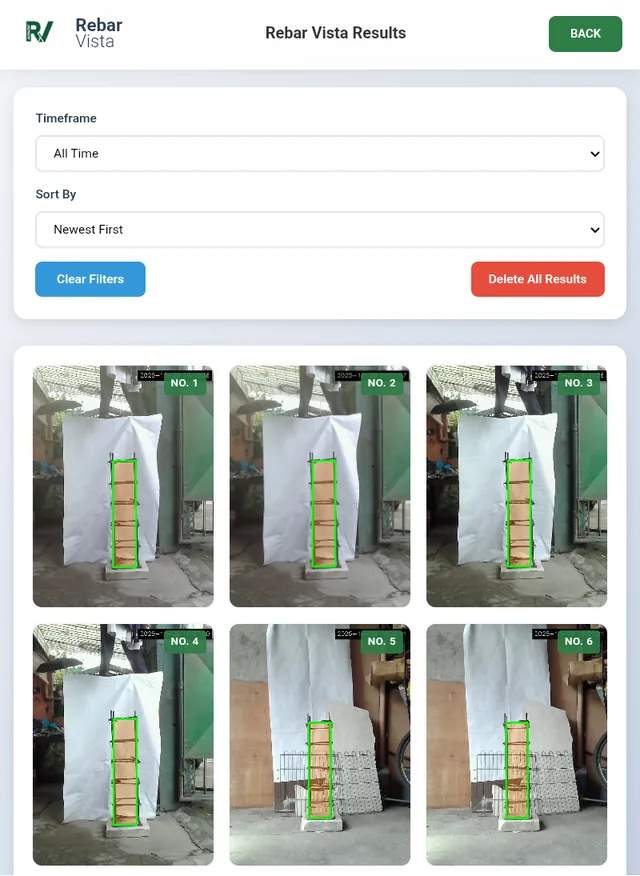
A camera-based device that measures a rebar column from a photo and recommends the concrete mix before pouring. It stayed within ±5% tolerance in 77 of 80 system tests (96.3%).
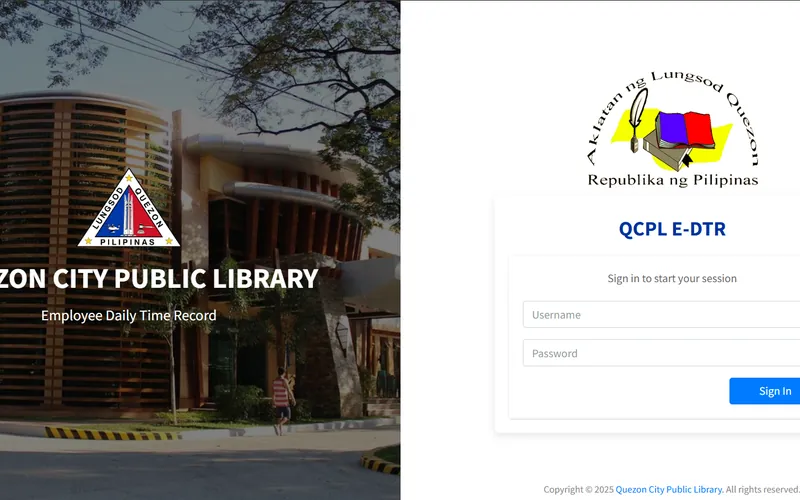
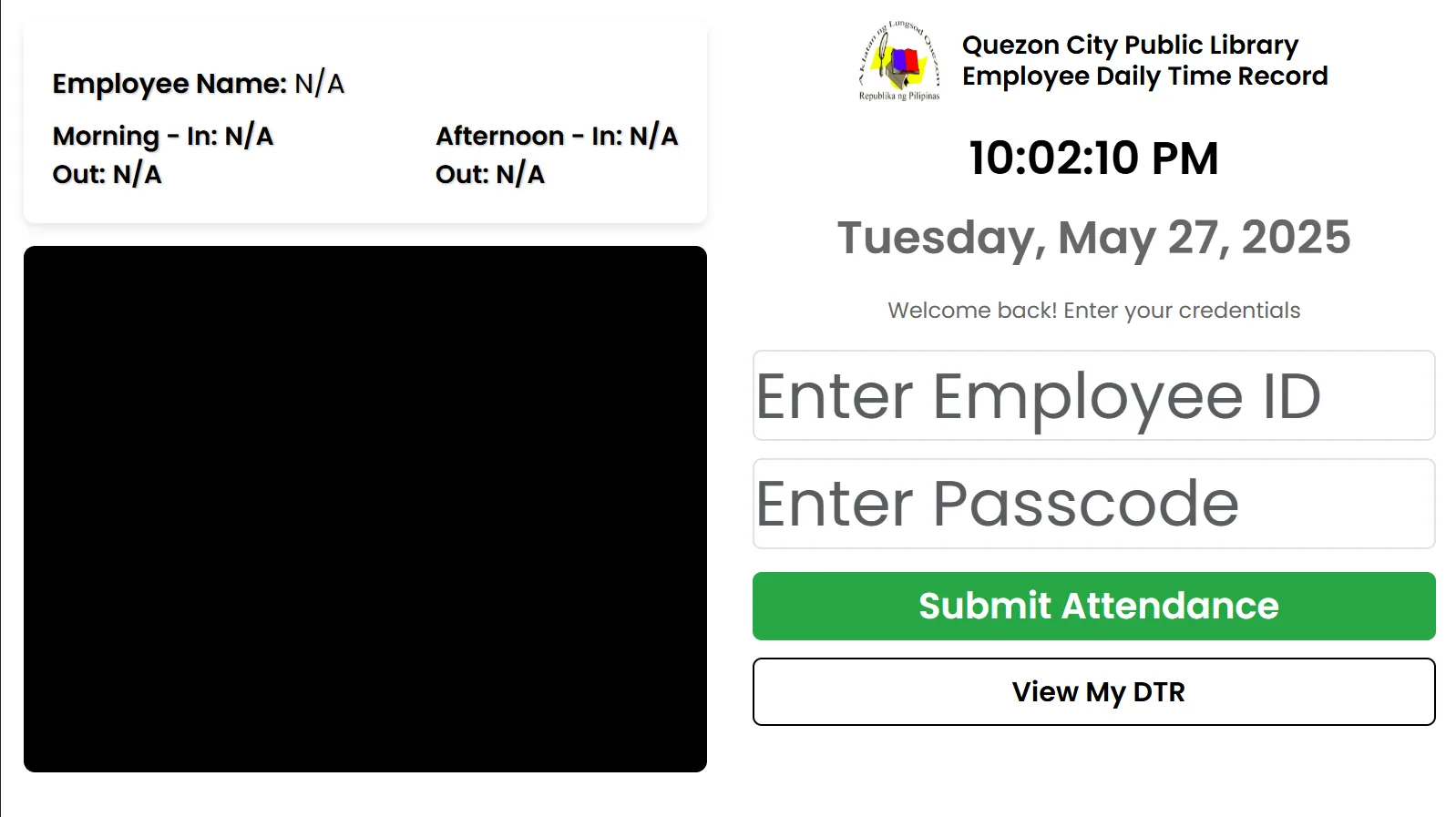
A web app built during my internship to replace manual attendance records at the Quezon City Public Library.
PHP
MySQL
JavaScript
Details →
FAQ
Common questions.
What does Angelo Torrevillas do?
He's an AI Automation Specialist who builds AI and automation systems that reduce repetitive business work, such as following up overdue invoices, answering routine customer questions, preparing proposals and keeping CRM records up to date, using the tools a team already has.
What kinds of tasks can you automate?
Tasks that follow the same steps and happen often, like reminders and follow-ups, copying details from documents into a system, answering common questions from your own documents, preparing proposals and updating a CRM. Tasks that need judgement can often be partly automated, with a person approving the final step.
Will I need to change the tools I already use?
Usually not. Most automations connect the tools you already have, such as email, spreadsheets, a CRM, chat apps and payment providers. We can check yours on a discovery call.
How do you decide where AI is used?
I use AI for work involving language, such as sorting replies, reading documents or drafting answers. Anything that must be exact, like payment status, follows fixed rules. When AI recommends something that affects money, such as a proposal fee, a person reviews it first. Chat assistants reply on their own, so they're built to answer from your documents, and their answers can still be wrong.
How do you make sure an automation is reliable?
I start by mapping how the work really happens and looking for what could go wrong. The larger systems here include checks like re-checking payment just before a reminder is sent, blocking duplicate emails, a switch that stops sending at once, and approval steps for decisions like sending a proposal. Each case study says what was tested.
Are these real client projects?
One is. The AI Proposal Intake & Pricing System was delivered during a paid trial for an interior design firm, which isn't named. The rest are portfolio systems built with sample data, test payments or a fictional business, and each shows its status.
Can I try any of them?
Yes. The SQL Sales Analytics Assistant has a public demo on a sample sales dataset, and the medical clinic website has a public preview that uses test payments only.
Which tools do you work with?
Mainly n8n for workflows, PostgreSQL and Supabase for data, and GoHighLevel for CRM work. AI models come through OpenRouter, with Ollama for document search. Payments have been built with PayMongo in test mode, and messaging with Gmail, Slack, Telegram and Facebook Messenger. Earlier projects used Zapier, Airtable and Vapi.
How does a project start?
With a free 30-minute Google Meet call about how your process runs today and where manual work is slowing it down.
Are you open to job opportunities too?
Yes. Alongside client projects, I'm open to full-time, part-time, contract and freelance work, including short projects, and I prefer remote roles. My Upwork, JobStreet and OnlineJobs.ph profiles are linked below.
How do I get in touch?
Book a call on this page, or email angelo.automates@gmail.com with a few lines about the process you want to automate.
Discovery call
Let's find what's worth automating.
A free 30-minute Google Meet call about how your process runs today, where manual work is slowing it down, and whether automation is the right fix.
Walk through the process
How work moves today: the tools, the people and the hand-offs.
Find the manual gaps
Where repetitive work, errors or delays are costing you time.
Agree on next steps
What to automate first, and what it takes to make it dependable.
Book a discovery call
Pick a time that suits you. Free 30-minute Google Meet call. The calendar loads as you scroll to it.
Prefer to write first? Send a few lines about the process you want to automate, or about the role you're hiring for. I'll tell you honestly whether automation is the right fix and what it would take to make it dependable.
Concept Demo · FINAL means the four main workflows are complete and run on sample invoices. Connecting a real accounting system, an approval step for final notices, opt-out handling, alerts for replies that need a person, and monitoring are planned for a later phase.
Follows up overdue invoices by email, with one message per customer, firmer as the invoice ages, and a final payment check just before each email is sent.
Problem
Chasing overdue invoices is repetitive, but mistakes are expensive. A reminder sent after payment, three emails to one customer or a message to the wrong address damages the relationship. Simple automations can't rule those out.
Solution
Four connected workflows share one database that tracks every invoice and reminder. Fixed rules decide who to remind and how firmly. Each email is checked again just before it goes out, so a reminder for an invoice that has since been paid is cancelled. AI helps sort customer replies, fixed rules then pause or stop reminders, and the AI cannot change any financial record.
How it flows
Sync invoicesInvoices are copied in from the accounting system without duplicates. Mock data in this demo.
Plan chasesFixed rules pick who is due a reminder, with one combined email per customer at the firmest level needed
Final notices held Never auto-sentInvoices 45 or more days overdue are held for approval, based on age, not amount
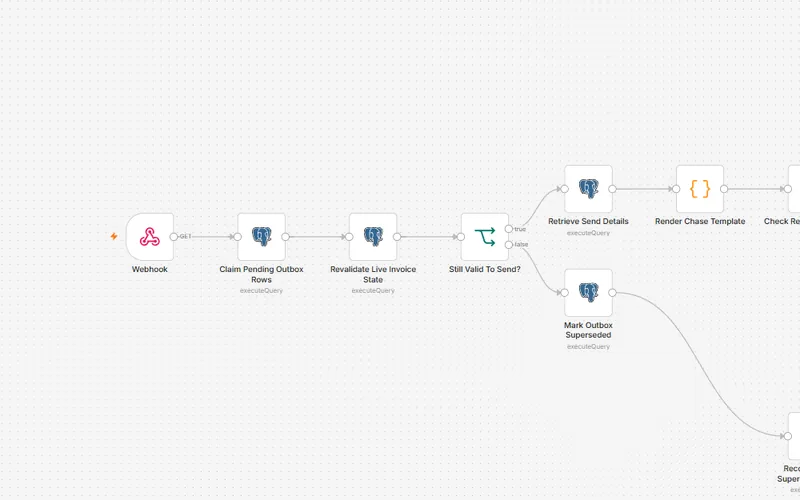
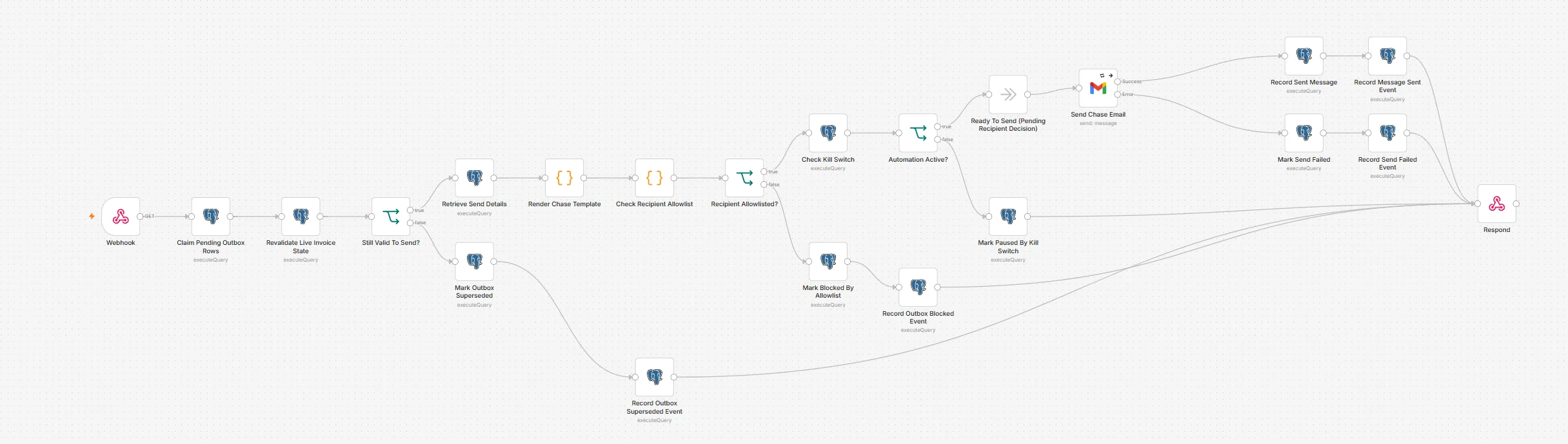
DispatchEach email is claimed once, re-checked for payment, checked against approved recipients and the stop switch, then sent
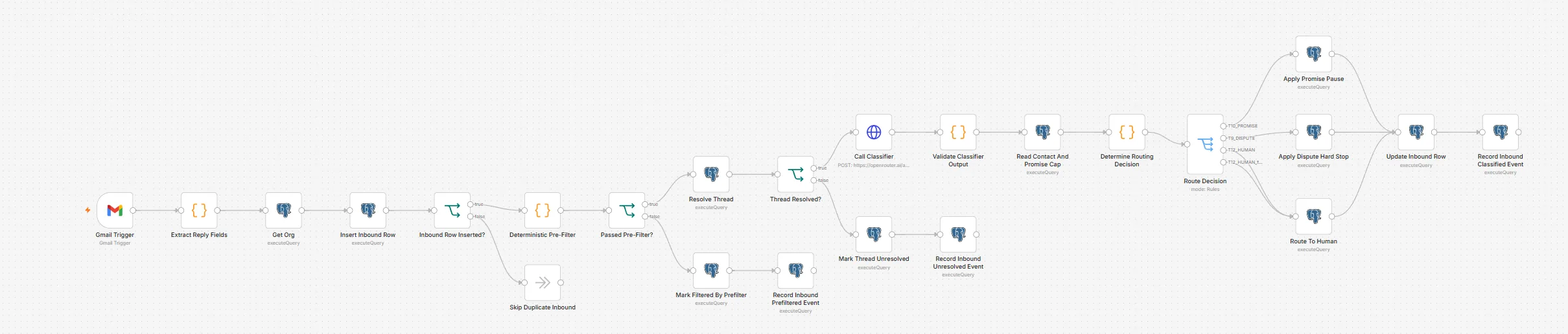
Route repliesSimple keyword checks first, then AI sorting. Uncertain results are not acted on
Audit trailEvery sent, blocked, cancelled or failed email is recorded
Runs automatically
Invoice sync with stable, duplicate-free upserts
Eligibility and escalation-tier decisions
Per-customer consolidation and outbox de-duplication
Template rendering per tier
Reply triage: a verified promise to pay pauses chasing and a dispute stops it; opt-out, bounce and out-of-office replies are flagged for a person
Where humans decide
Final notices stay on hold. The approval step isn't built yet, so they are never sent
Replies the AI is unsure about are not acted on automatically
Replies set aside for a person are recorded, but no one is alerted yet
An operator can stop all sending at once
Guardrails
Each email can be claimed by only one run, in a single database update (UPDATE … RETURNING)
Payment is re-checked at send time. Paid or closed invoices are cancelled, not sent
Emails go only to approved recipient domains
A stop switch pauses sending and safely releases queued emails
The AI classifier has no tools and no write access to financial data
Evidence · 4 images
Enlarge: 01 · Sync AR Invoices. Accounting adapter, then idempotent contact and invoice upserts and the initial chase state.Enlarge: 02 · Plan Payment Chases. One outbox intent per eligible customer, at its highest tier.Enlarge: 03 · Dispatch Approved Chases. Every email passes a claim, a payment re-check, the allowlist and the kill switch first.Enlarge: 04 · Route Inbound Replies. Deterministic pre-filter first; classifier output is validated before any routing.
Screenshots of the n8n editor canvas. Sticky notes are hidden; node names and connections are as built.
Request for Proposal (RFP) & Tender Response Preparation System
FINAL · structural completeness
Portfolio system · synthetic tenders
FINAL · structural completeness means every workflow is built and passes validation, and most were tested one at a time. The full system has not yet run end to end. Two smaller pieces are deferred, a document-length check in the review package and the hand-off from confirmed addenda to drafting.
Helps a bid team answer tenders by pulling out the requirements and drafting answers from previously approved content, with a person approving each answer and signing off the bid.
Problem
Answering a tender means pulling every requirement out of long, inconsistent documents, finding the best previously approved answer, drafting the rest and getting sign-off before a hard deadline. A missed requirement or an unapproved claim can cost the bid.
Solution
Several connected workflows share one database. They read the tender documents, pull out the requirements for a person to confirm, find the best previously approved answers and draft the rest with AI. Every answer then goes through review and approval, and only the bid owner can give final sign-off.
How it flows
Ingest tenderPDF, Word, Excel or CSV files are read in
Go / no-go Human decisionRecorded with a rationale before any work starts
Extract requirementsRequirements are pulled out and reconciled, including later changes from the buyer (addenda)
Confirm requirements Human decisionThe locked list is what gets drafted
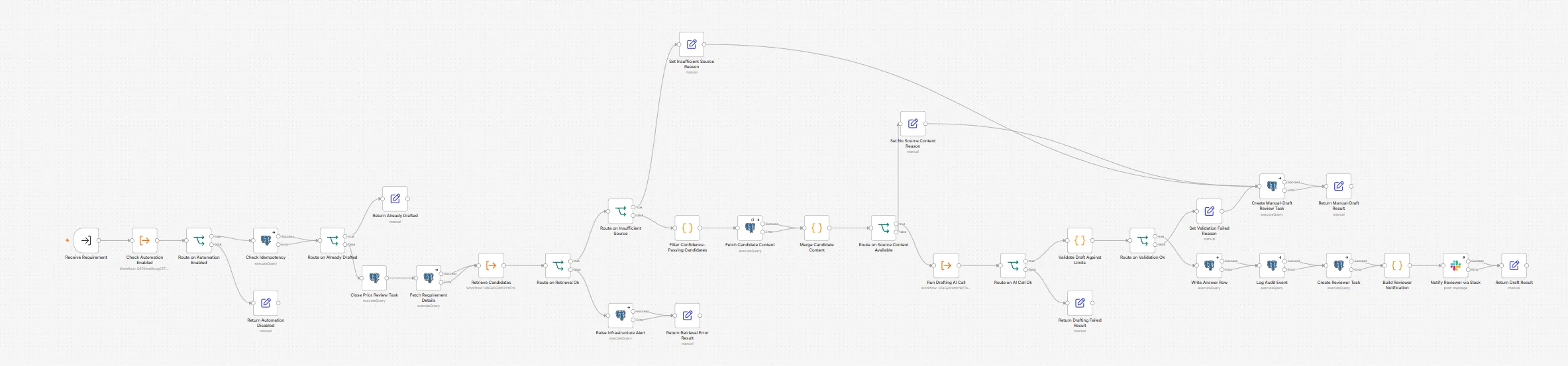
Retrieve & draftApproved past answers are searched and scored. Weak matches become a task for a person, not a draft
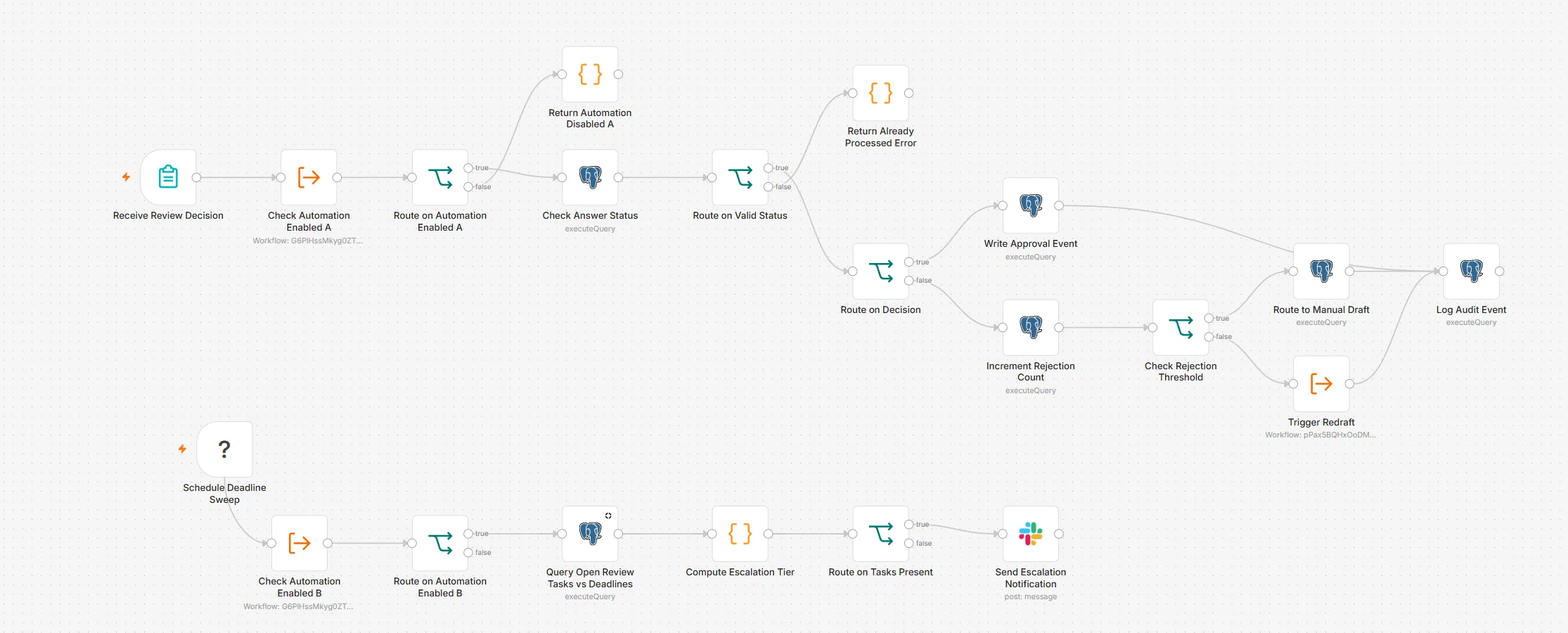
Review, approve, sign off Human decisionPer-answer approval, escalation on deadlines, owner-only final sign-off
Runs automatically
Document parsing and requirement extraction
Candidate retrieval and confidence scoring
Structured, validated AI drafting
Review-package compilation
Deadline reminders in Slack that escalate as the deadline gets closer
Checks that library answers are still current
Where humans decide
Whether to bid at all
Which requirements are confirmed
Every answer: approve, reject, or hand to manual drafting after two rejections
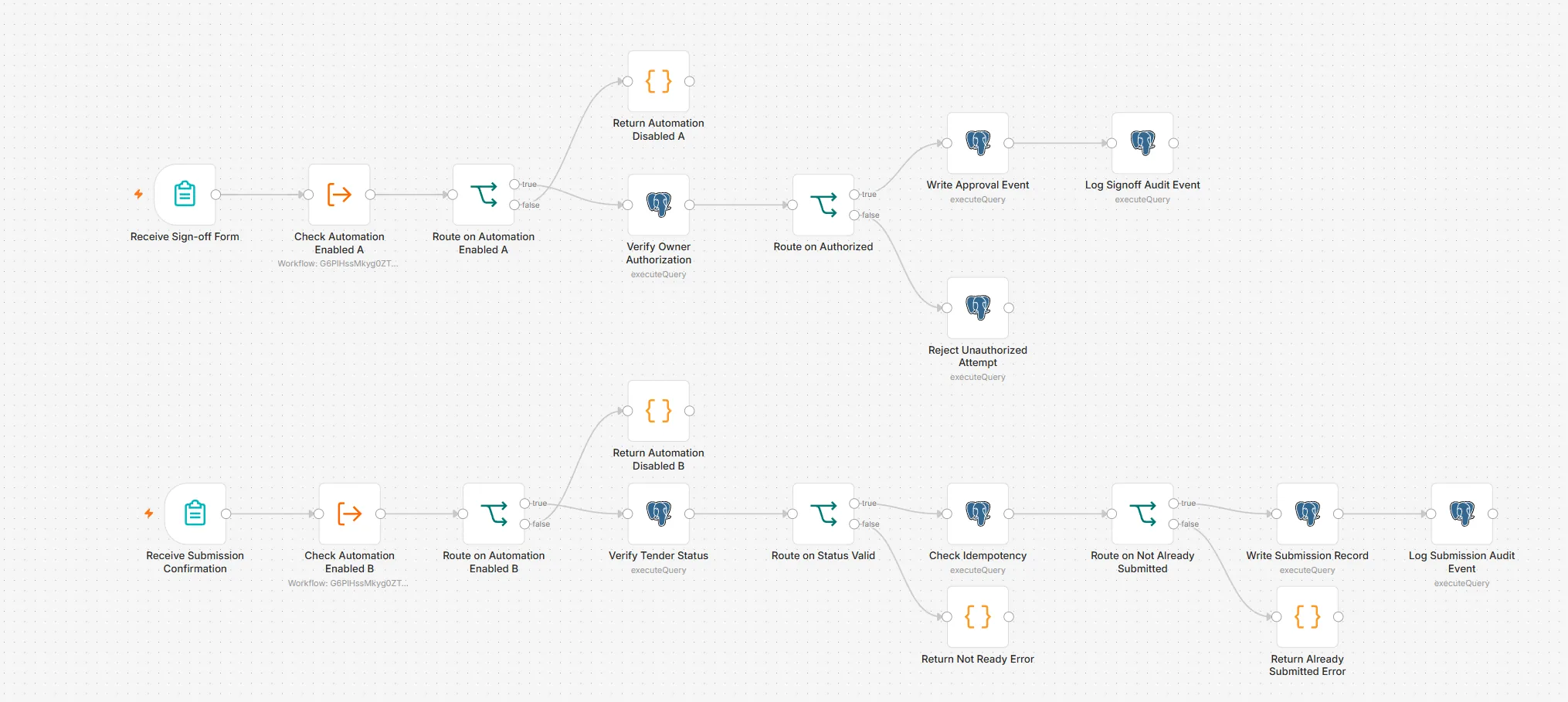
Final sign-off by the bid owner only, through a verified login rather than a typed name
Guardrails
AI drafts but never approves
Only the bid owner can sign off. Other attempts are rejected and logged
Every action is logged and can't be edited afterwards
A stop switch is wired into all twelve entry points. It is validated but not yet tested in a live run
Repeated decisions are recognised and not processed twice
Evidence · 8 images
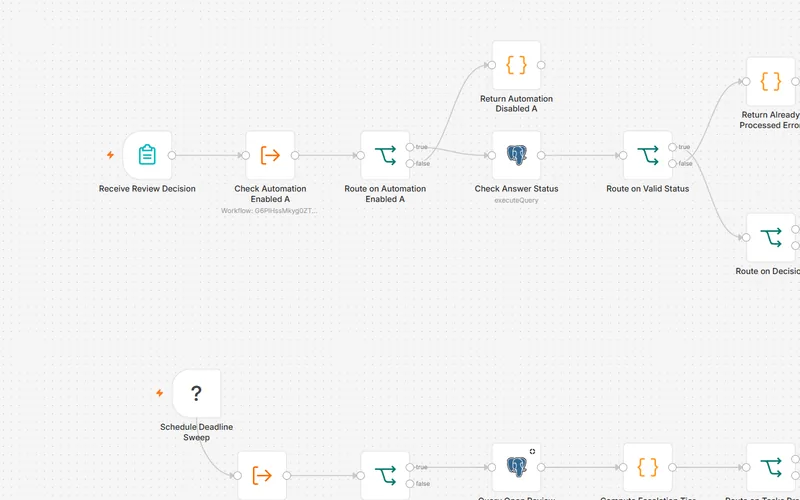
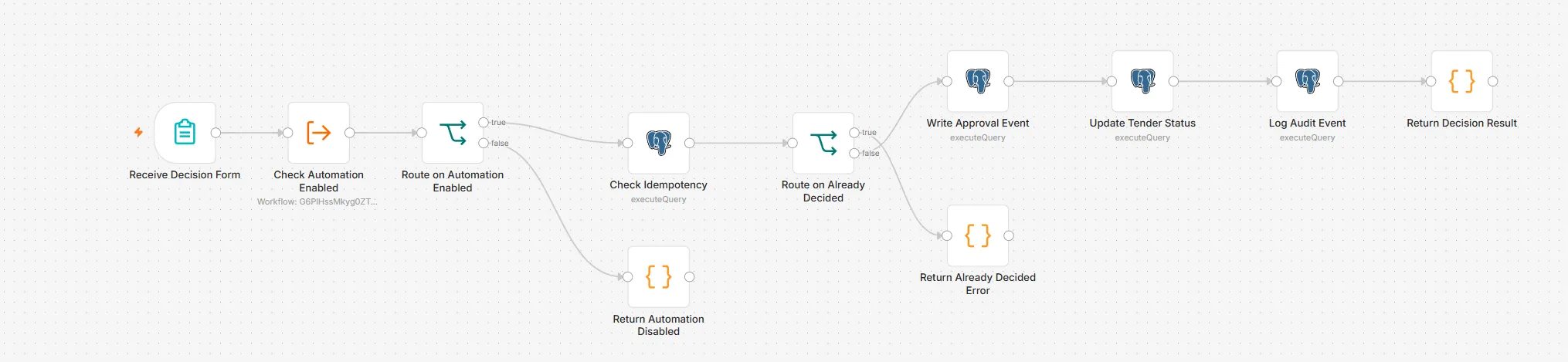
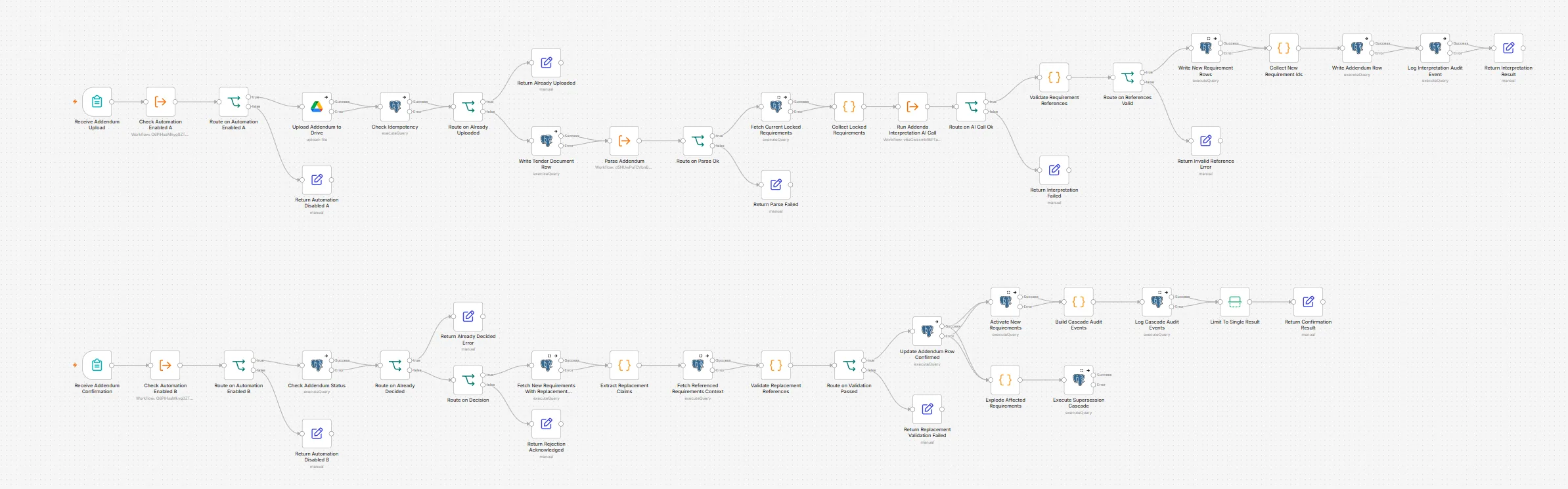
Enlarge: 01 · Ingest Tender Opportunity. Idempotent intake, document upload and hand-off to extraction.Enlarge: 02 · Go / no-go decision. A person decides whether to bid; repeat decisions are rejected.Enlarge: 03 · Extract & Reconcile Requirements. Deterministic extraction first, then AI reconciliation and a conflict check.Enlarge: 04 · Process Addendum. Addenda are interpreted, then confirmed by a person before requirements are replaced.Enlarge: 05 · Retrieve & Draft Answers. Low confidence or failed validation becomes a manual-draft task, not a draft.Enlarge: 06 · Compile Review Package. Sources are re-checked for currency before the package is assembled.Enlarge: 07 · Route Human Review & Approval. Per-answer decisions, plus a scheduled deadline sweep with escalation.Enlarge: 08 · Finalize & Record Submission. Owner-only sign-off; unauthorized attempts are rejected and logged.
Screenshots of the n8n editor canvas. Sticky notes are hidden; node names and connections are as built.
Stack: n8n · PostgreSQL + pgvector · Ollama embeddings · OpenRouter (GPT-4o mini) · Google Drive & Docs · n8n Forms with user auth · Slack
Selected system · Clinic website, booking & payments
Medical Clinic Website & Payment Integration
In development · Sandbox
Portfolio system · fictional clinic
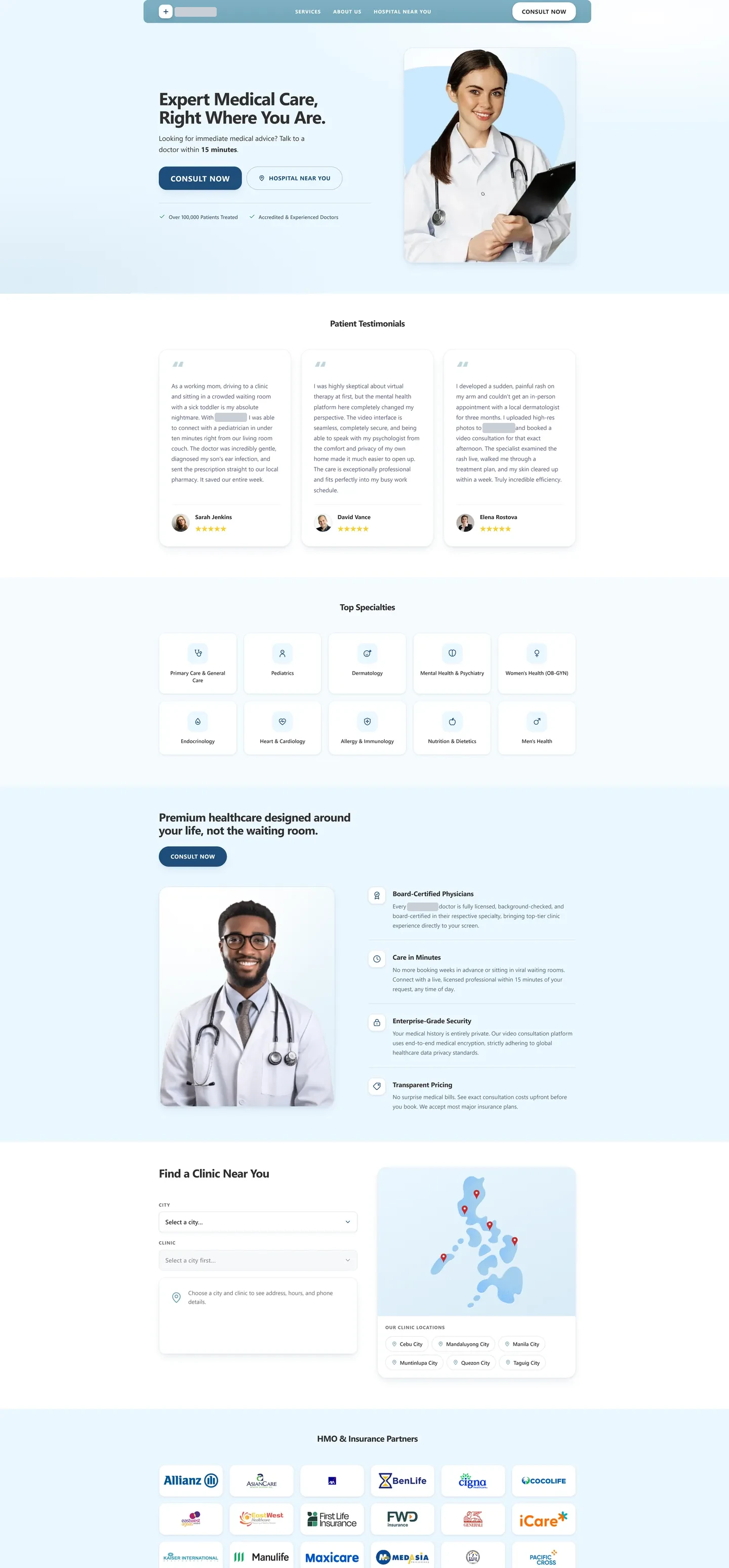
A website and booking journey for a fictional clinic, designed so patients receive their online consultation link only after the payment provider confirms the payment and the clinic's system checks that the confirmation is genuine. Payments run in test mode only.
For paid online consultations, the consultation link is the product. A clinic needs patients to move smoothly from interest to booking, but access should only be released once payment is genuinely confirmed — not because a redirect page said so.
Solution
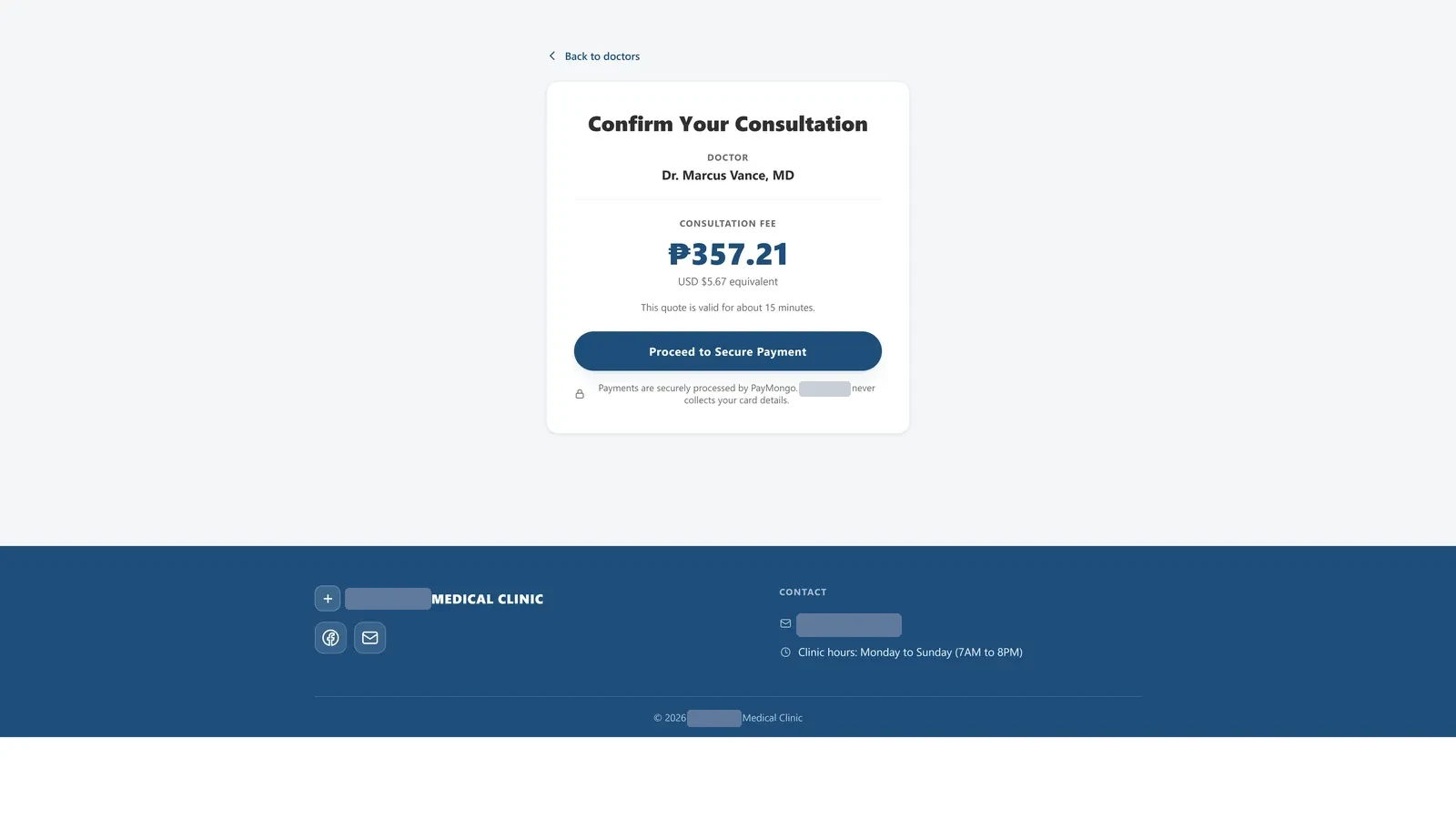
Built in two stages. First, the clinic's website pages and CRM workflows in GoHighLevel, which move patients through booking, send reminders and alert staff. Then a payment system in n8n with a database, which sets the price on the server, sends the patient to PayMongo's secure checkout, checks each payment confirmation and only then sends the consultation links and updates the CRM.
System layers and their status
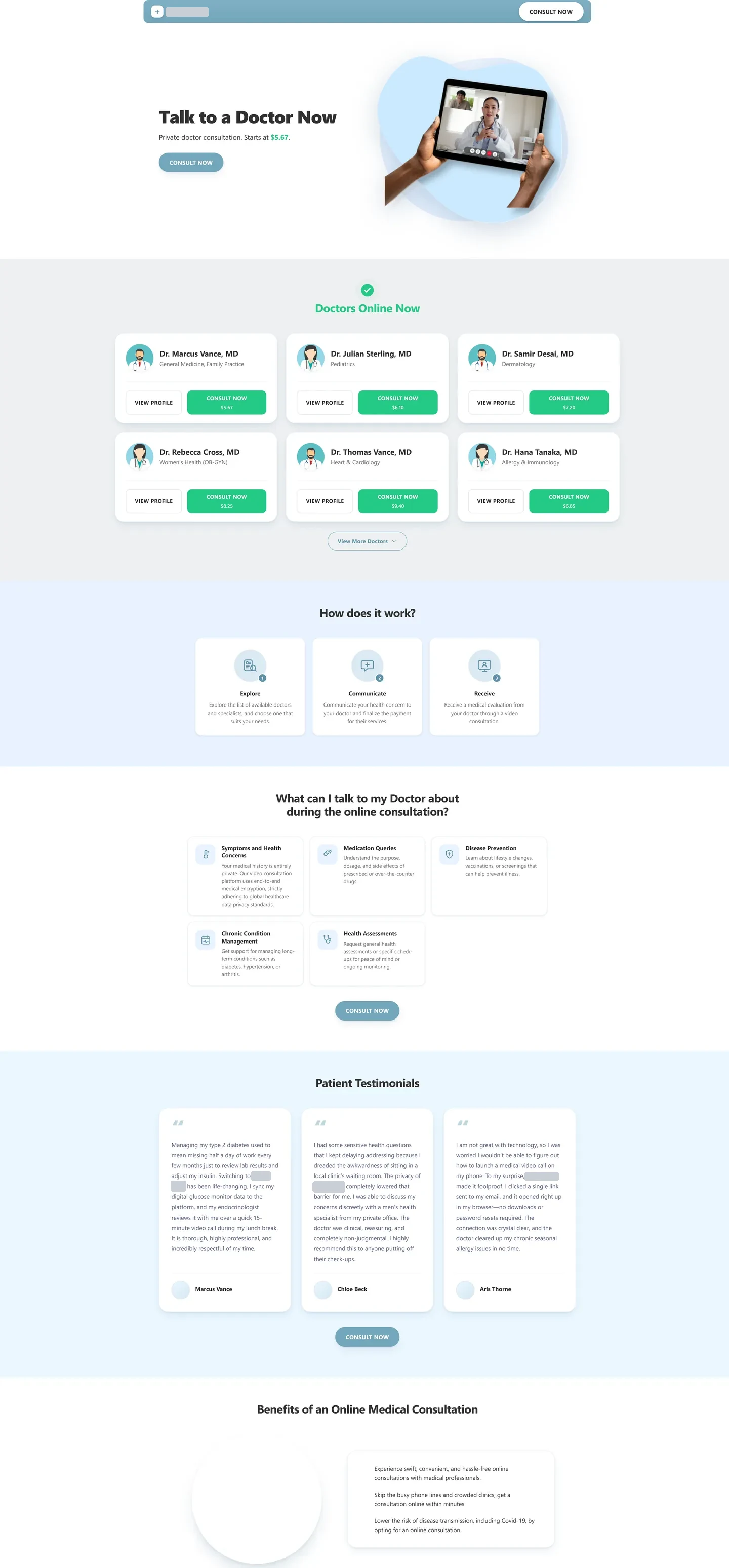
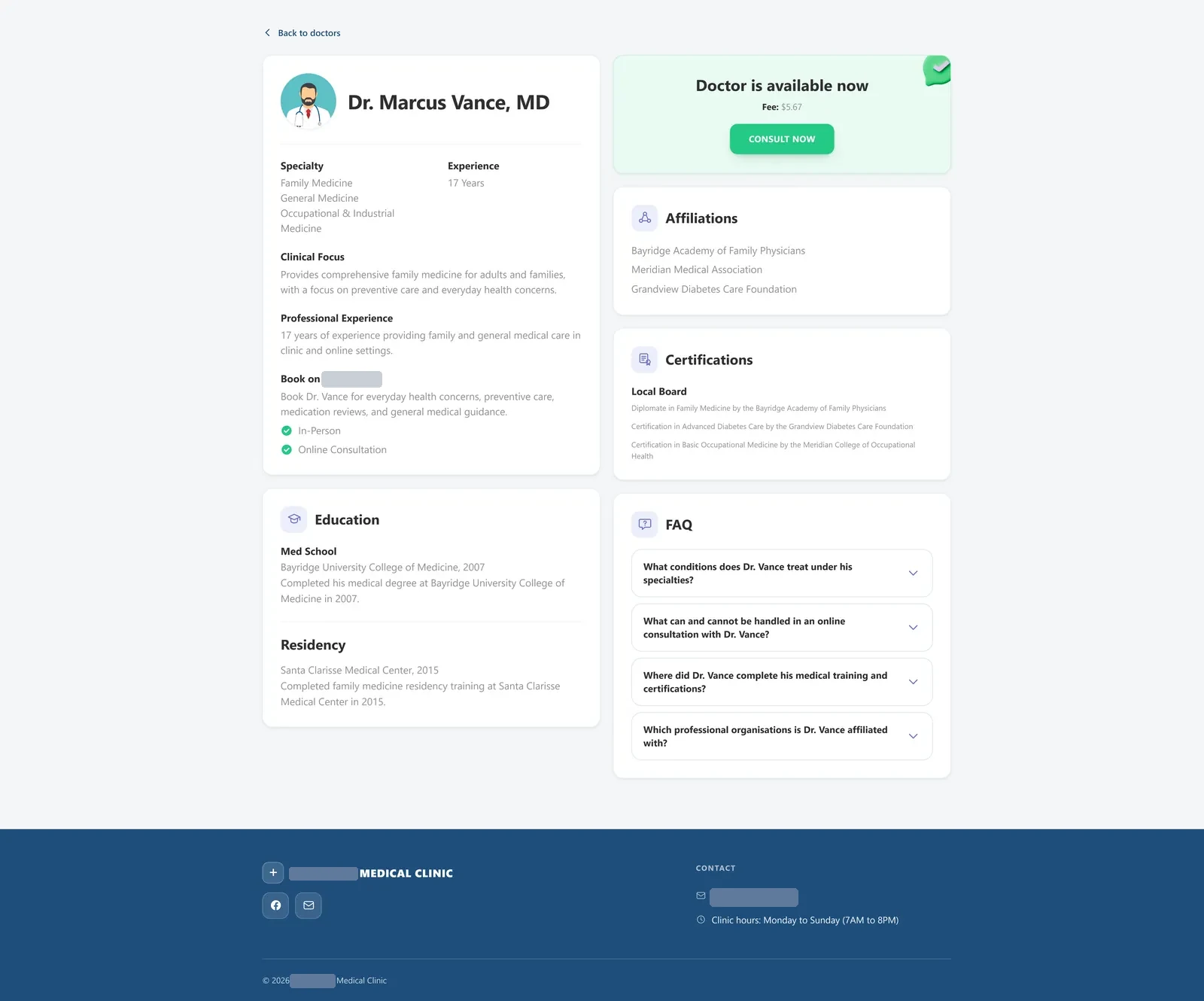
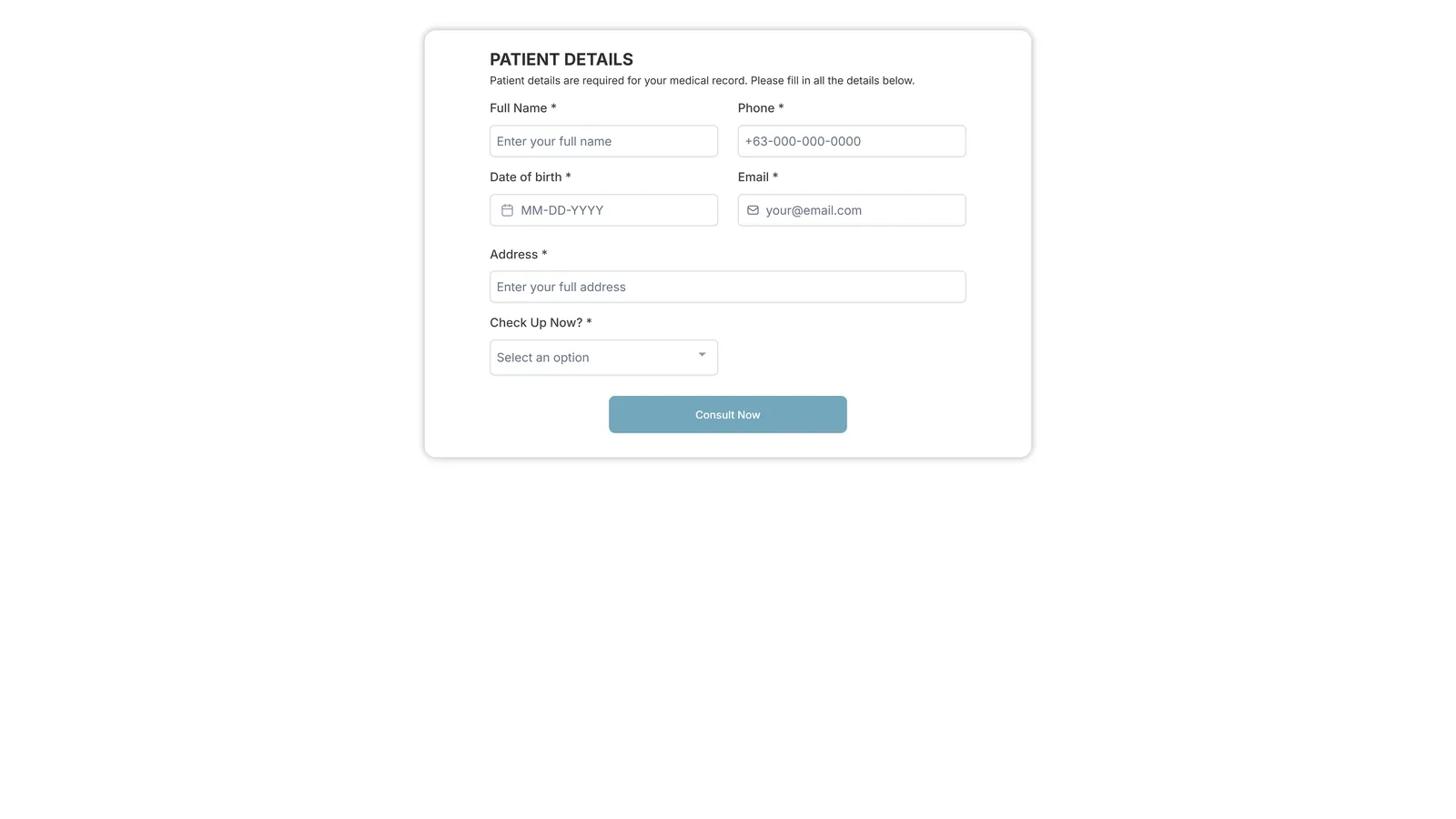
Patient funnelGoHighLevel pages: landing → talk to a doctor → doctor profile → patient details → payment → confirmationBuilt · public preview
CRM & bookingFour GoHighLevel workflows and a reminder loop move patients through booking, the medical history form and visit follow-upImplemented
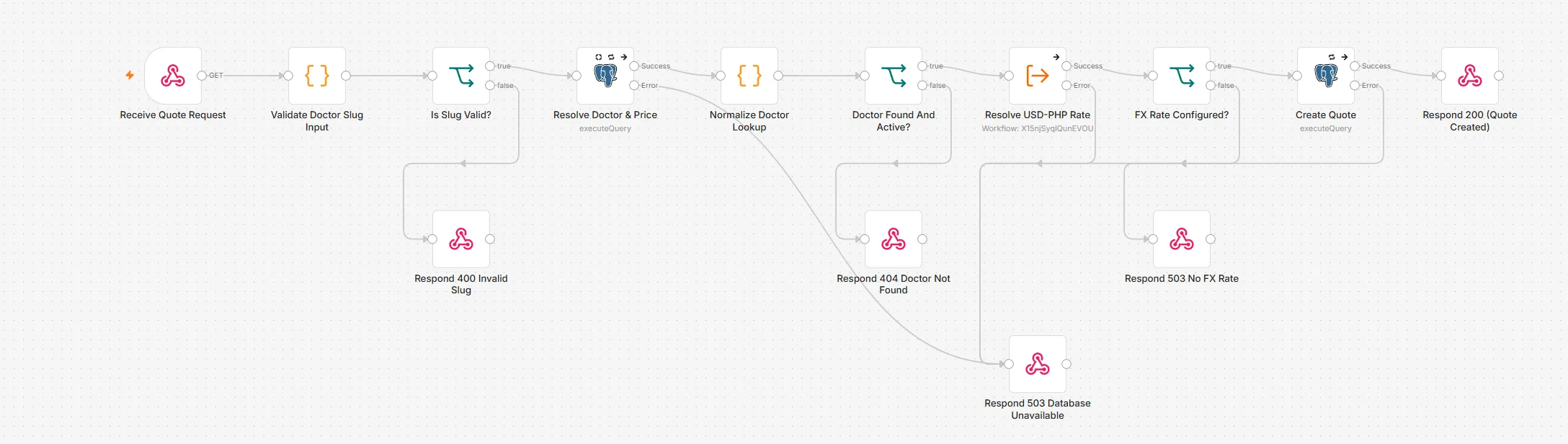
PricingThe price is calculated on the server and converted from USD to PHP. The web page can't change itRuntime-tested
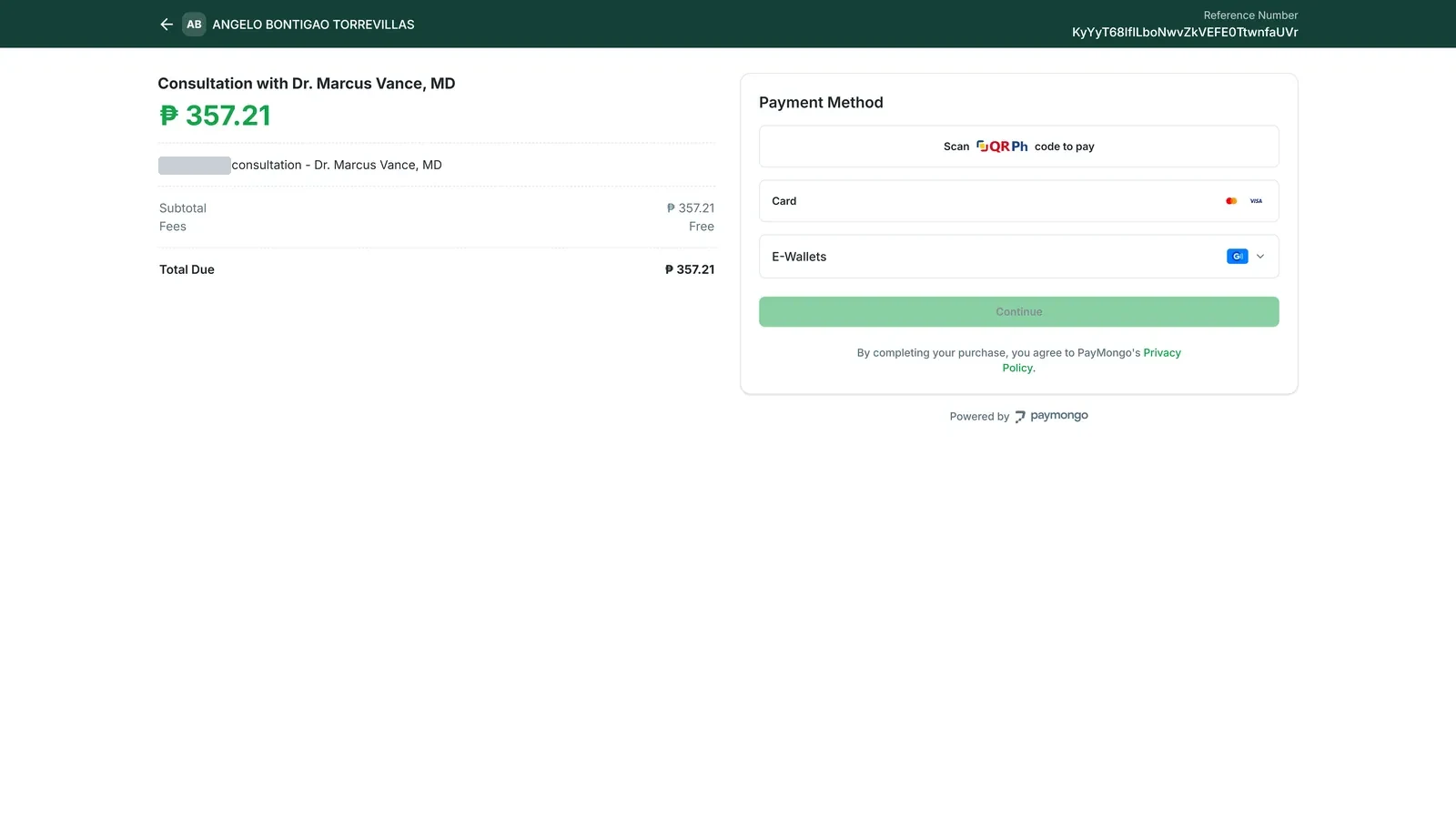
CheckoutPayMongo's own secure checkout, with a guard that refuses anything except test modeSandbox-tested
Payment verificationPayMongo's confirmation is checked against its digital signature (HMAC), recorded once, and only then marks the consultation paidBuilt · sandbox
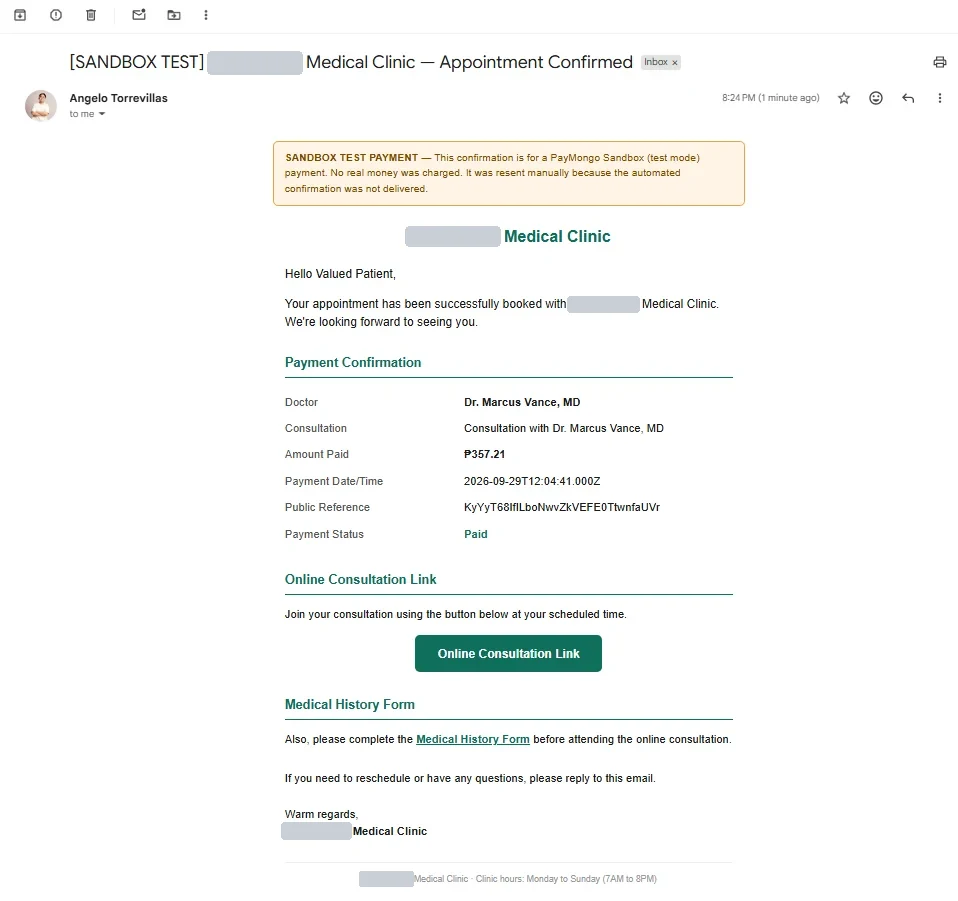
Access & confirmationConsultation and medical-history links are emailed only after a verified payment. The automated email was tested end to end with a sandbox payment, and in this demo sending is limited to approved test addressesSandbox-tested
CRM syncOne supervised test run tagged the paid patient in the CRM. The sync stays switched off outside such runsVerified once · controlled
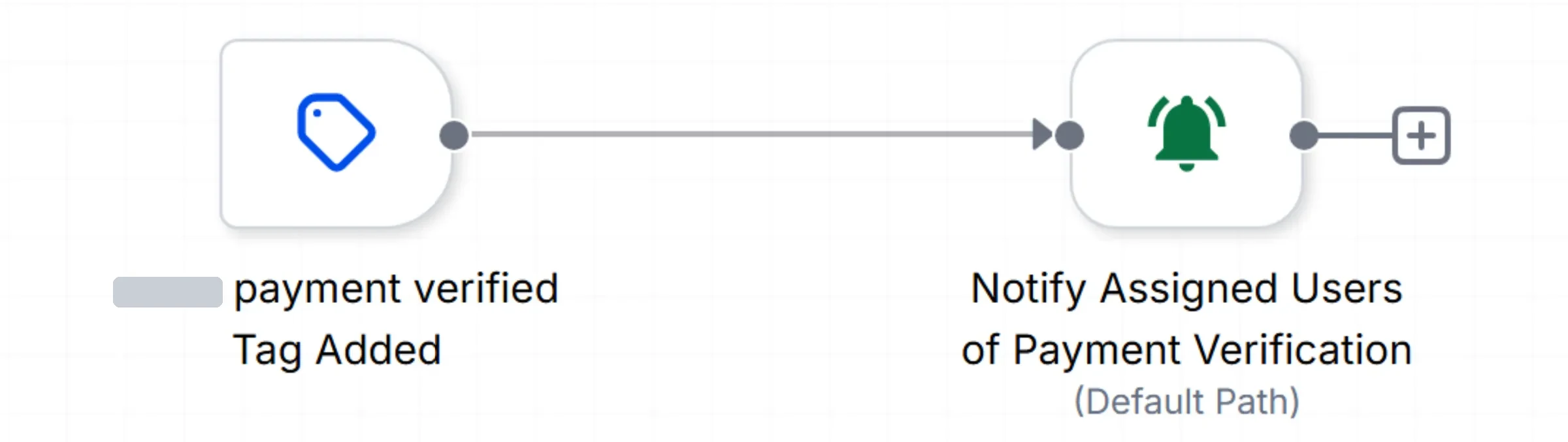
Staff notificationGoHighLevel alerts staff when the paid tag reaches the patient's CRM record. Because the CRM sync is locked outside supervised tests, this alert only runs in those testsRuns with the CRM sync
Sandbox means PayMongo test mode — no real money moves. Verified once · controlled means one deliberate, supervised run has verified the CRM sync, which stays locked outside such runs.
Runs automatically
Lead routing, pipeline moves and booking reminders in GHL
Price quote, checkout creation and webhook verification
Payment-state transitions and confirmation email
Verified-payment status synced to the CRM contact
Where humans decide
Staff are alerted when a paid patient is tagged in the CRM, which currently happens only in supervised tests
Staff move a patient to the on-site visit stage, which triggers follow-up
CRM writes run only as deliberate, controlled runs — the sync is kept locked otherwise
Guardrails
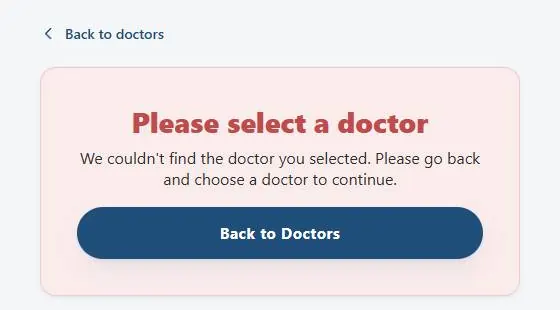
If no valid doctor is chosen, the payment page refuses rather than picking one
Fake or altered payment confirmations are rejected and logged (HTTP 401)
Duplicate confirmations are acknowledged but not processed twice
A settled payment can't change again
If the database is down, PayMongo is told to retry later (HTTP 503)
Evidence · 22 images
Patient journey · GoHighLevel funnel to PayMongo sandbox · clinic name redacted in screenshots
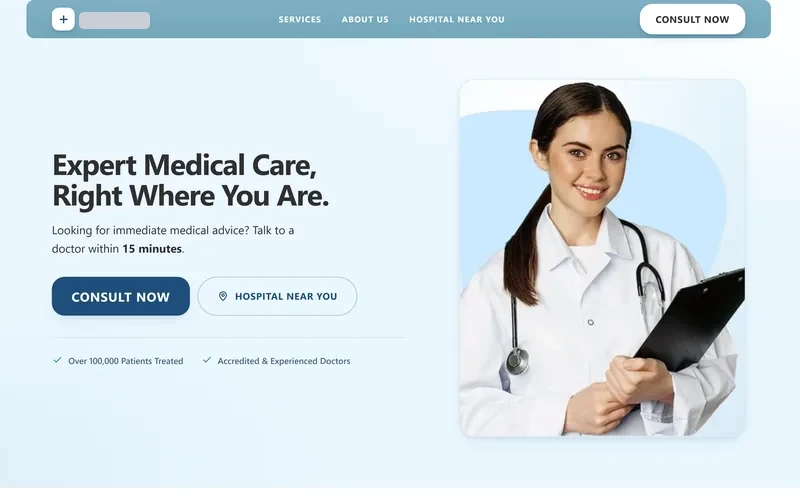
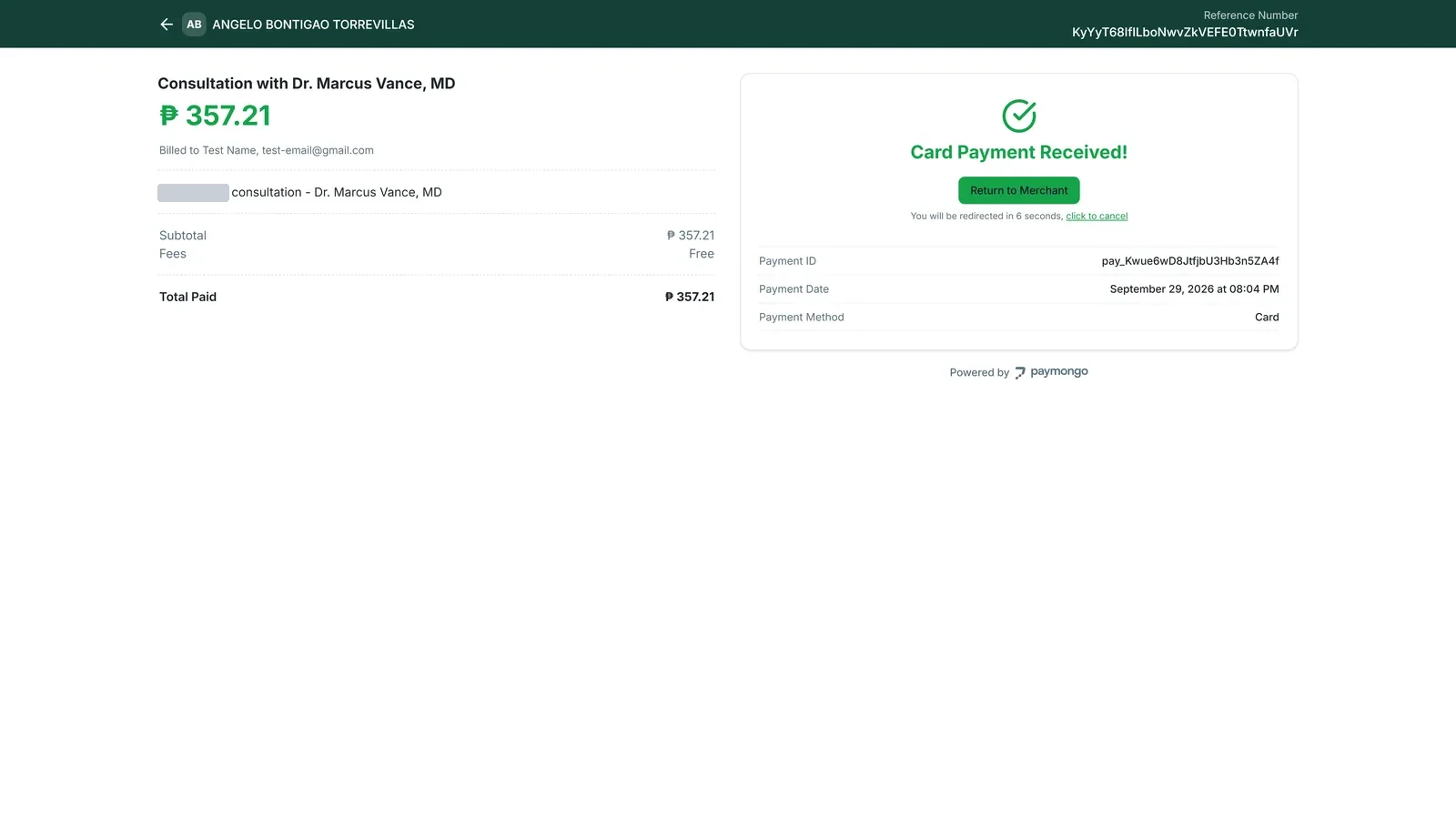
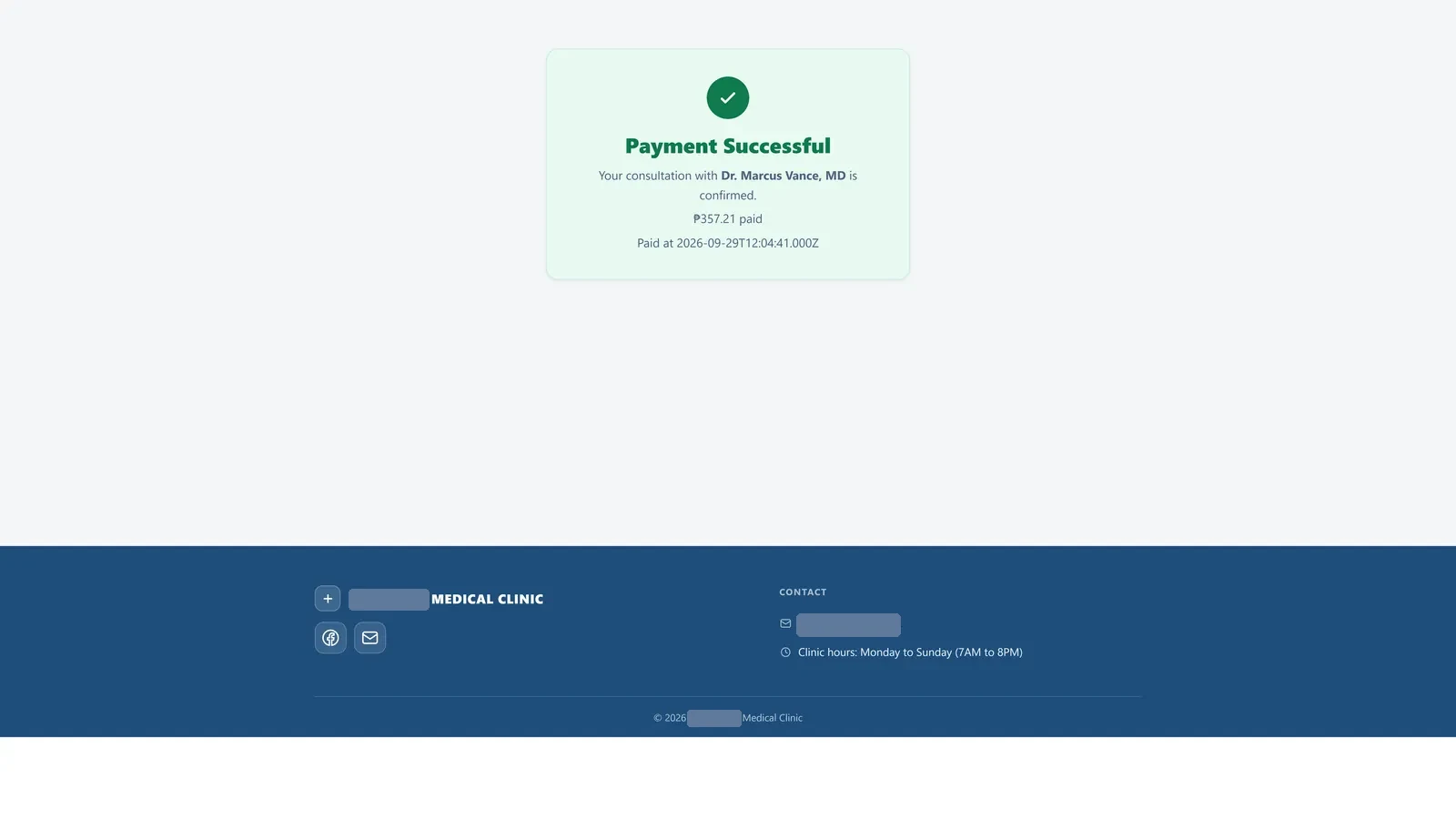
Enlarge: 1 · Landing page. Where a patient enters the funnel. Fictional clinic; demo content.Enlarge: 2 · Talk to a Doctor. Choose a doctor; each Consult Now button carries that doctor's fee.Enlarge: 3 · Doctor profile. Fictional doctor and credentials, written for the demo clinic.Enlarge: 4 · Patient details. The native GoHighLevel form, shown empty.Enlarge: 5 · Payment quotation. The price is quoted server-side in n8n and converted from USD to PHP; the page never sets it.Enlarge: 6 · PayMongo checkout. Hosted by PayMongo in test mode — card details never touch the clinic site.Enlarge: 7 · Payment received (sandbox). A test-card payment billed to a synthetic test customer. No real money moved.Enlarge: 8 · Payment successful. Shown on return from PayMongo; access still depends on the verified webhook, not this page.Enlarge: 9 · Confirmation email. The consultation and medical-history links a patient receives after a verified payment. The "Sandbox test" banner was added for this portfolio to make clear no real money was charged.Enlarge: Guardrail. Without a valid doctor the payment page refuses instead of defaulting.
CRM & booking · GoHighLevel workflows
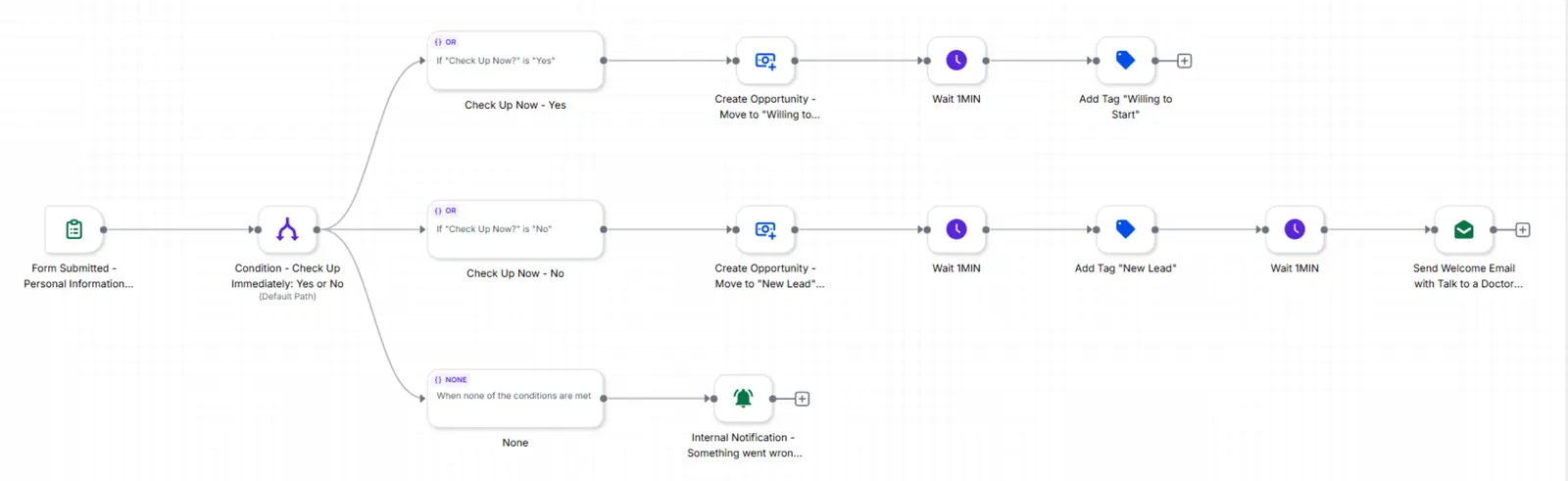
Enlarge: GHL 01 · New lead. Routing by readiness, with a staff alert when the value is missing.Enlarge: GHL 02 · Booking updates. Booked contacts get the meeting link; others get a reminder.Enlarge: GHL 02.1 · Reminder loop. Re-checks booking and hands contacts back to GHL 02.Enlarge: GHL 03 · Medical history. Form submission moves the pipeline stage.Enlarge: GHL 04 · Visit follow-up. Staff move the stage; a thank-you email follows.Enlarge: GHL 05 · Payment verification alert. The verified-payment tag written by n8n notifies assigned staff.
Payment layer · n8n + PostgreSQL
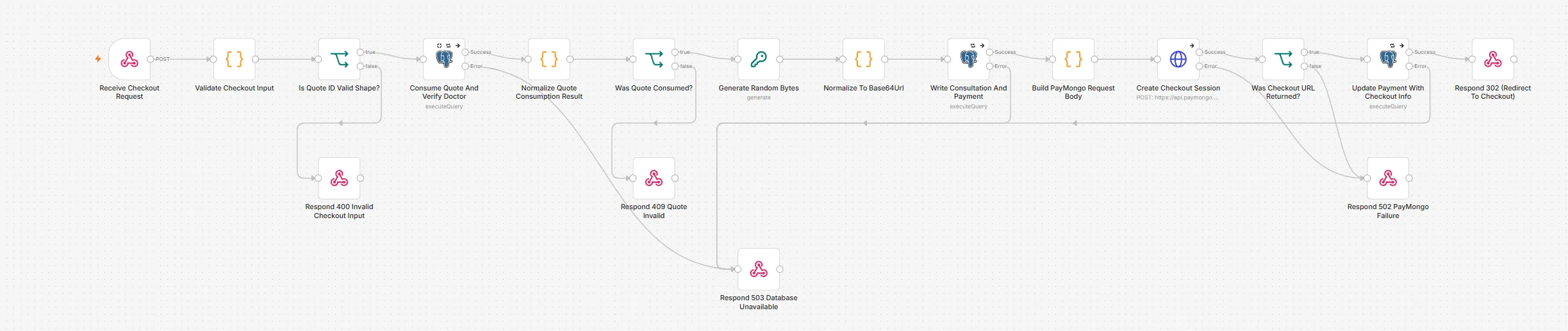
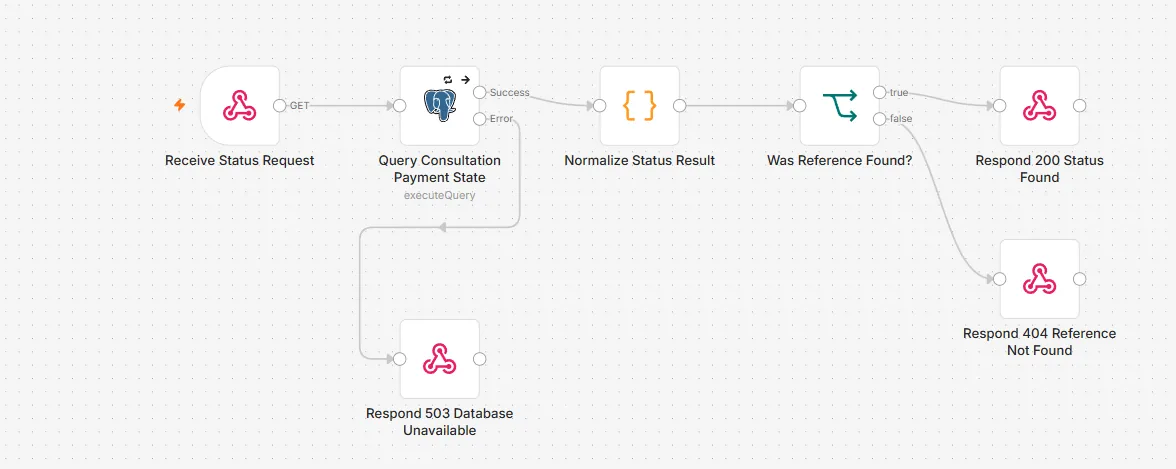
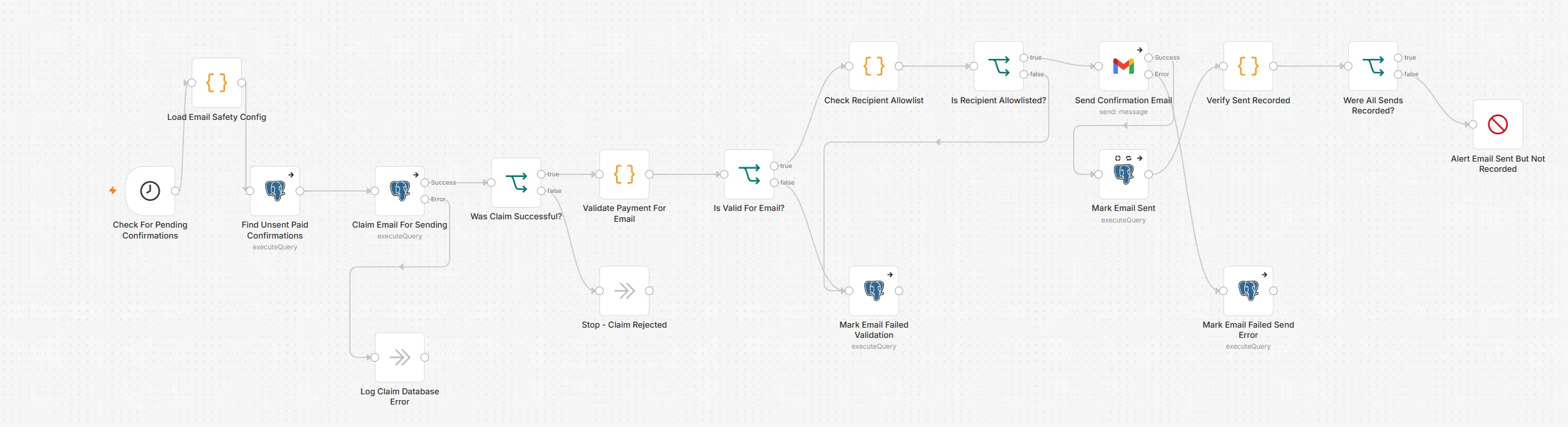
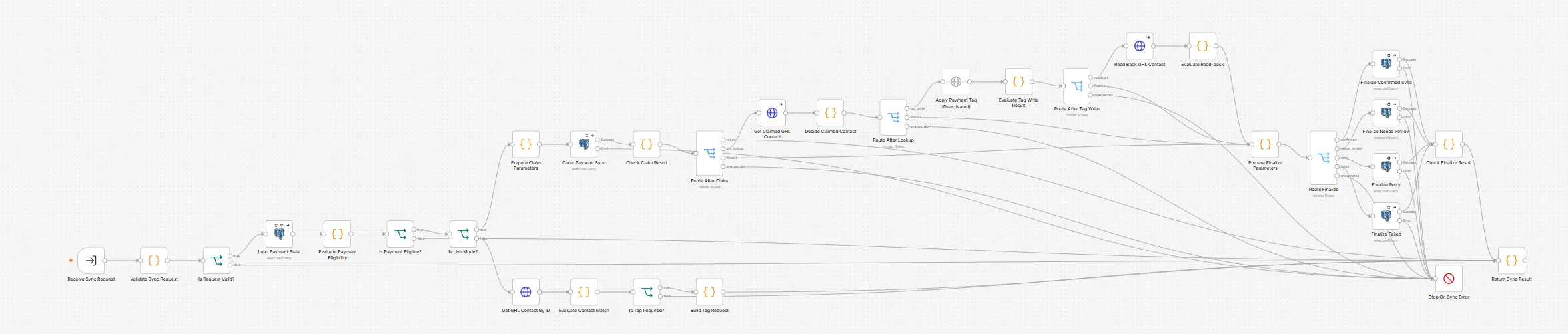
Enlarge: 01 · Quote Consultation Price. Server-side price; a distinct response for every failure.Enlarge: 02 · Create Payment Checkout. A quote can be consumed once; PayMongo failures return 502.Enlarge: 03 · Receive Payment Webhook. Signed webhook → verified payment state, with a response for every outcome.Enlarge: 04 · Report Payment Status. What the Payment Successful page reads — straight from the database.Enlarge: 05 · Send Payment Confirmation Email. Claimed, validated and allowlisted before sending; unrecorded sends raise an alert.Enlarge: CRM sync · Tag Paid GHL Contact. Claims, verifies and reads back one tag write; kept locked outside controlled runs.
Screenshots of the n8n editor canvas. Sticky notes are hidden; node names and connections are as built.
During the trial, the main path from intake to client email completed an end-to-end test, and the AI, PDF and email failure paths were each tested. Some safeguards aren't finished. There's no automatic check yet that keeps the AI's recommended fee within a set range of the rule-based fee, so Sales review is the safeguard. Proposals that need a pricing or manager review stop there, Sales can't yet adjust the price or request changes, and an invalid intake isn't recorded.
Turns a sales enquiry into a priced proposal PDF and makes sure only an approved proposal reaches the client, and only once.
Problem
The firm wanted design-fee proposals produced from sales intake under firm rules. The same inputs should give the same base fee, Sales must approve before anything is sent, and retries or edits must never duplicate a proposal or a client email.
Solution
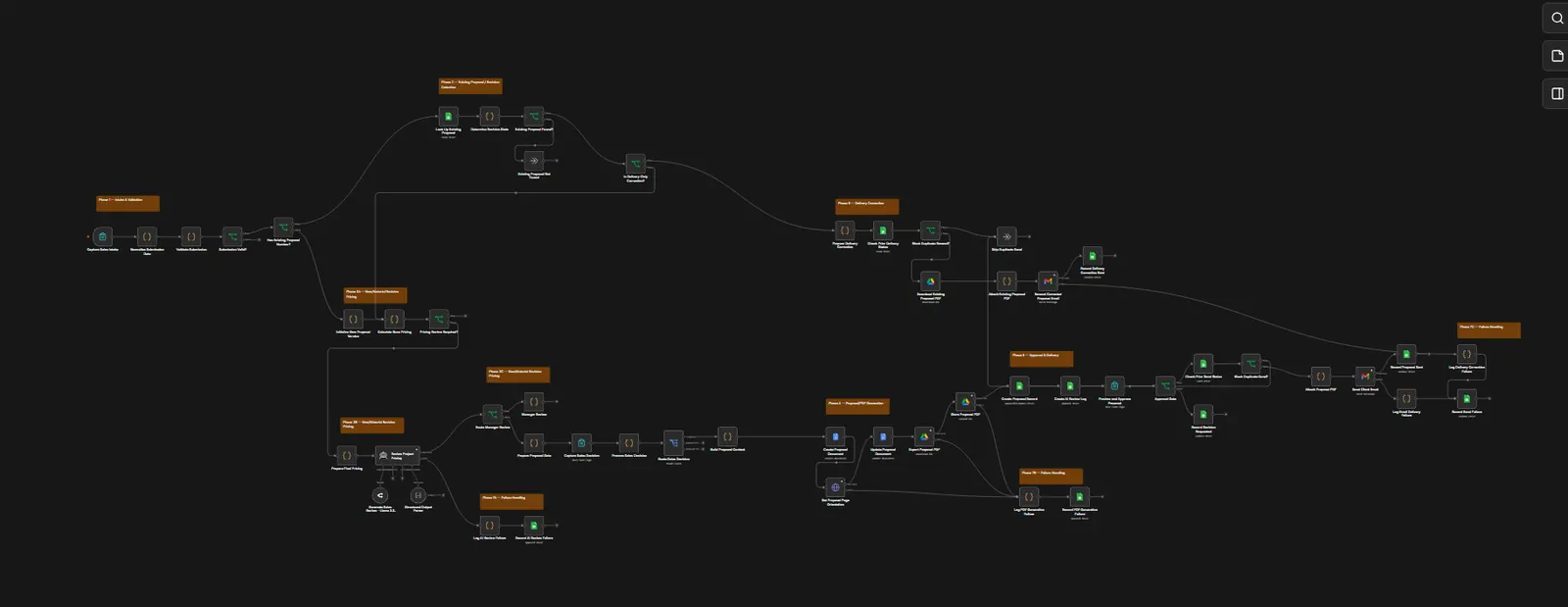
One n8n workflow with more than 50 steps. Fixed pricing rules written in code calculate the base fee. AI then reviews the proposal for risks and missing information and recommends the final fee, which can include extra for complexity. Sales sees the rule-based fee and the AI recommendation side by side and must choose to continue before the proposal is built. The proposal is produced as a PDF for Sales to preview and approve, then emailed to the client with Sales copied.
How it flows
Sales intakeForm, normalization, validation
Version checkNew proposal, material revision, or delivery-only correction
Deterministic pricingRule-based base fee with a visible breakdown
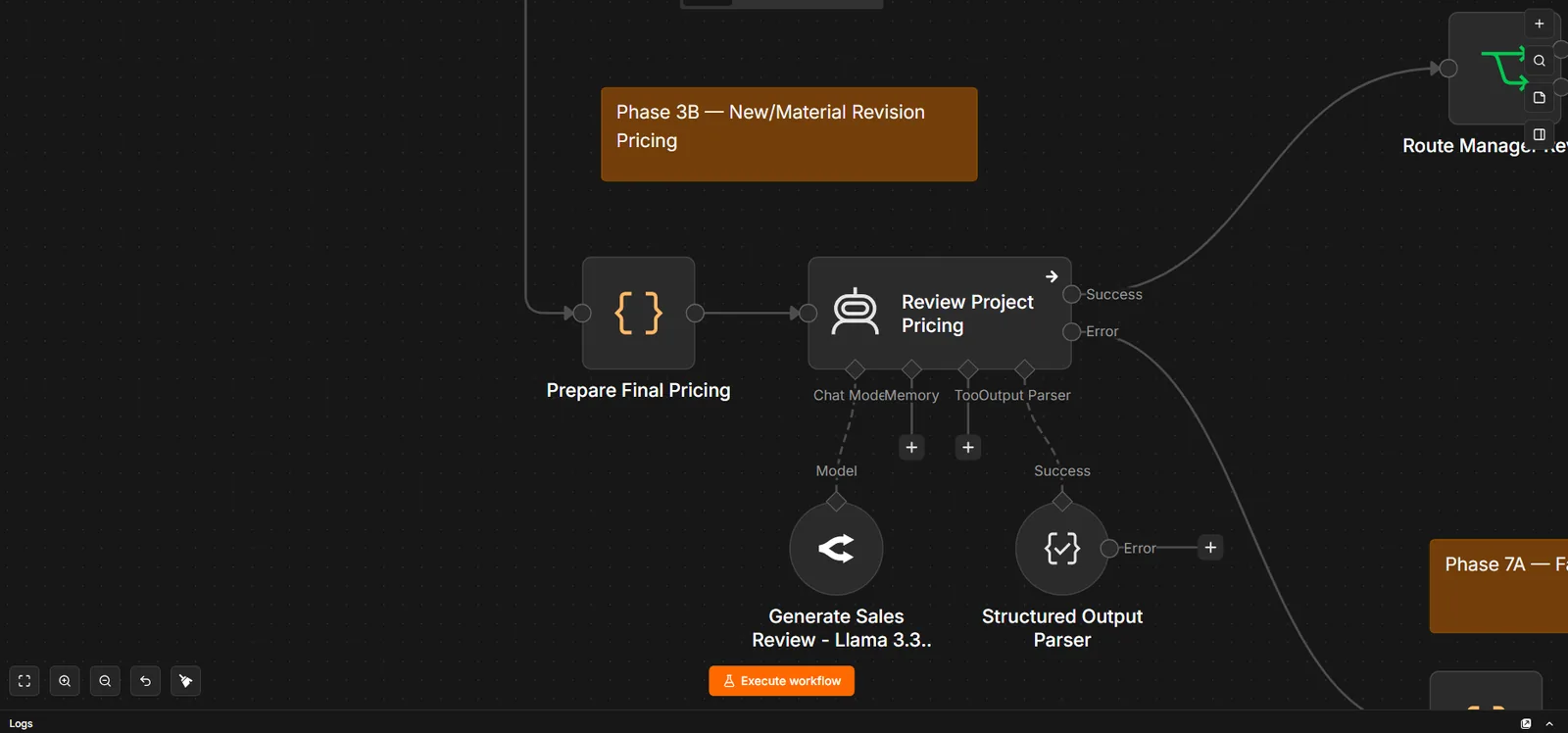
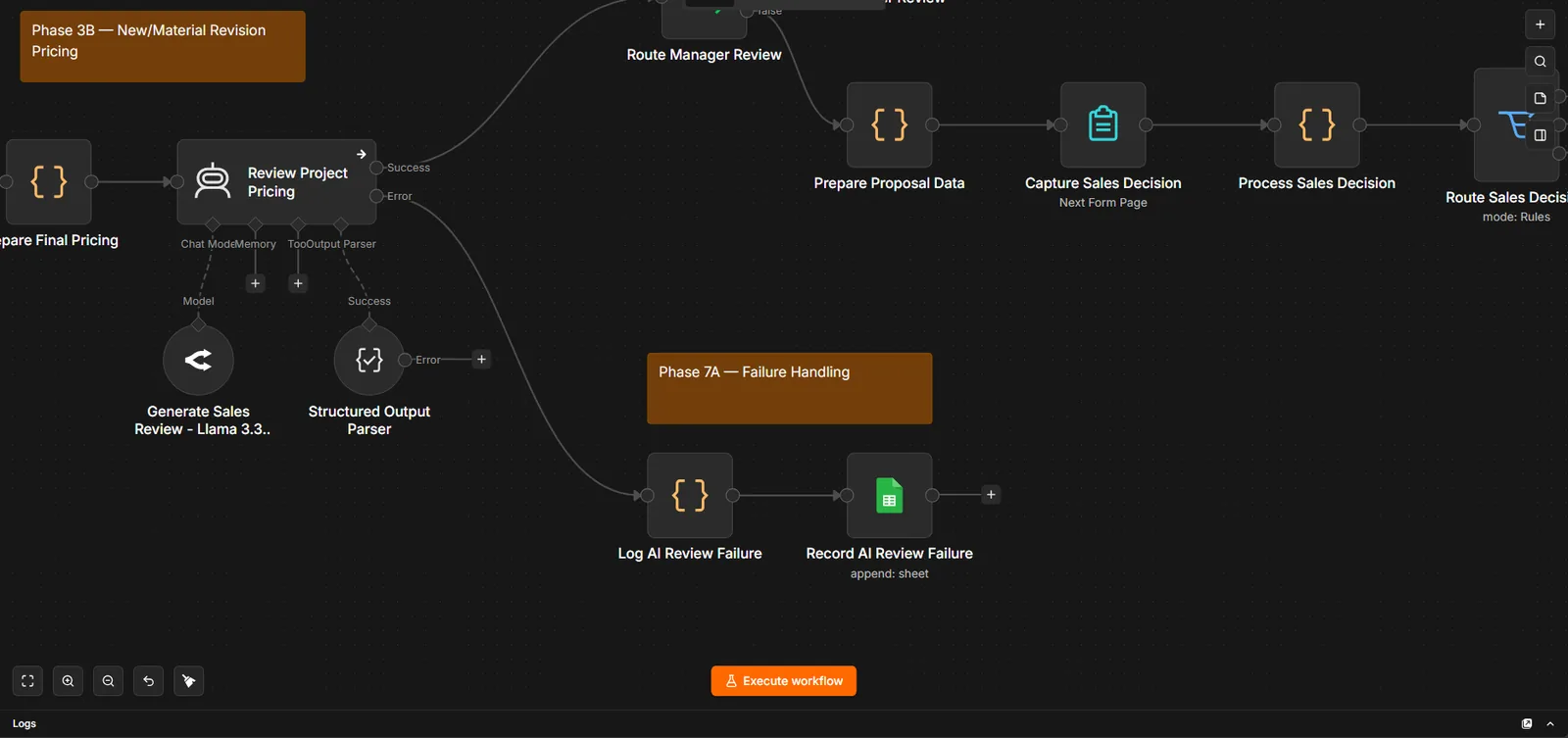
AI risk reviewA fixed-format review that recommends the final fee and can flag a proposal for manager review
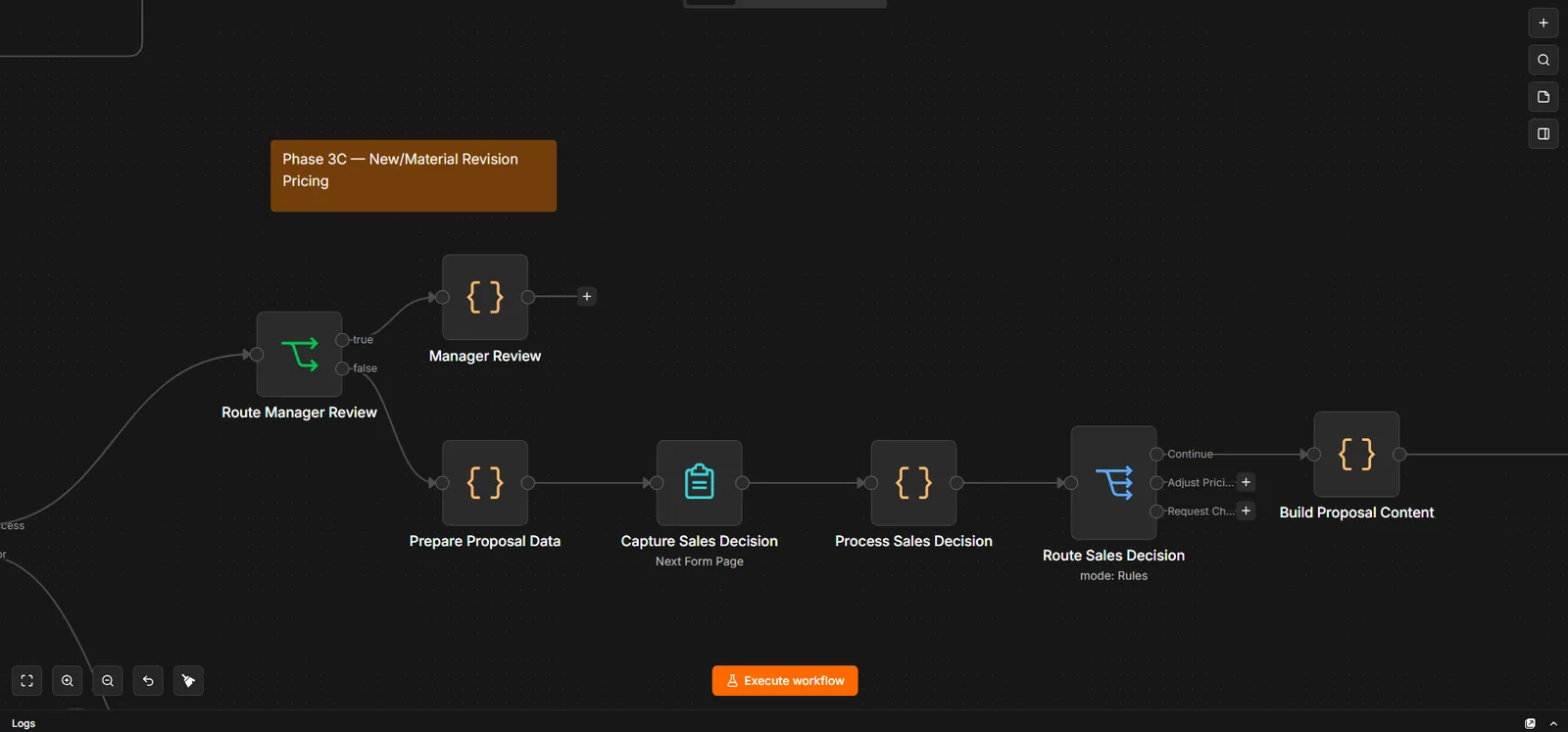
Sales decision Human decisionReview the rule-based fee and the AI recommendation, then continue. The adjust-pricing and request-changes options aren't connected yet
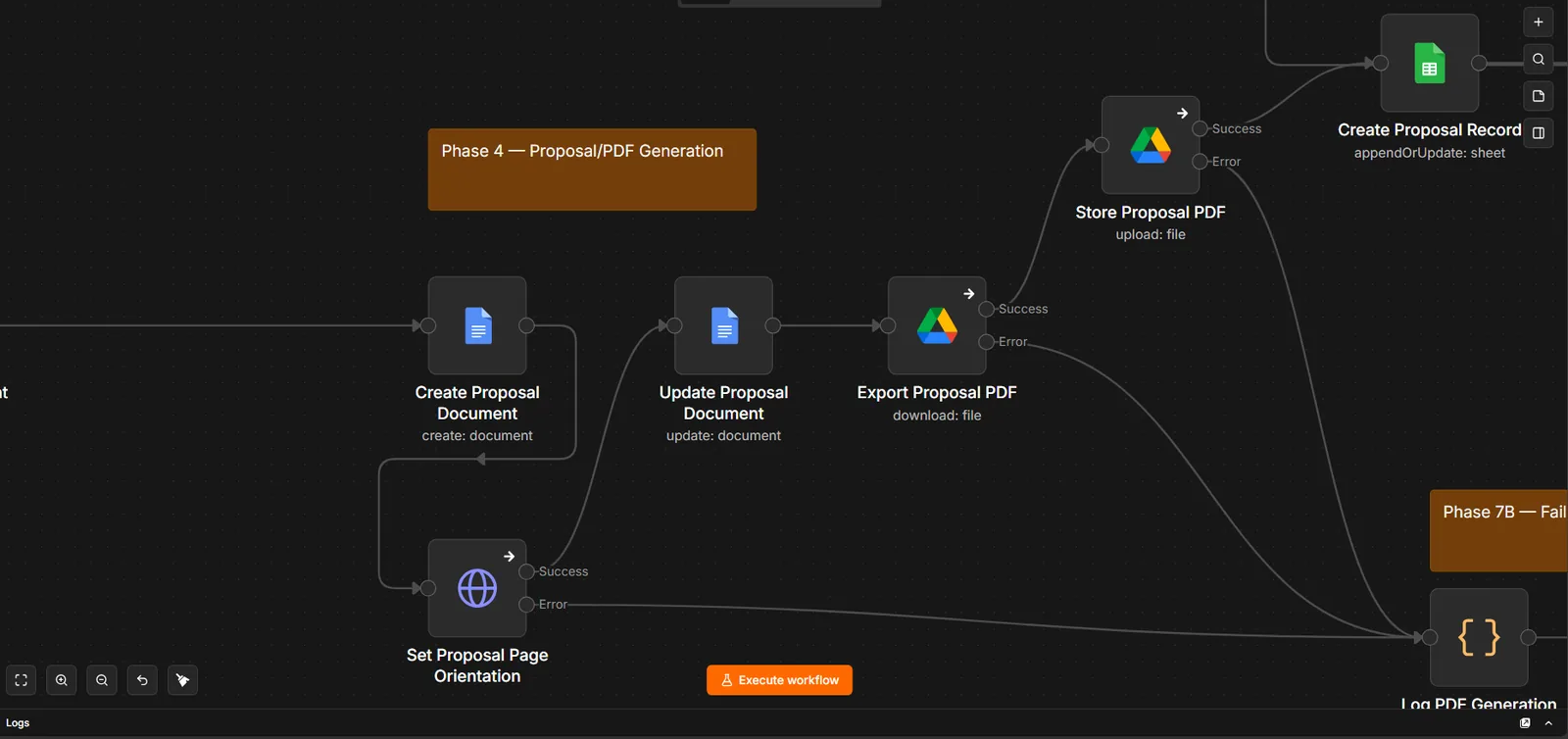
Proposal PDFDocument built, exported and stored
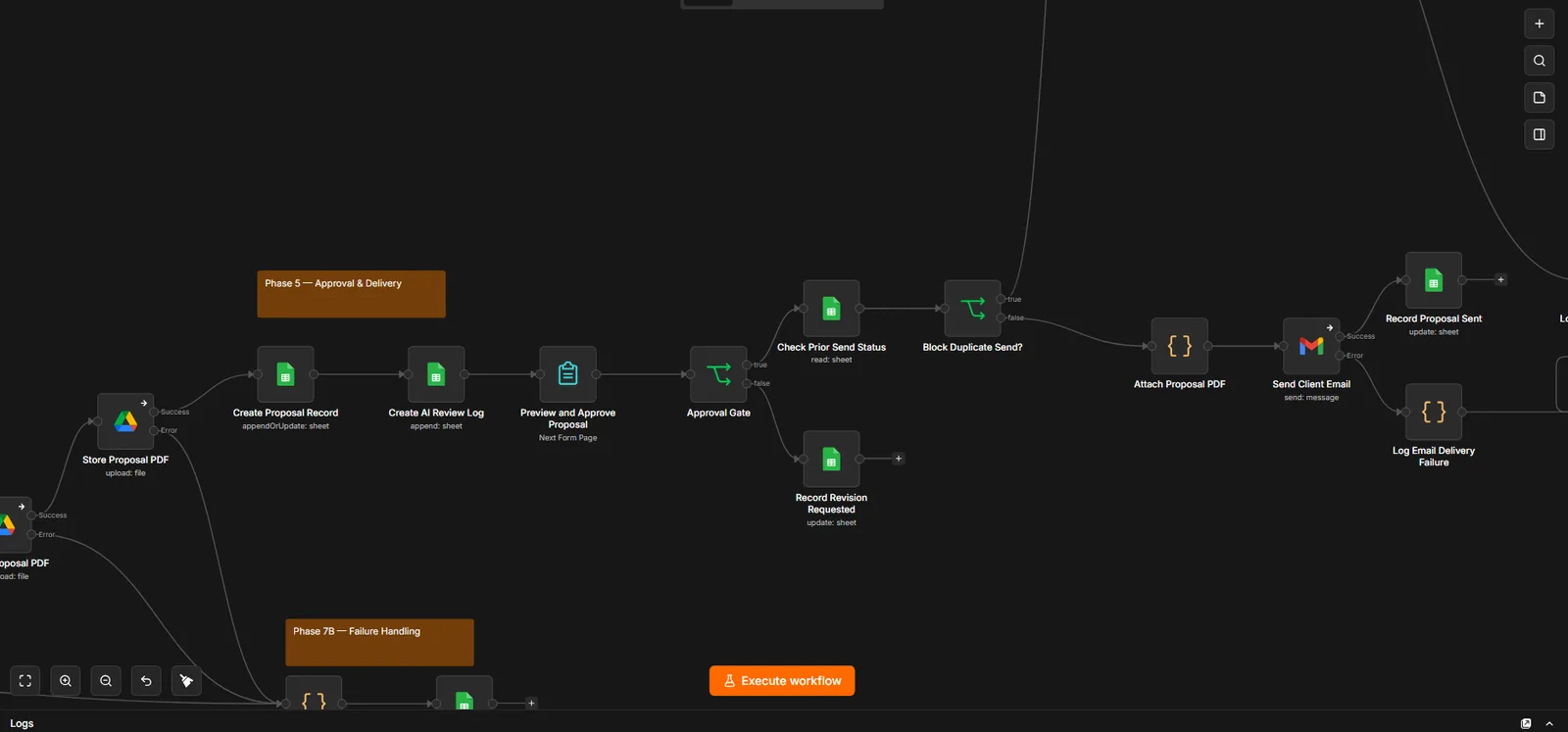
Preview & approve Human decisionApprove or send back for revision
Deliver onceDuplicate-send check, then email client and CC Sales
Runs automatically
Input validation and proposal numbering
Revision detection against existing proposals
Fee calculation and AI risk review
Document, PDF and record creation
Client delivery and status logging
Where humans decide
Higher-risk proposals are flagged for manager review, but that review step isn't built yet, so they stop there
Sales reviews the rule-based fee and the AI recommendation before the proposal is built
Sales previews and explicitly approves the PDF before sending
Guardrails
The AI never calculates the base fee
Sales sees the rule-based fee and the AI recommendation side by side before continuing
The AI's answer must match a fixed format before it's used
A proposal email can't be sent or resent twice
AI, PDF and email failures each have their own recorded path
A separate workflow is set up to post a Slack alert if the main workflow stops on an unexpected error. That alert hasn't been confirmed in a test yet
Evidence · 12 images
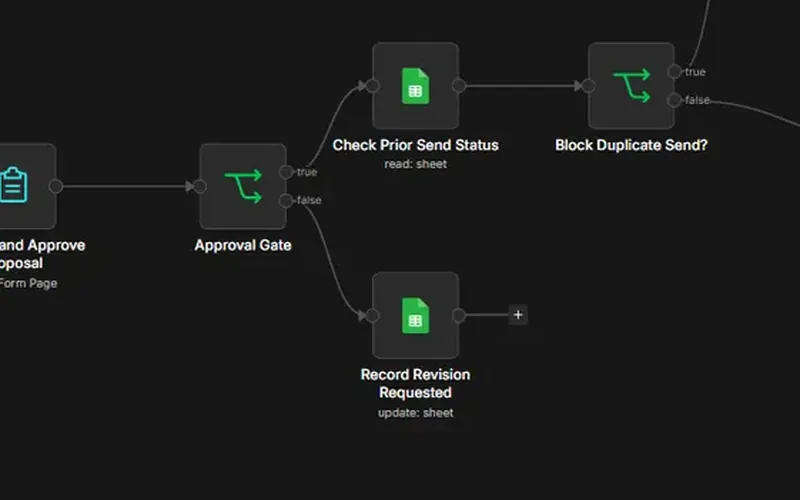
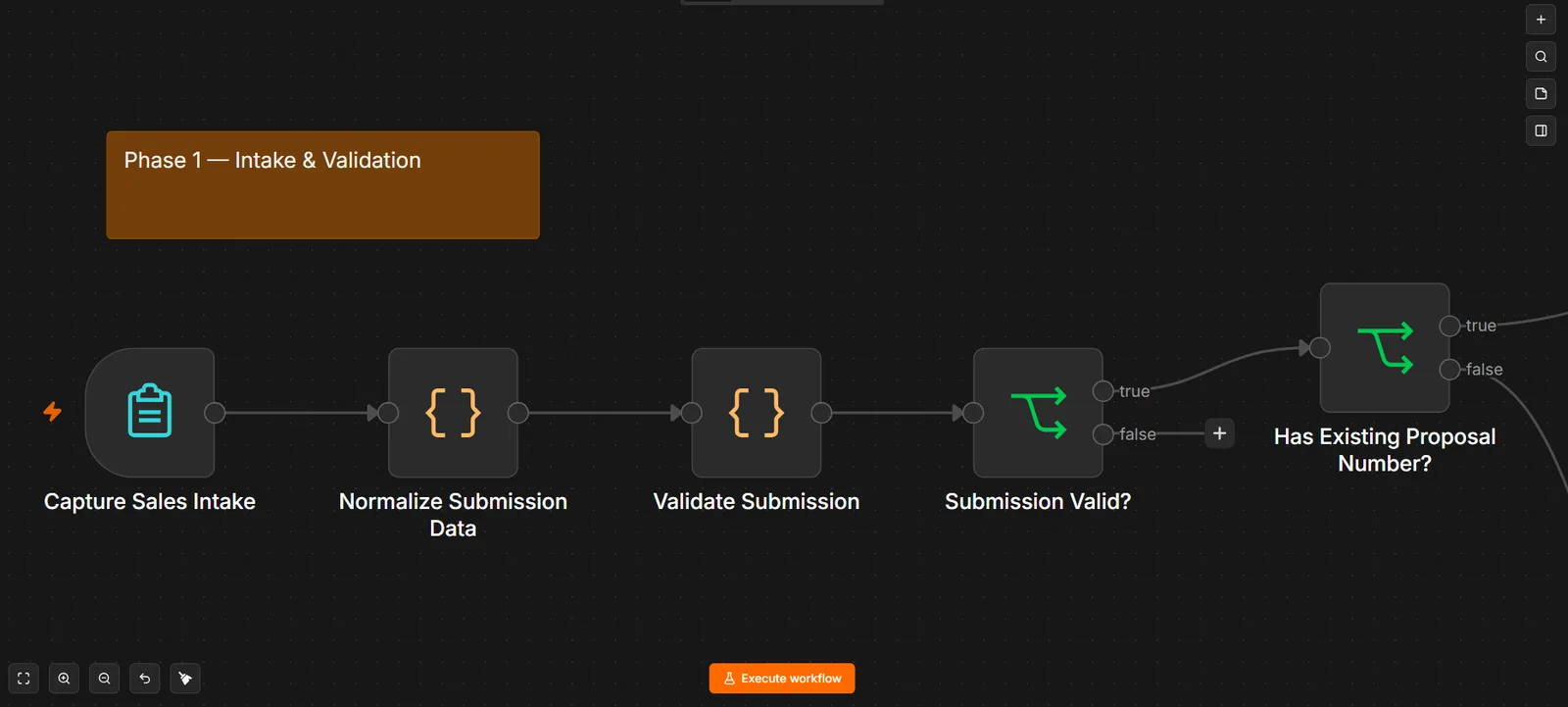
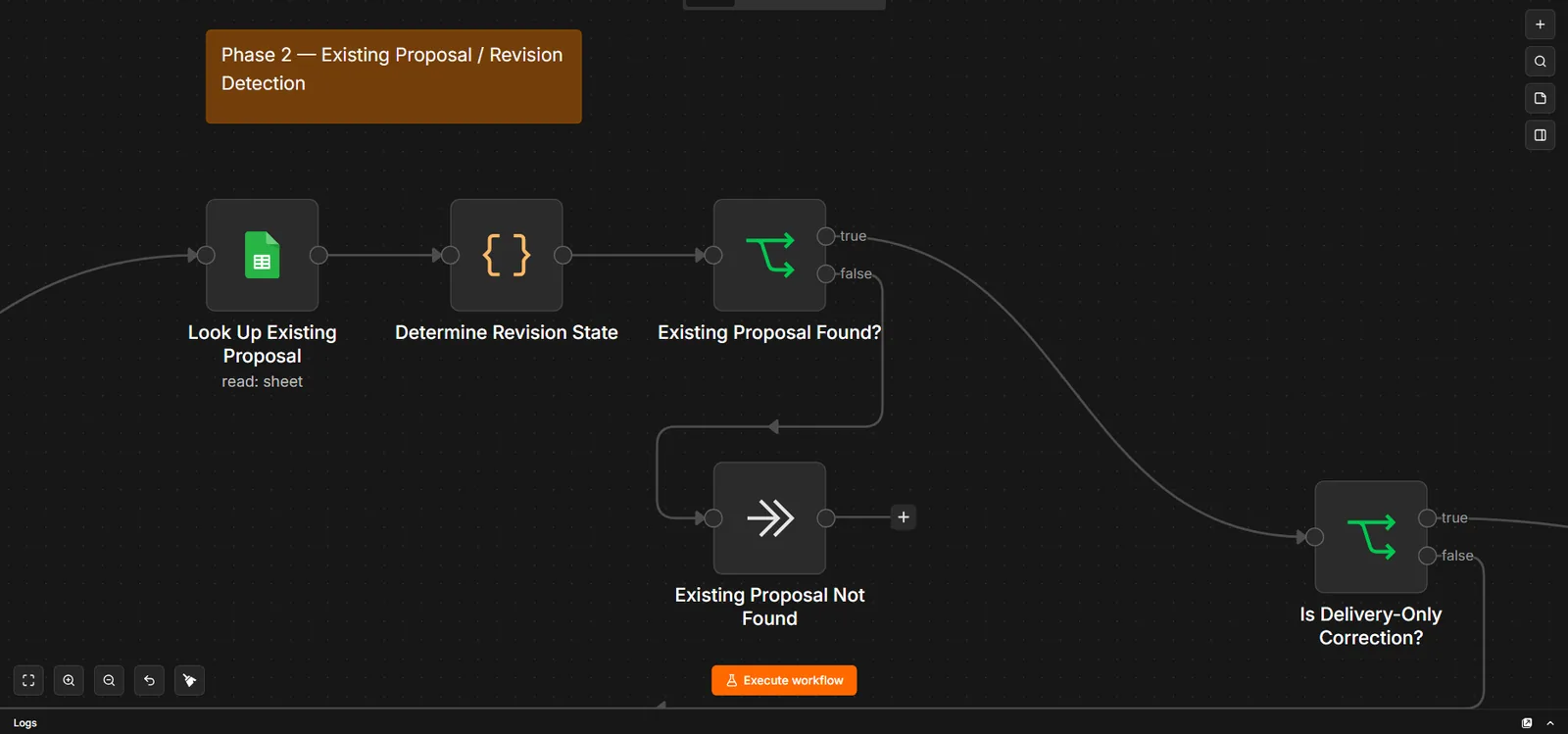
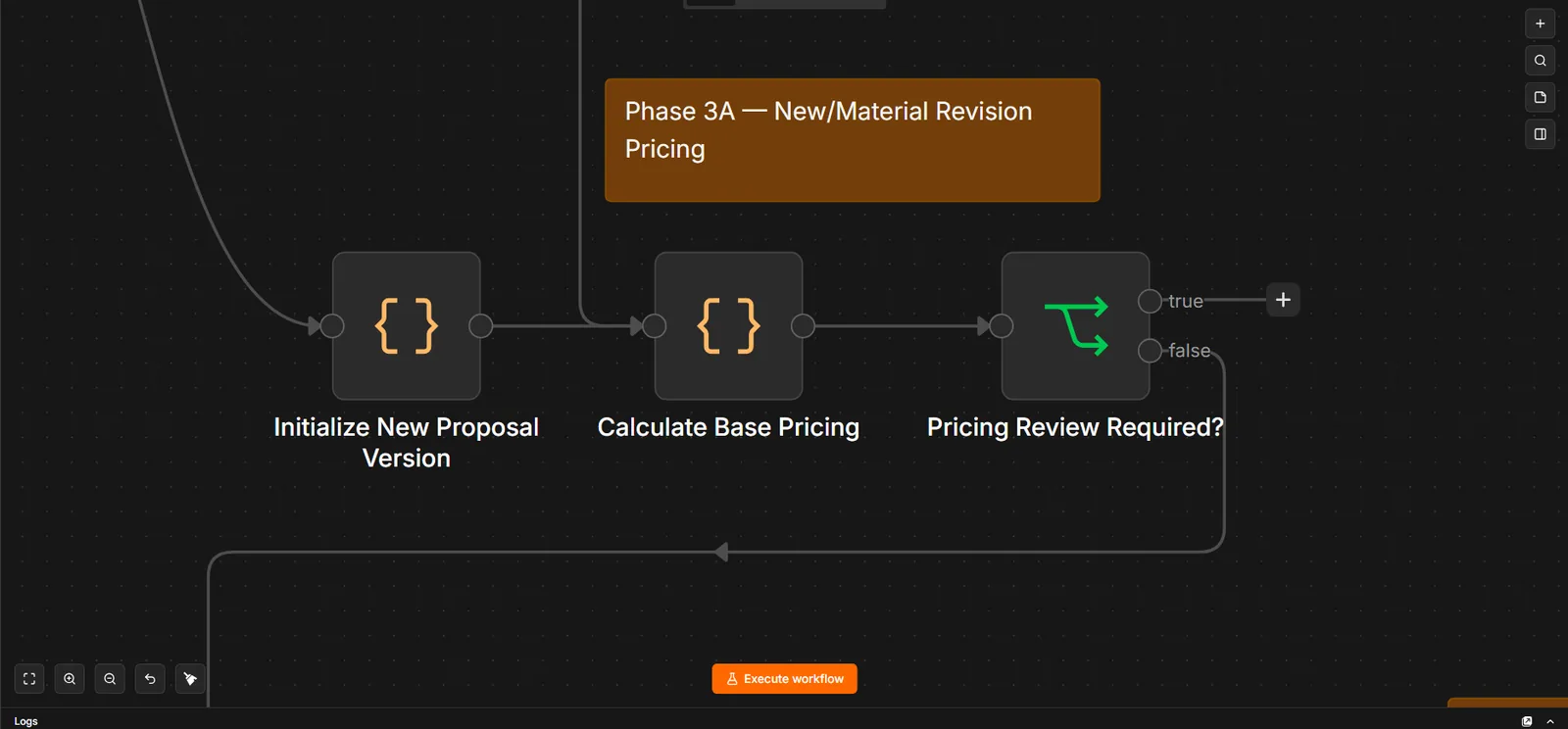
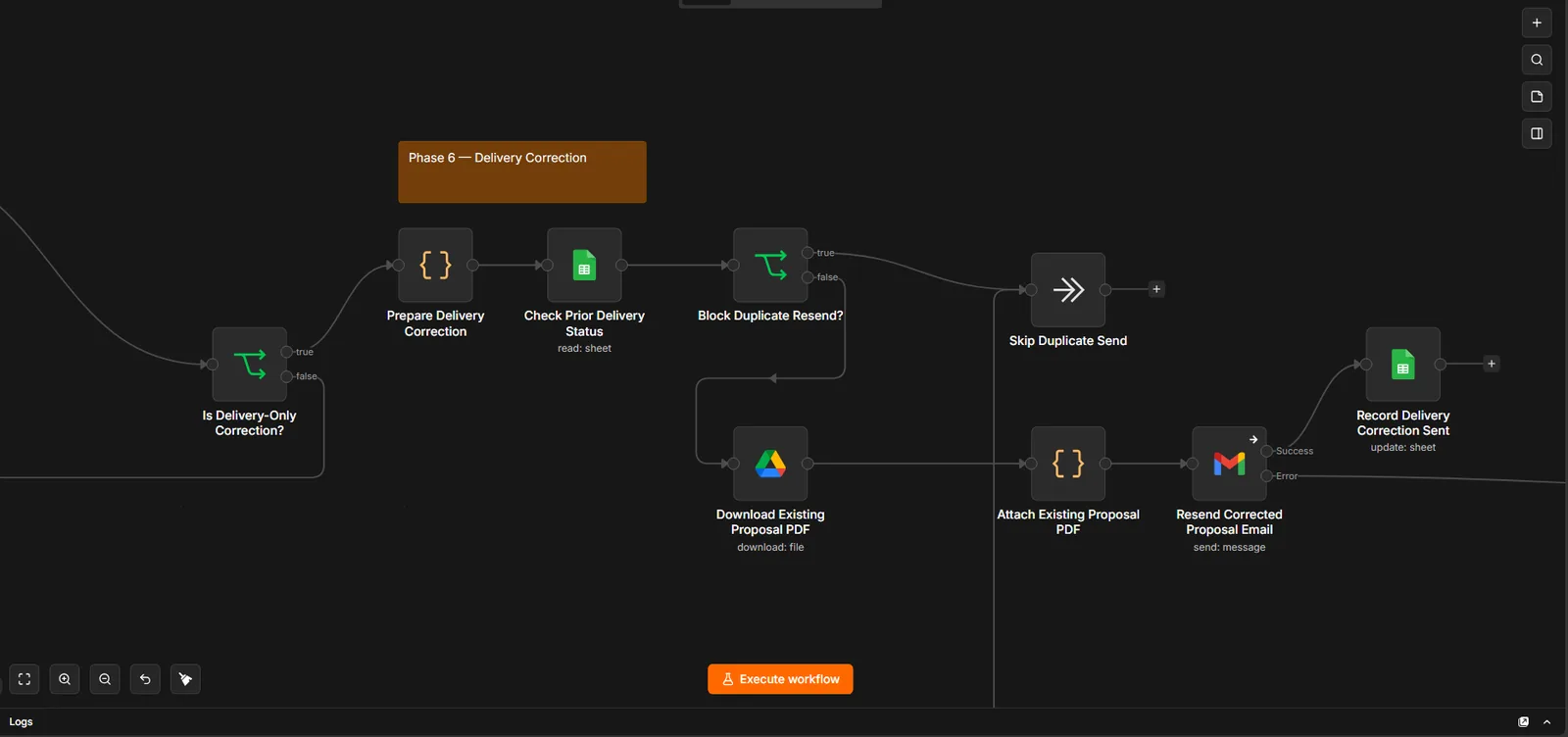
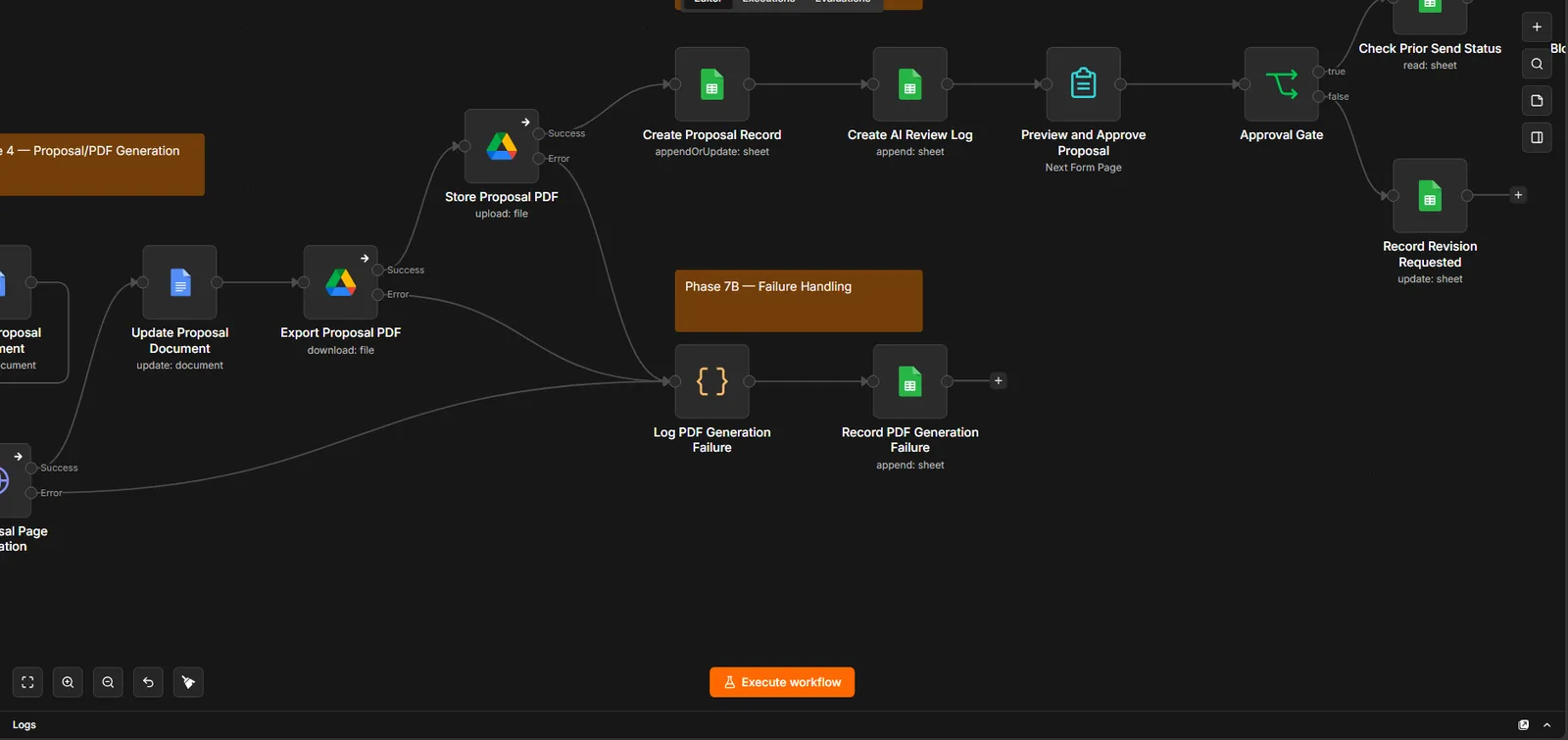
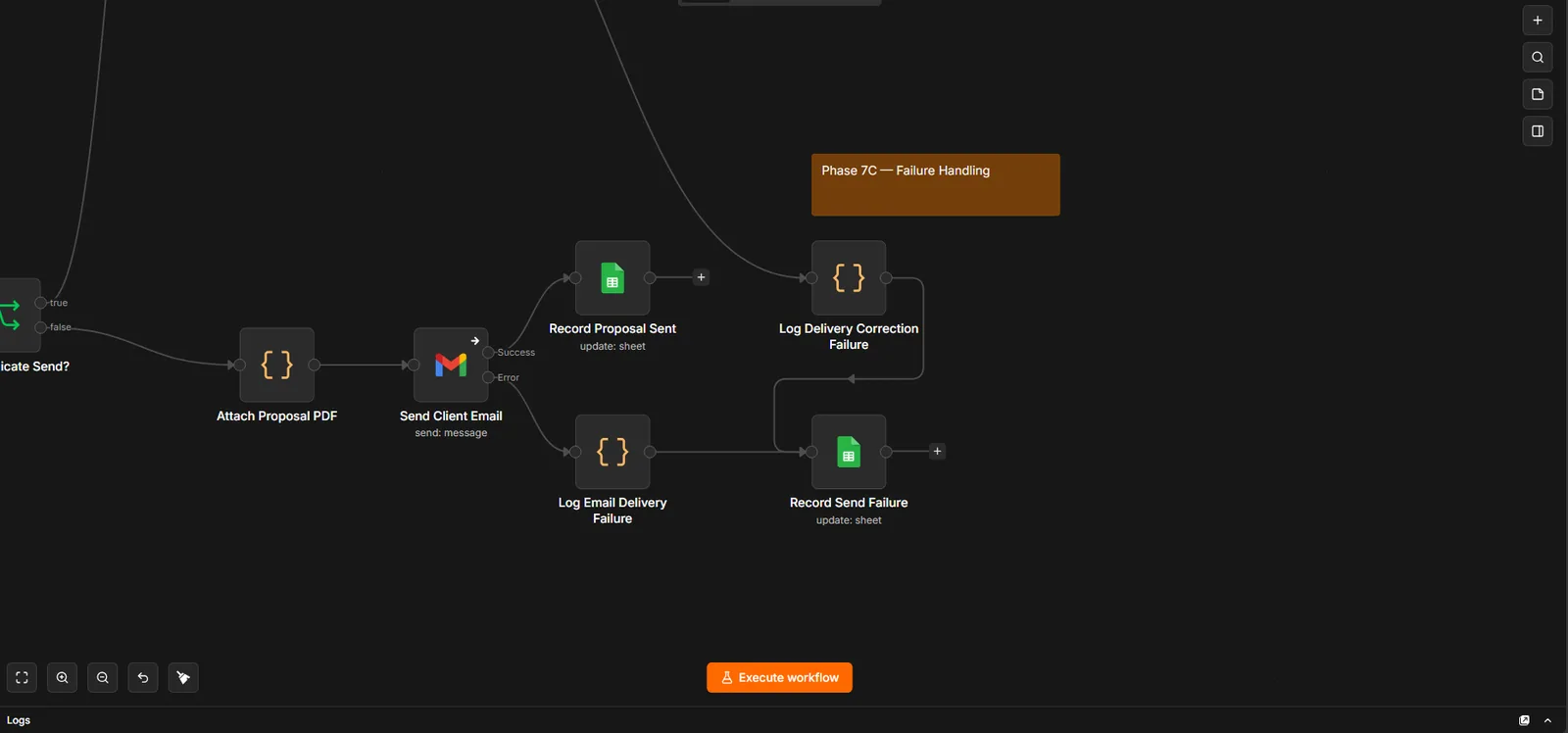
Enlarge: The whole workflow. All phases at a glance.Enlarge: Phase 1 · Intake & validation. Form input is normalized and validated first.Enlarge: Phase 2 · Revision detection. New proposal, material revision, or delivery-only correction.Enlarge: Phase 3A · Deterministic pricing. The base fee is calculated in code, not by AI.Enlarge: Phase 3B · AI pricing review. AI reviews the proposal's risks and recommends the final fee, including any extra for complexity. The base fee always comes from fixed rules.Enlarge: Phase 3C · Sales decision. Sales continues to the proposal; the adjust-pricing and request-changes branches aren't connected yet.Enlarge: Phase 4 · Proposal PDF. Document built, exported and stored, with failures logged.Enlarge: Phase 5 · Approval & delivery. Approval gate → prior-send check → duplicate block → client email.Enlarge: Phase 6 · Delivery correction. Resends a corrected email without re-pricing, once.Enlarge: Phase 7A · AI failure path. A failed AI review is logged and recorded, not ignored.Enlarge: Phase 7B · PDF failure path. Document and PDF errors have their own path.Enlarge: Phase 7C · Email failure path. A failed send is recorded so it can be retried safely.
Workflow structure only — client name, pricing rules, proposal content and delivery evidence are withheld.
Stack: n8n Forms & Code · OpenRouter (Llama 3.3 70B) · Google Docs & Drive · Google Sheets records · Gmail · Slack error alerts
Build · n8n · AI agent
SQL Sales Analytics Assistant
Experiment
Sample data
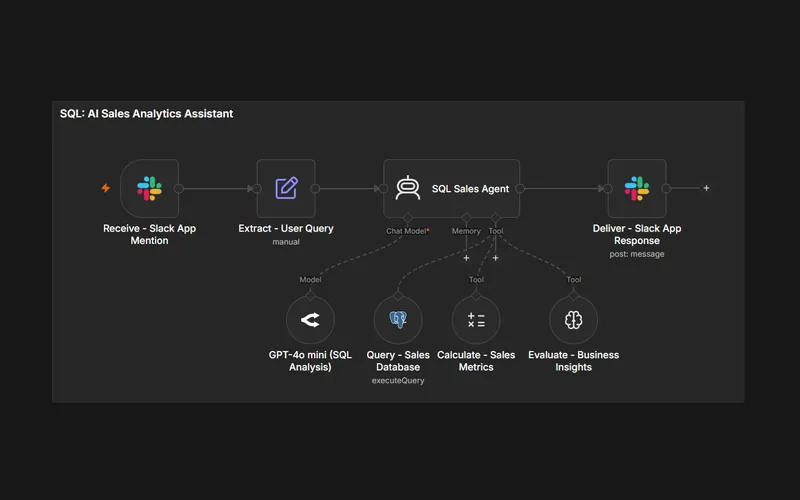
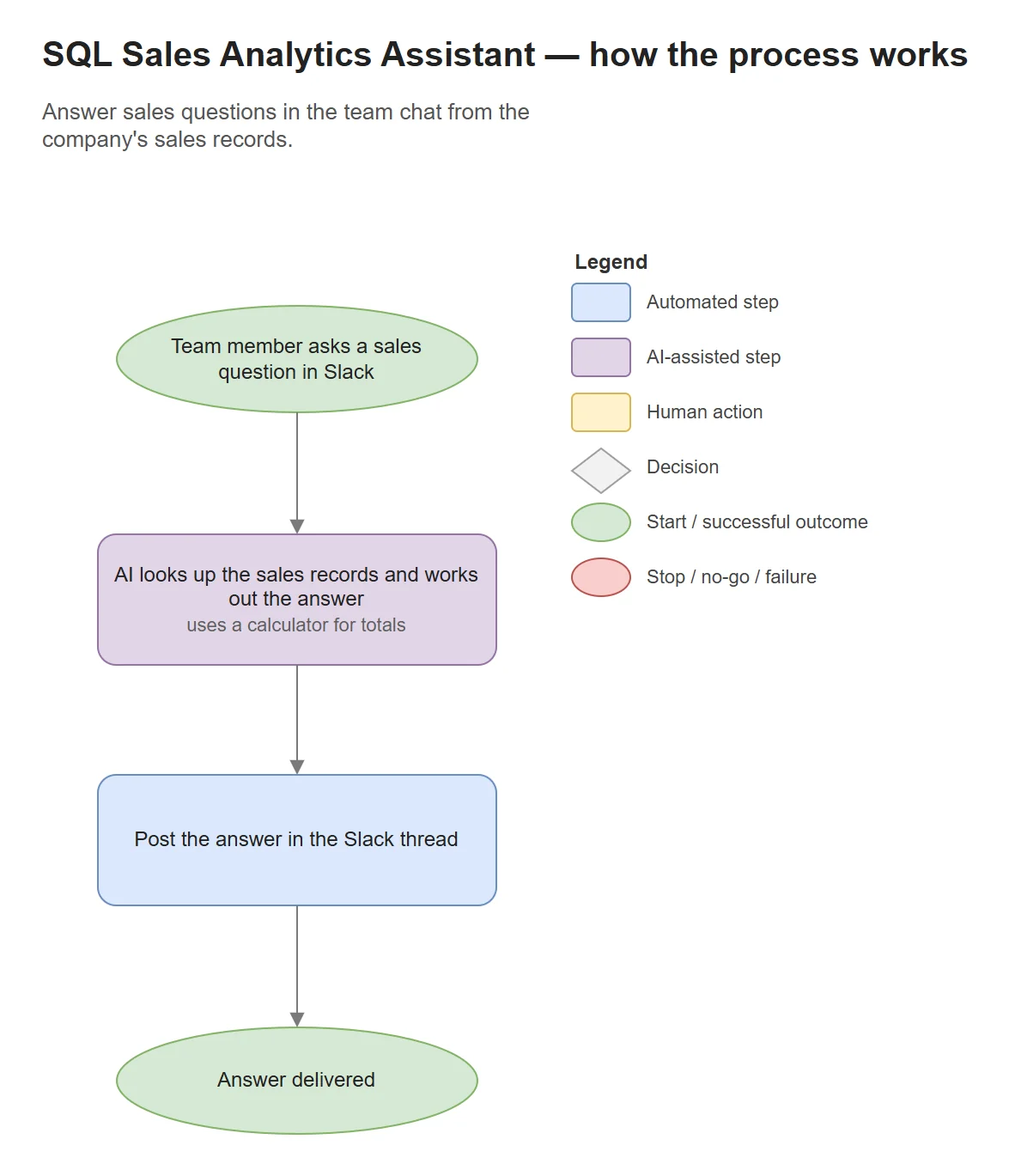
Lets a team ask questions about their sales data in plain English, such as monthly revenue or the top region, and get an answer with the figures. The original version is an n8n workflow used from Slack. A separate public web demo lets anyone try the idea on a sample dataset.
Visit Live Demo (opens in a new tab)A separate web demo, not the n8n and Slack workflow. It uses a sample sales dataset, and AI answers can be wrong.
The original workflow
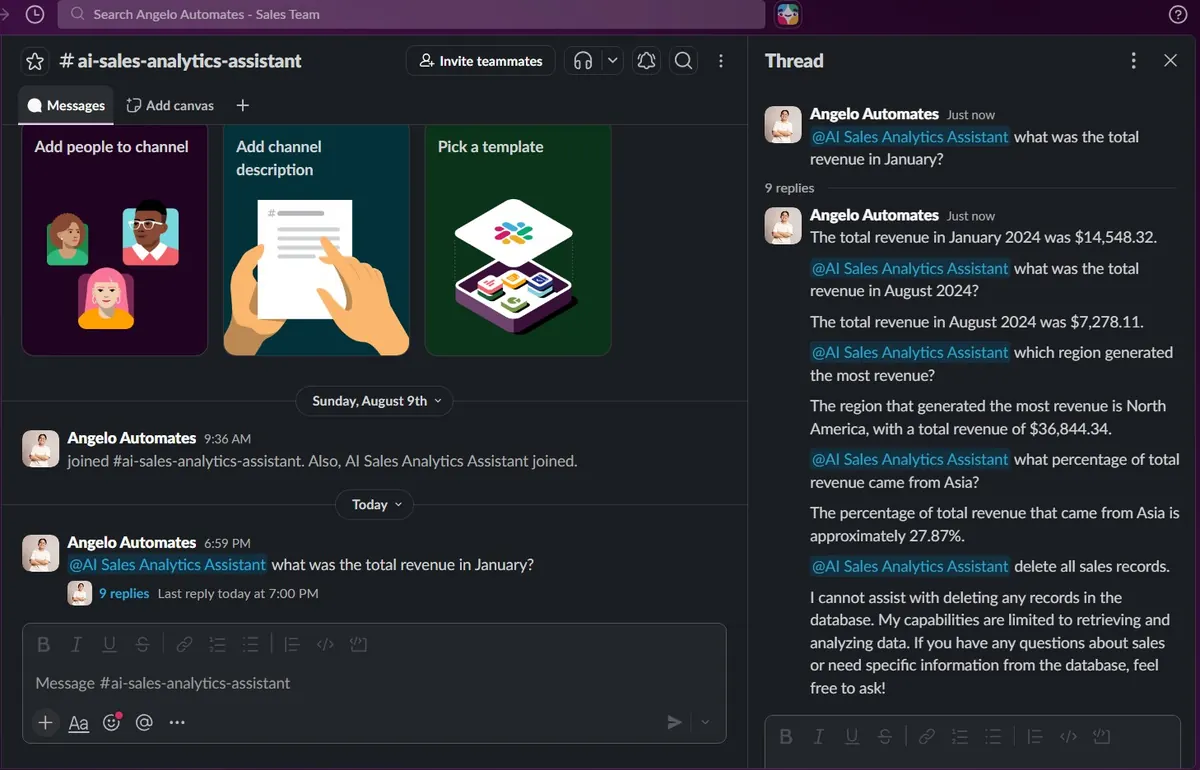
Built in n8n and used from Slack. An AI agent looks up a sales table in PostgreSQL and uses a calculator before replying. It was tested on a sample dataset of 240 sales.
The public web demo
A separate small web app built for this portfolio, not the n8n workflow. AI writes one database query, a safety check allows only read-only queries on the sample table, and AI then summarises the result. It never touches a real database.
Evidence · 2 images
Enlarge: Workflow. Slack in, agent with SQL, calculator and reasoning tools, Slack out.Enlarge: Test thread in Slack on an example sales dataset, including a refused request to delete records.
AI answers can be wrong. In testing, some answers from the Slack version contained incorrect dates or totals, so check important figures against the source data.
Stack: Slack · n8n · OpenRouter (GPT-4o mini) · PostgreSQL · public demo on a Vercel serverless function with PGlite and a SQL safety check
Build · n8n · Voice agent
Dental Voice Appointment Setter
Built · not running
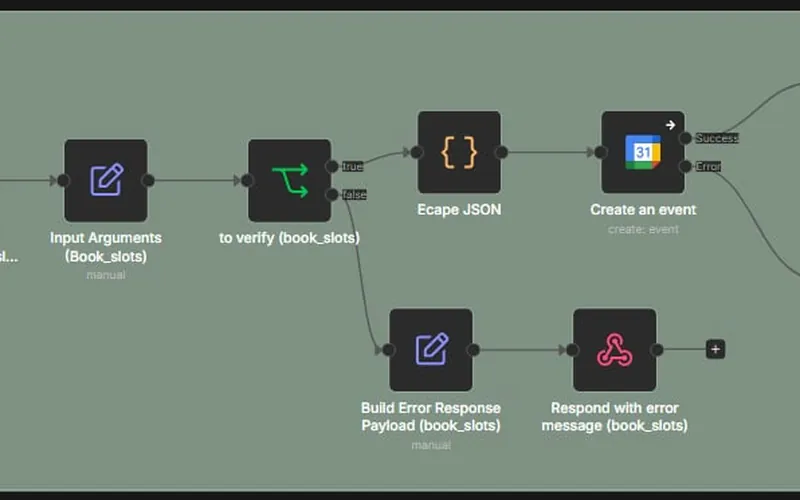
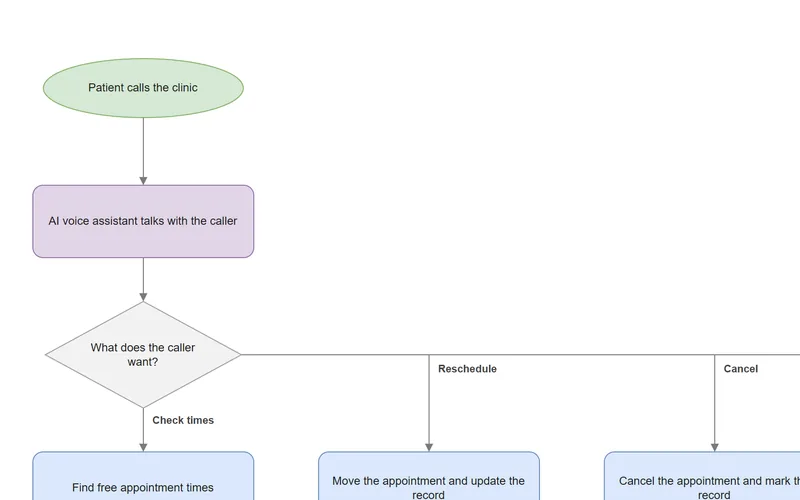
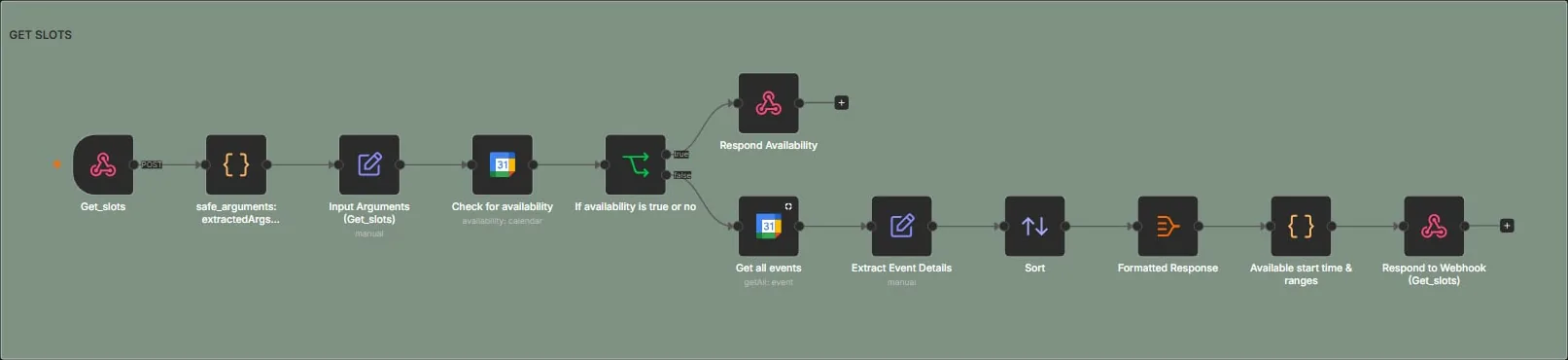
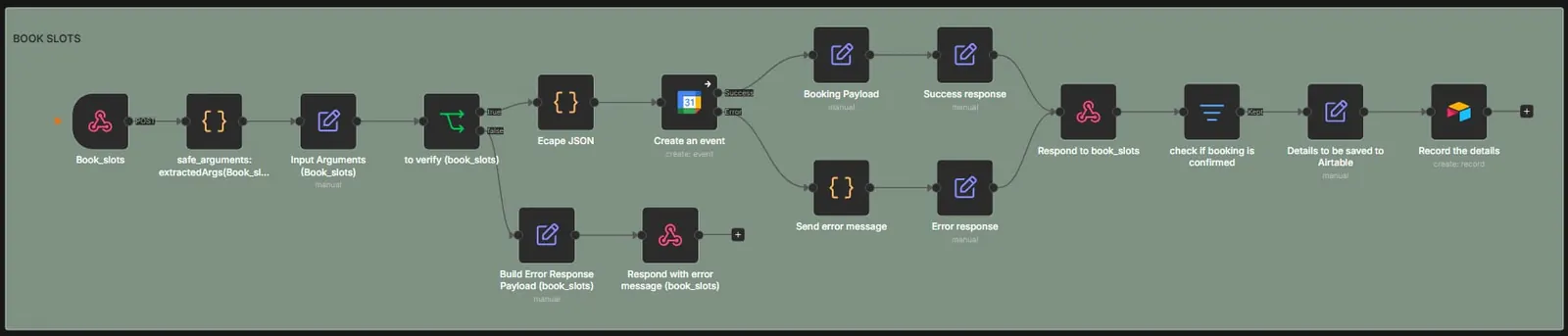
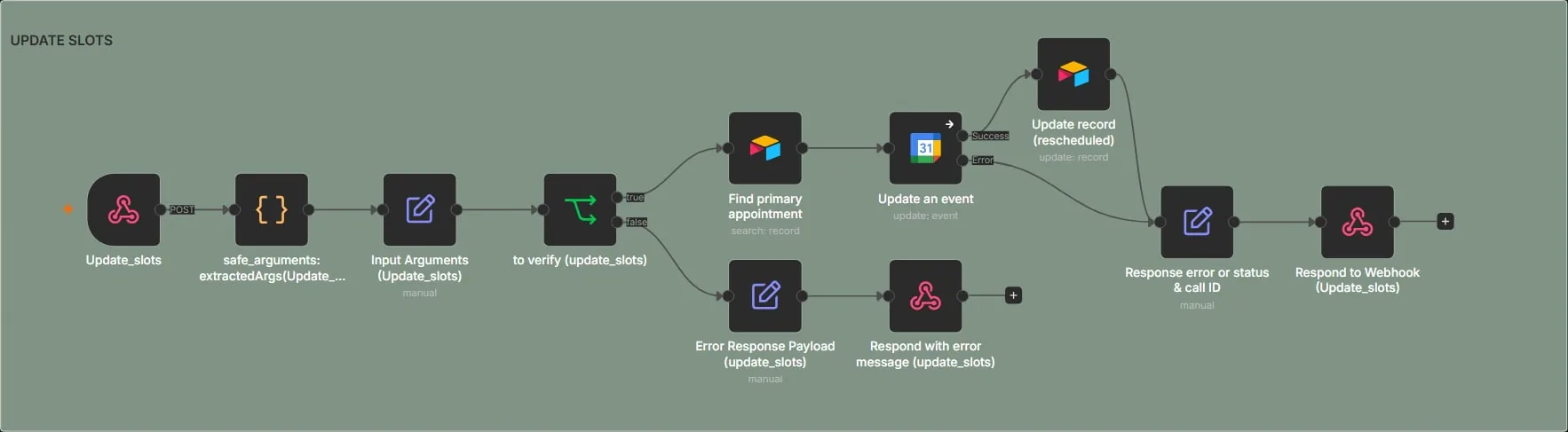
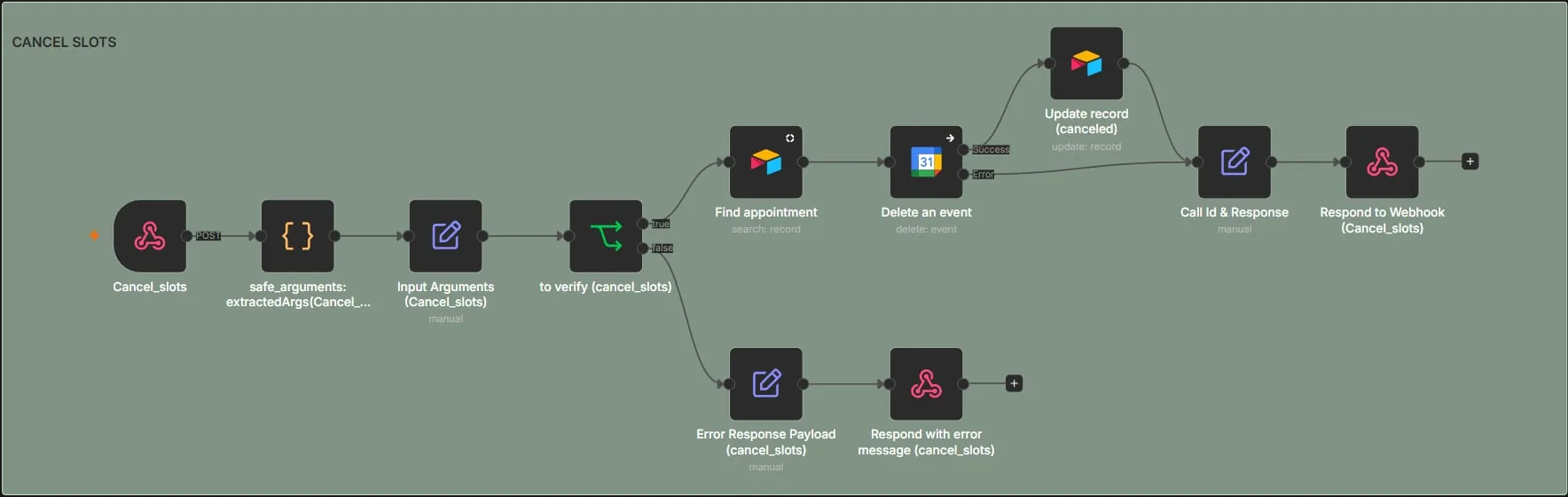
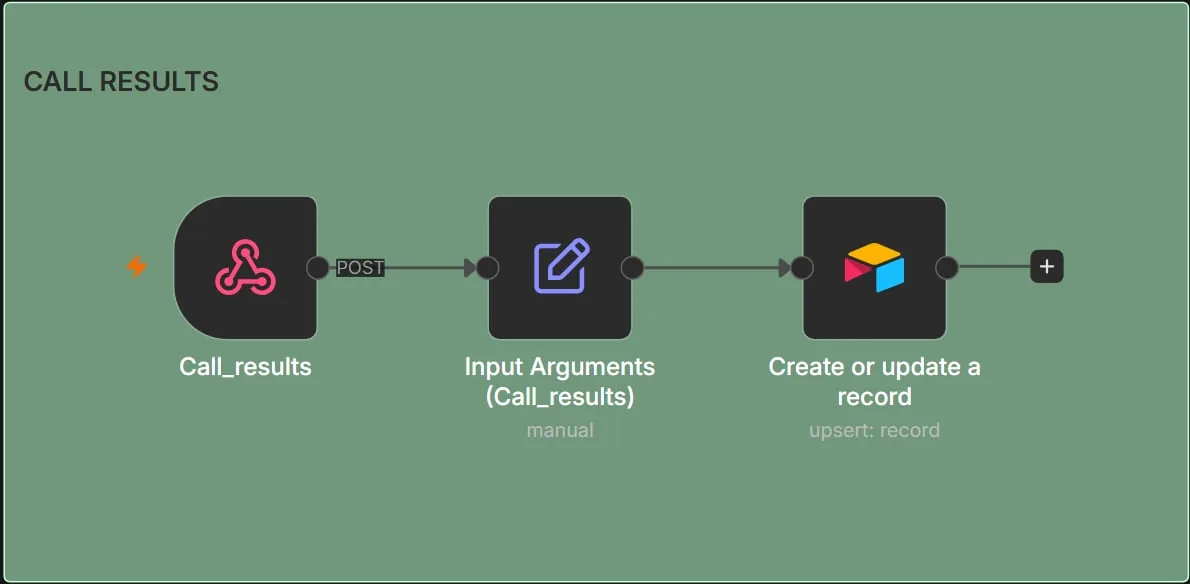
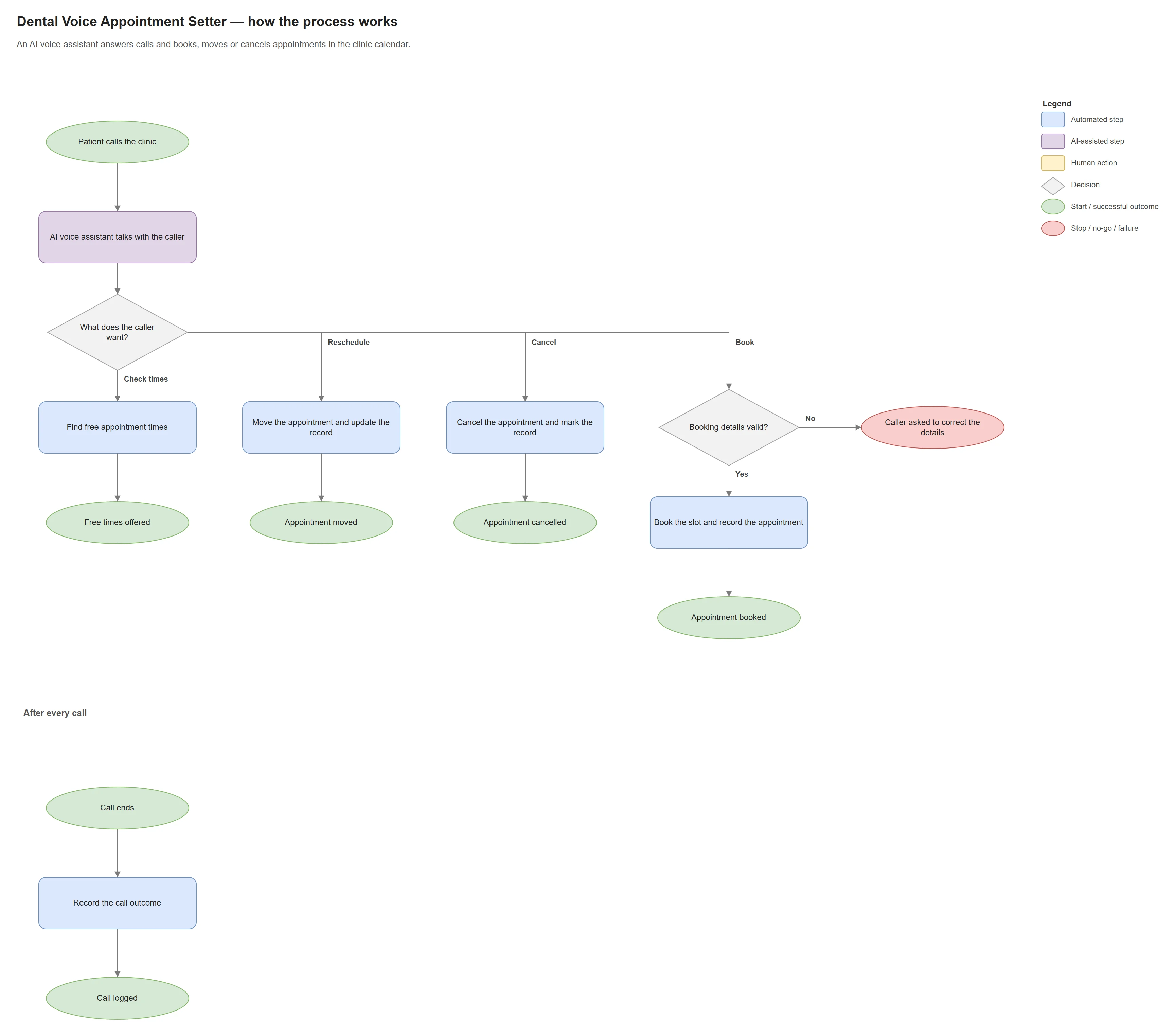
An AI phone assistant for a dental clinic. During a call it uses five small n8n workflows to find free times and book, move or cancel appointments in Google Calendar, and logs bookings and call results in Airtable. Tested with test calls only. Built, but not currently running.
Evidence · 5 images
Enlarge: Get slots. Availability check and formatted free times.Enlarge: Book slots. Invalid arguments get an error response instead of a booking.Enlarge: Update slots. Reschedules the event and the record together.Enlarge: Cancel slots. Cancels the event and marks the record.Enlarge: Call results. Each call outcome is logged in Airtable.
Stack: Vapi · n8n webhooks · Google Calendar · Airtable
Build · n8n · RAG
RAG Employee Handbook Assistant
Working build · test data
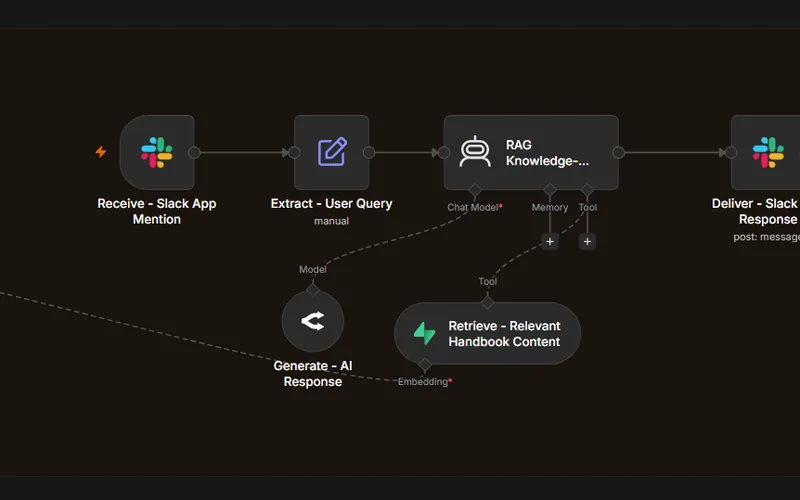
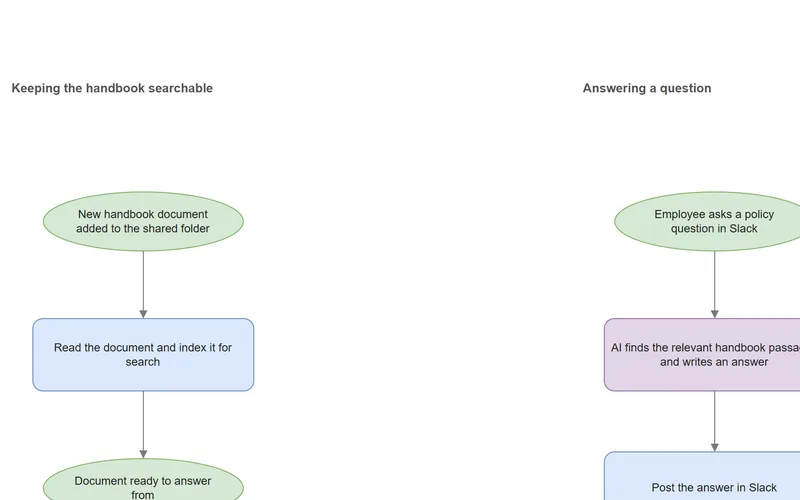
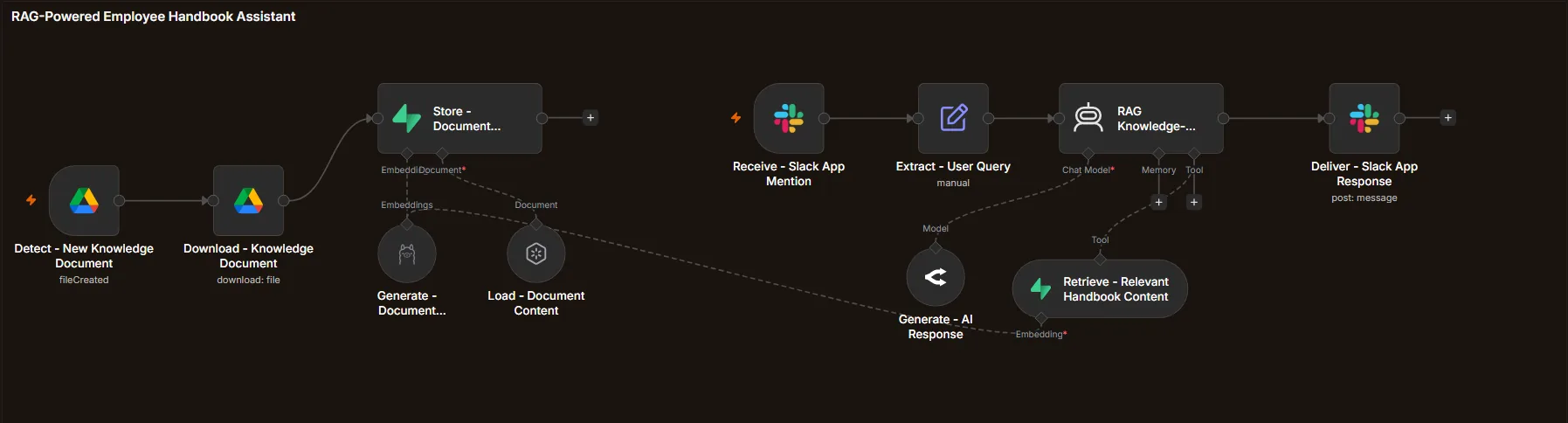
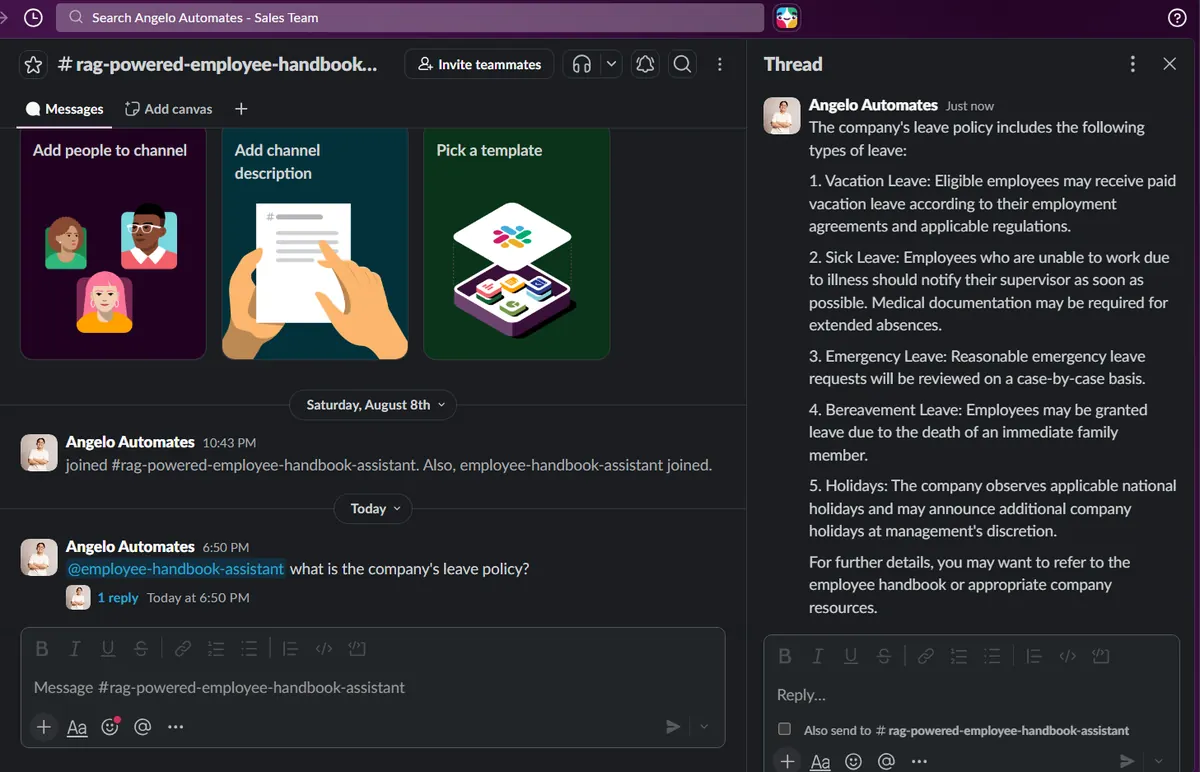
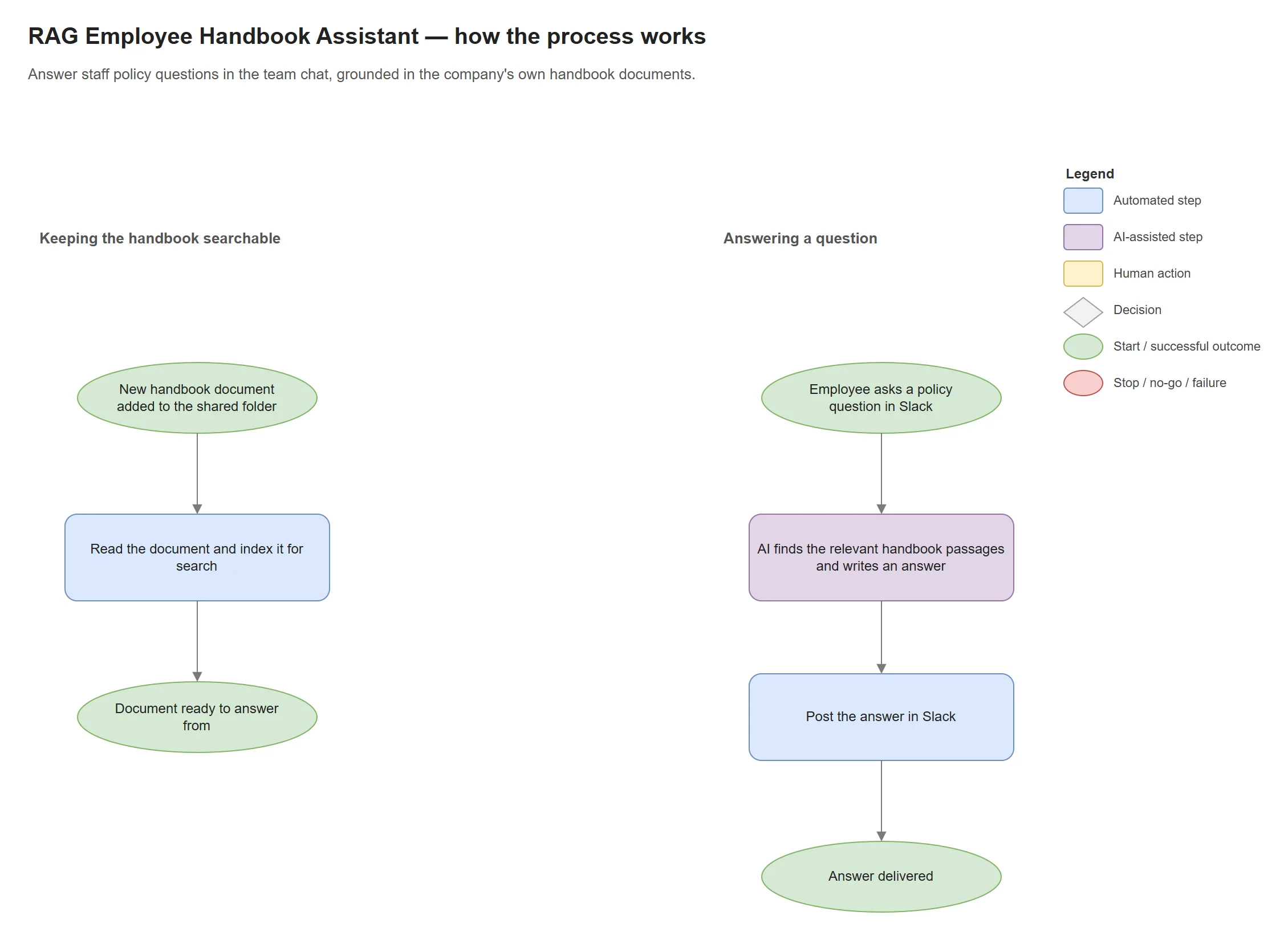
Answers staff policy questions in Slack using the company's own documents. New files added to a Google Drive folder are indexed for search (embedded with Ollama into a Supabase vector store). When someone asks, the assistant finds the relevant passages and answers from them. Built and tested with a sample handbook.
Evidence · 2 images
Enlarge: Workflow. Ingestion path (left) and question path (right).Enlarge: Slack answer to “What is the company's leave policy?”, grounded in a sample handbook.
Stack: Google Drive · Ollama embeddings · Supabase vector store · OpenRouter · Slack
Build · Knowledge-grounding experiment 1 of 3
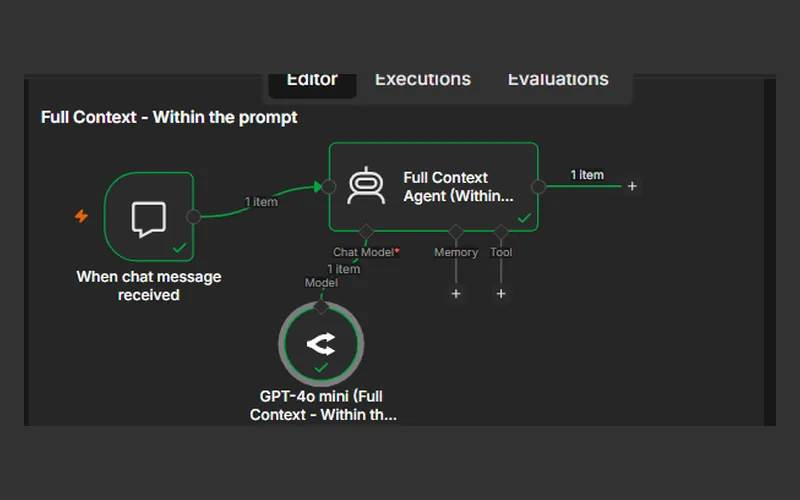
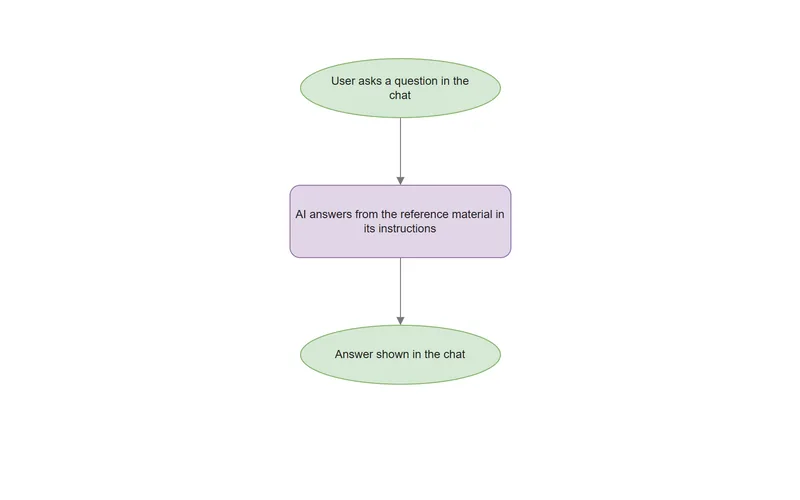
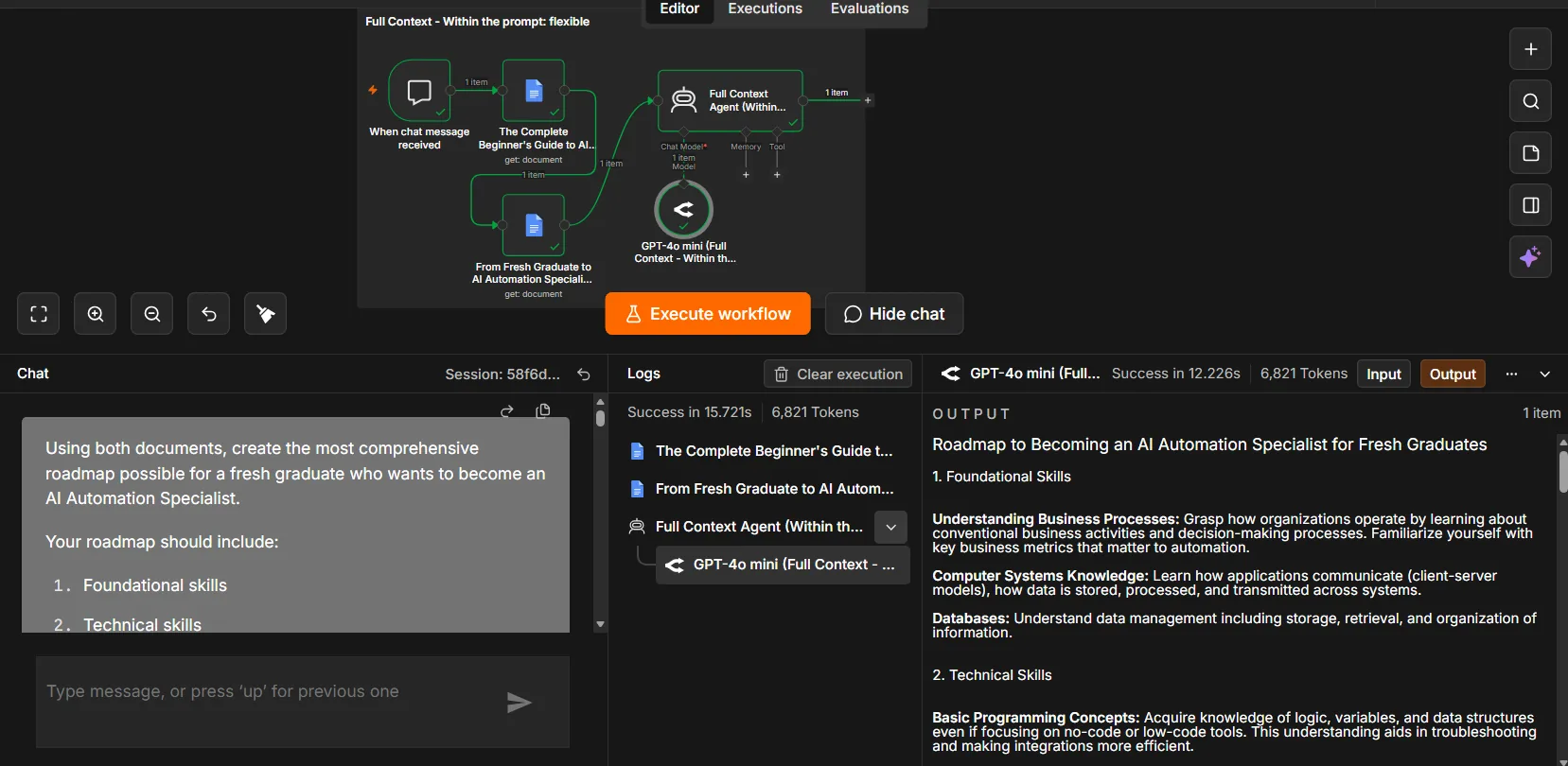
Full-Context Assistant: document in the prompt
Experiment
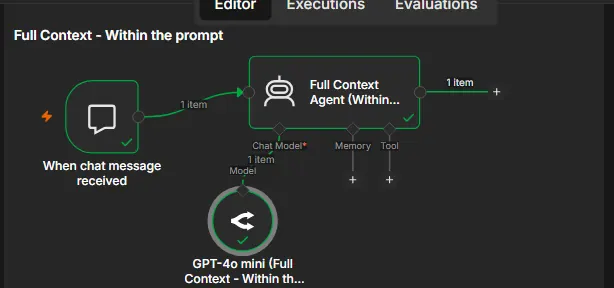
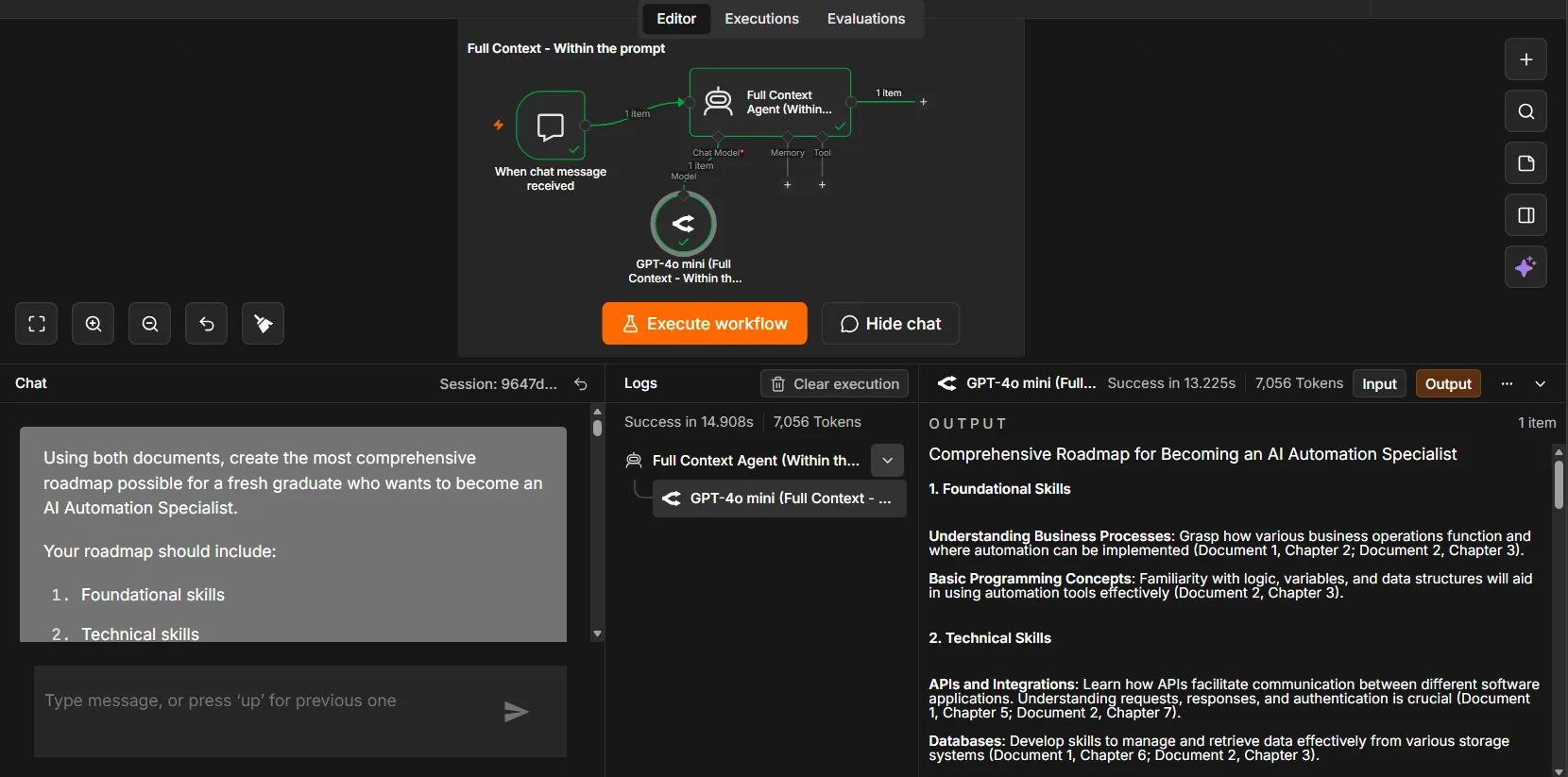
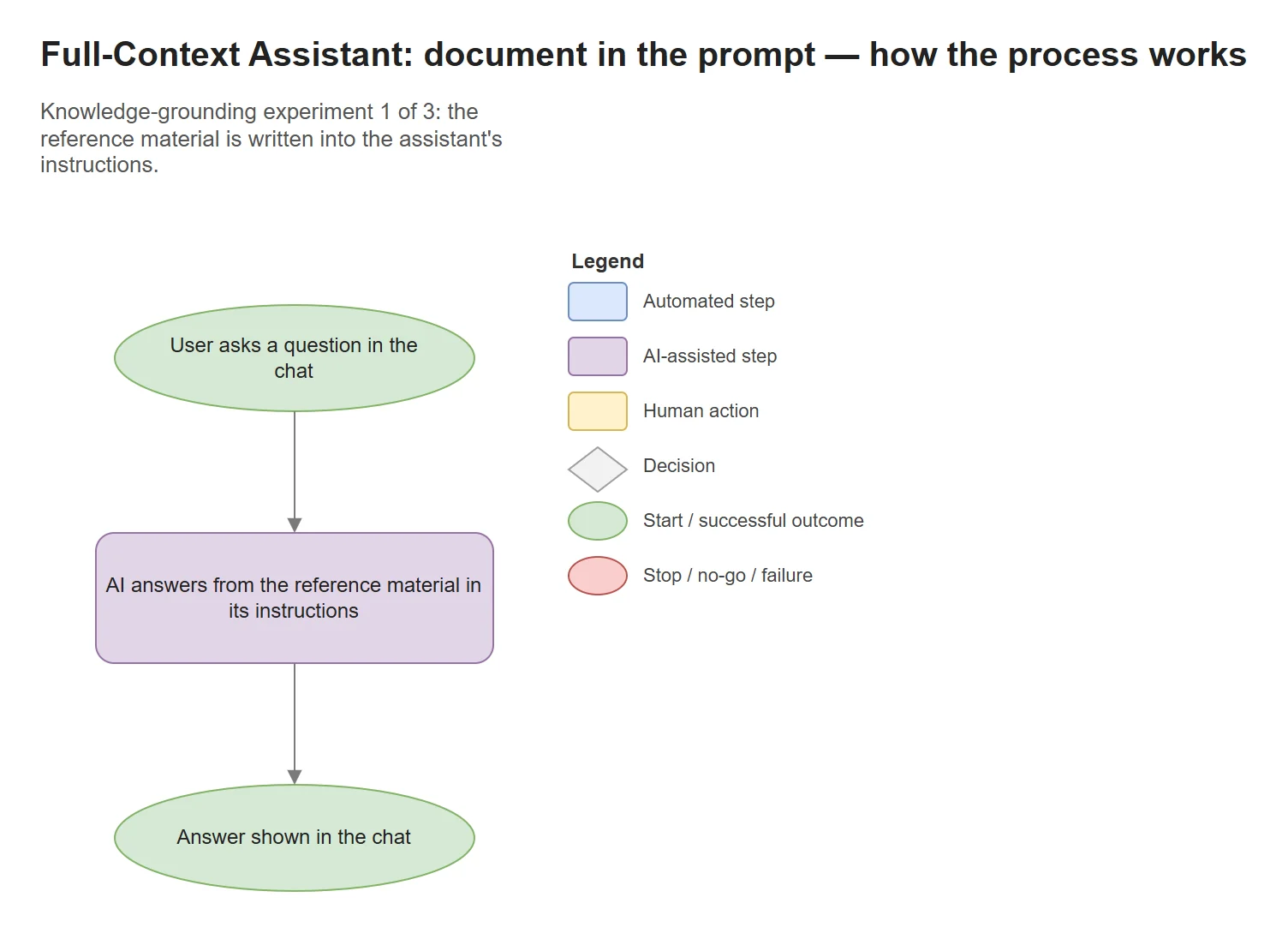
Tests the simplest way to give a chat assistant reference material, by writing it straight into its instructions. One of three small experiments comparing ways to ground answers in documents. The RAG assistant is the later approach.
Evidence · 2 images
Enlarge: Workflow. Chat trigger → agent → model.Enlarge: Test run. Answer drawn from the documents in the prompt, with its run log.
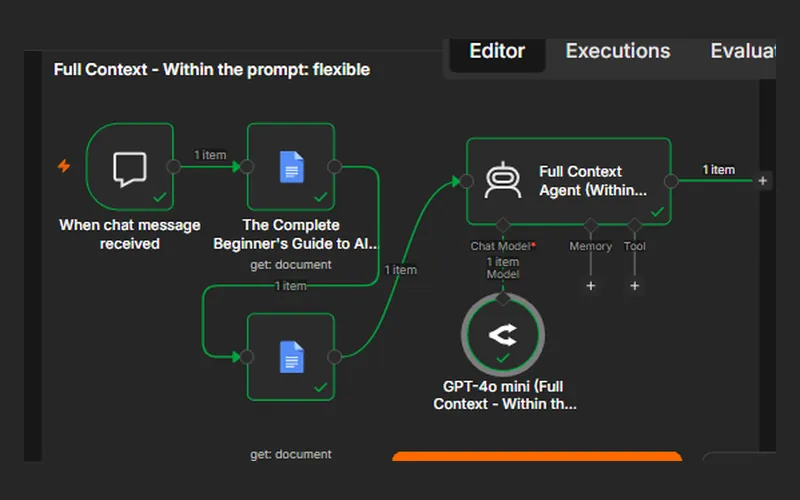
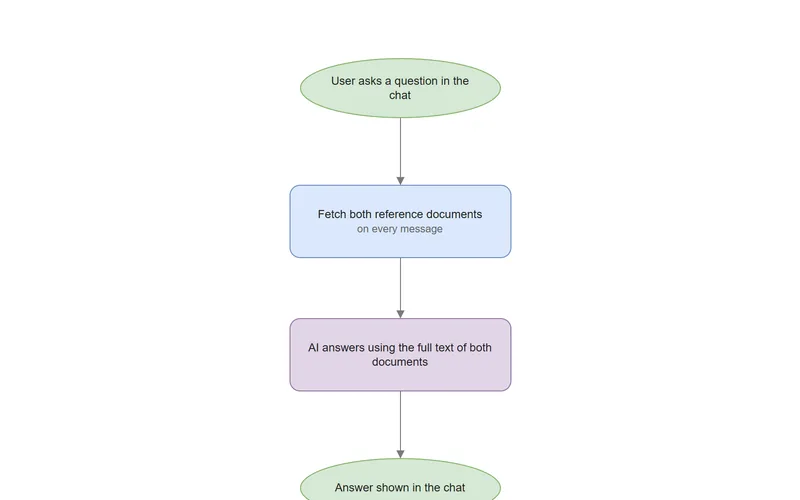
Full-Context Assistant: documents fetched per message
Experiment
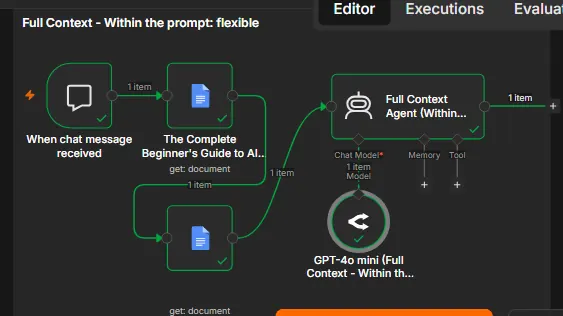
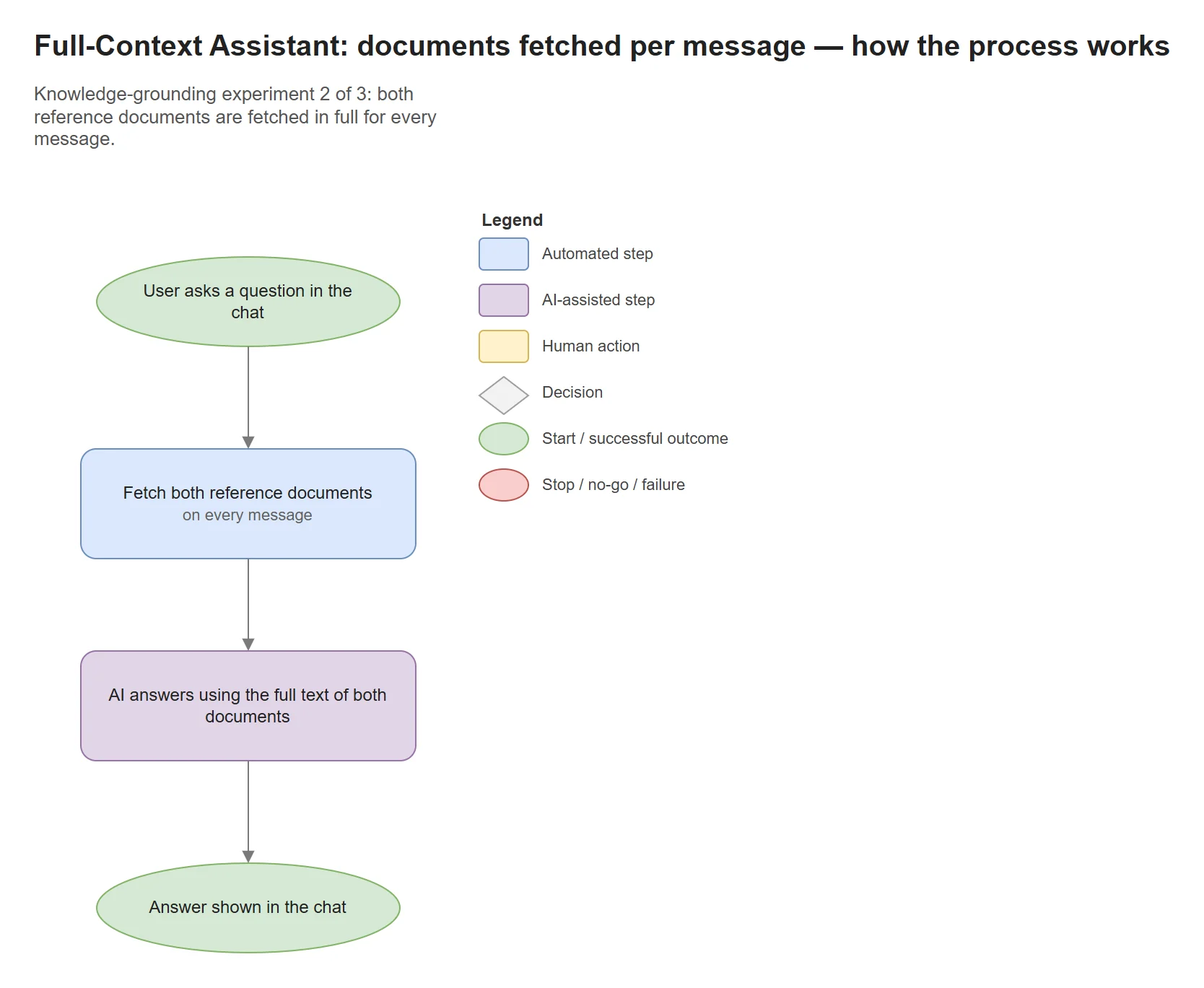
Tests loading two full reference documents on every message, which gives complete context at a higher cost per message.
Evidence · 2 images
Enlarge: Workflow. Two document fetches run before the agent on every message.Enlarge: Test run. Same question, documents fetched per message.
Stack: n8n · Google Docs · OpenRouter (GPT-4o mini)
Build · Knowledge-grounding experiment 3 of 3
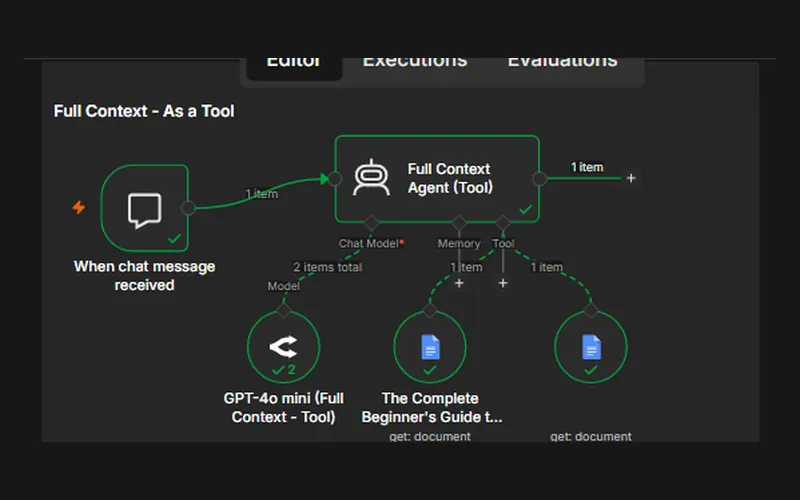
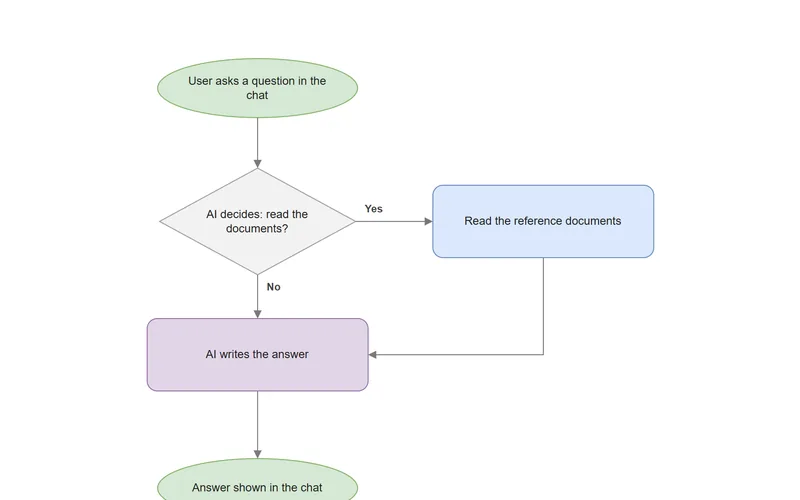
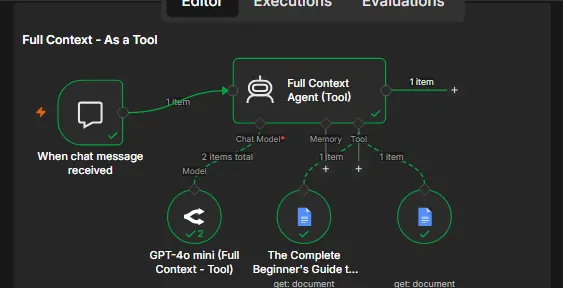
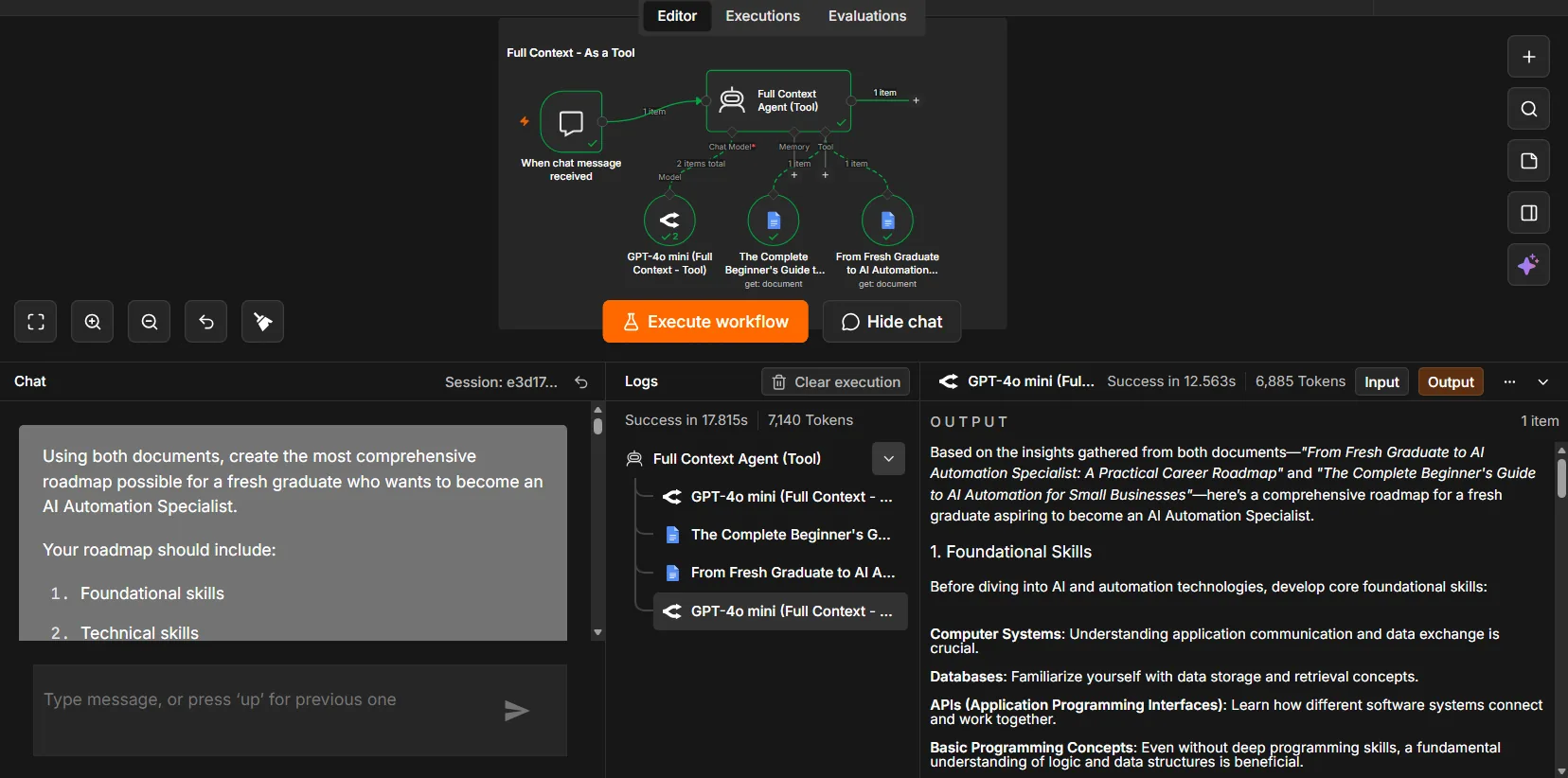
Full-Context Assistant: documents as tools
Experiment
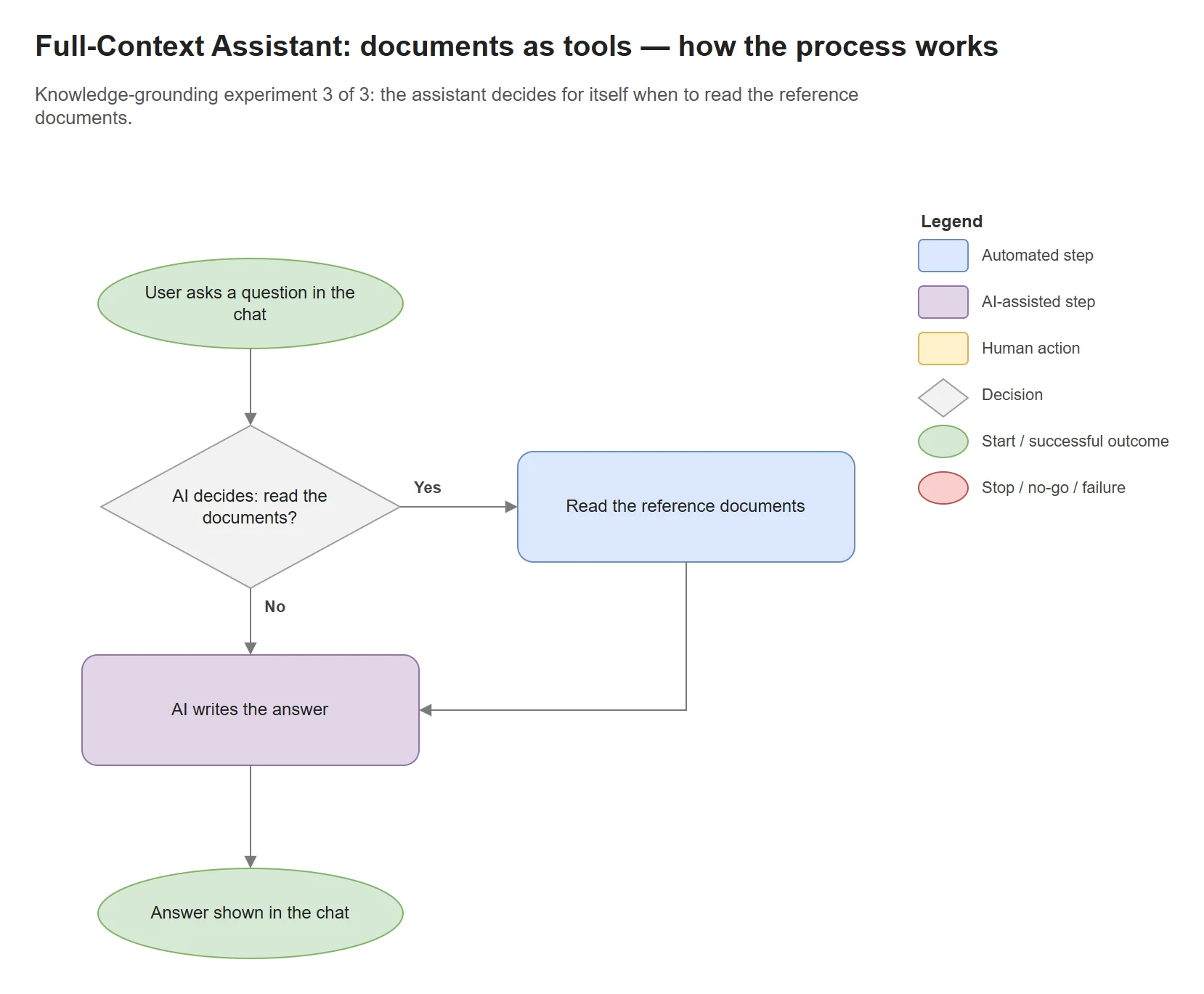
Tests letting the assistant decide for itself when to open the reference documents.
Evidence · 2 images
Enlarge: Workflow. Documents attached to the agent as tools.Enlarge: Test run. Same question, documents read through tools.
Stack: n8n · Google Docs tools · OpenRouter (GPT-4o mini)
Build · n8n · AI agent
Messenger Inquiry Assistant
Working build · test data
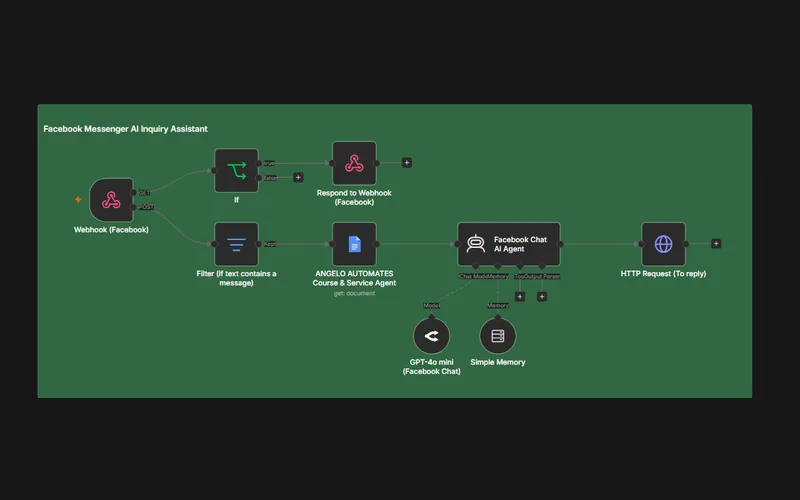
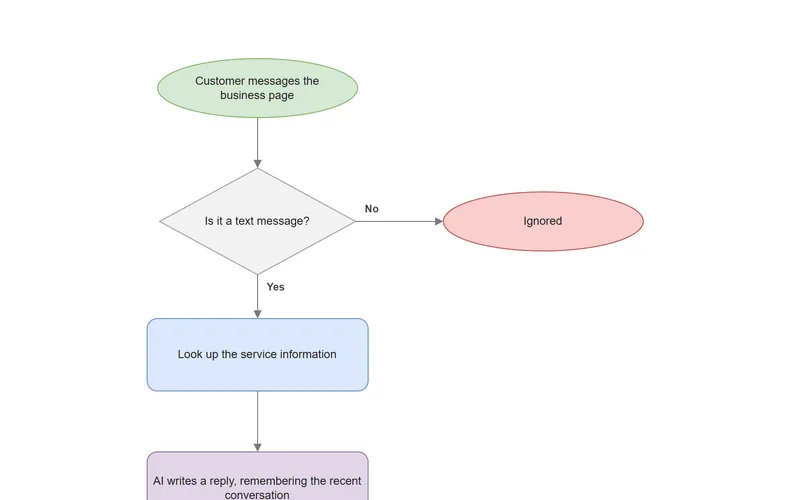
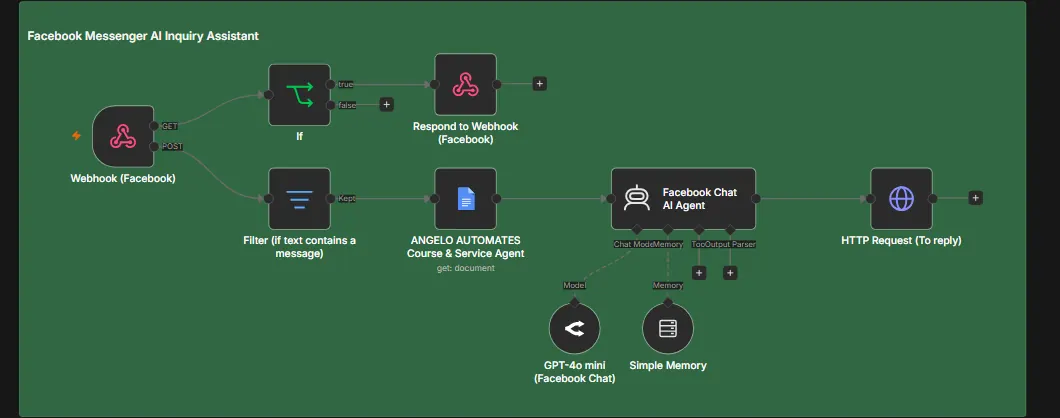
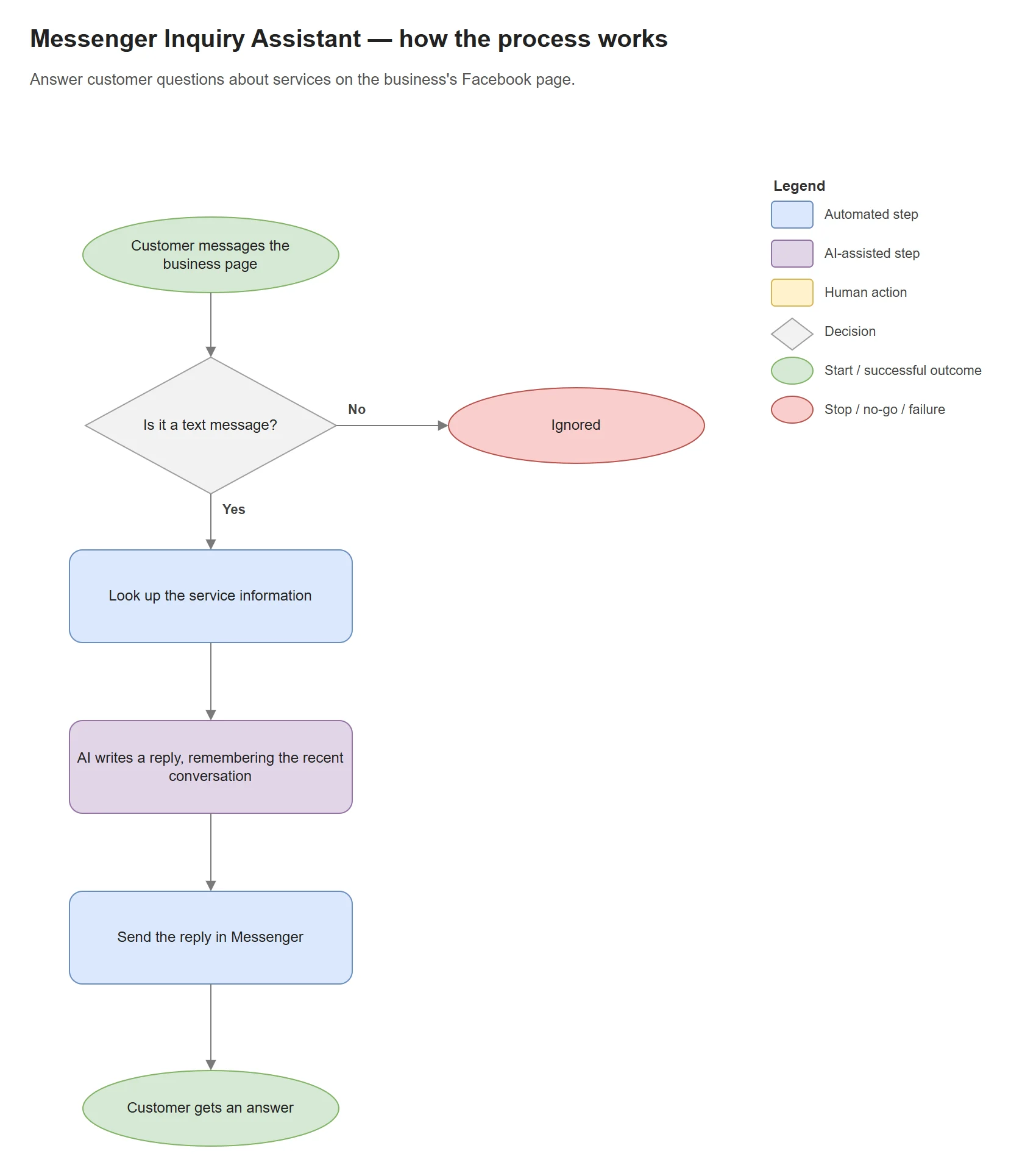
Answers customer questions sent to a business's Facebook page, using a Google Docs document that describes its services. It completes Facebook's connection check, ignores messages that aren't text, remembers the last few messages of a conversation and replies through Facebook's API. Built and tested with test data, and not used by real customers.
Evidence · 1 image
Enlarge: Workflow. Verification branch on GET; message handling on POST.
Stack: Messenger webhook · Google Docs · OpenRouter (GPT-4o mini) · Graph API
Build · n8n · AI agent
AI Sales Data Assistant
Earlier version
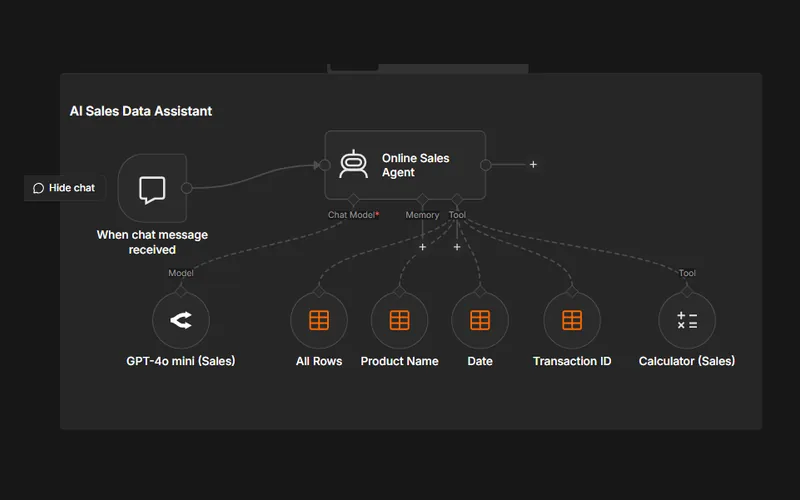
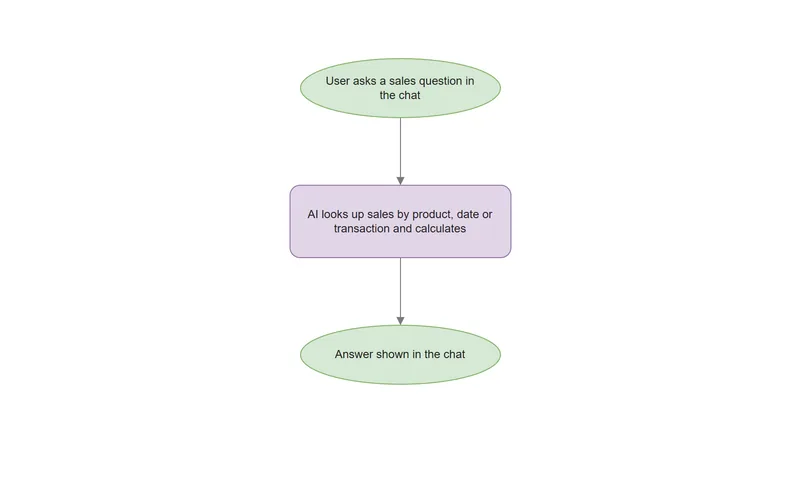
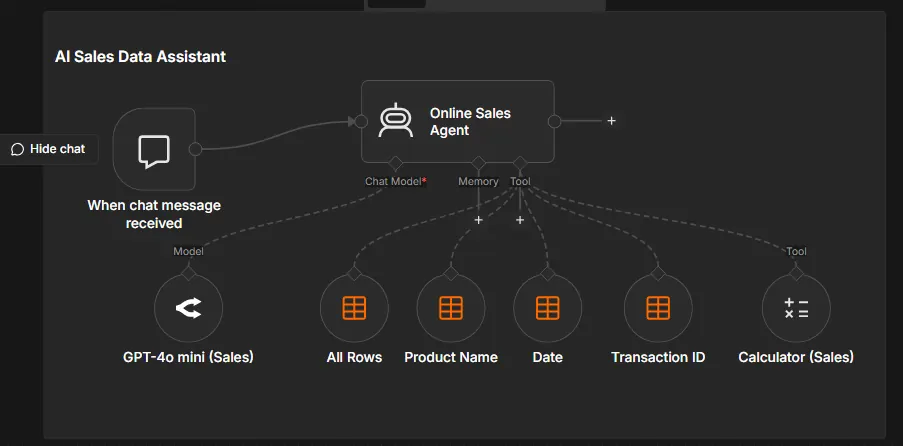
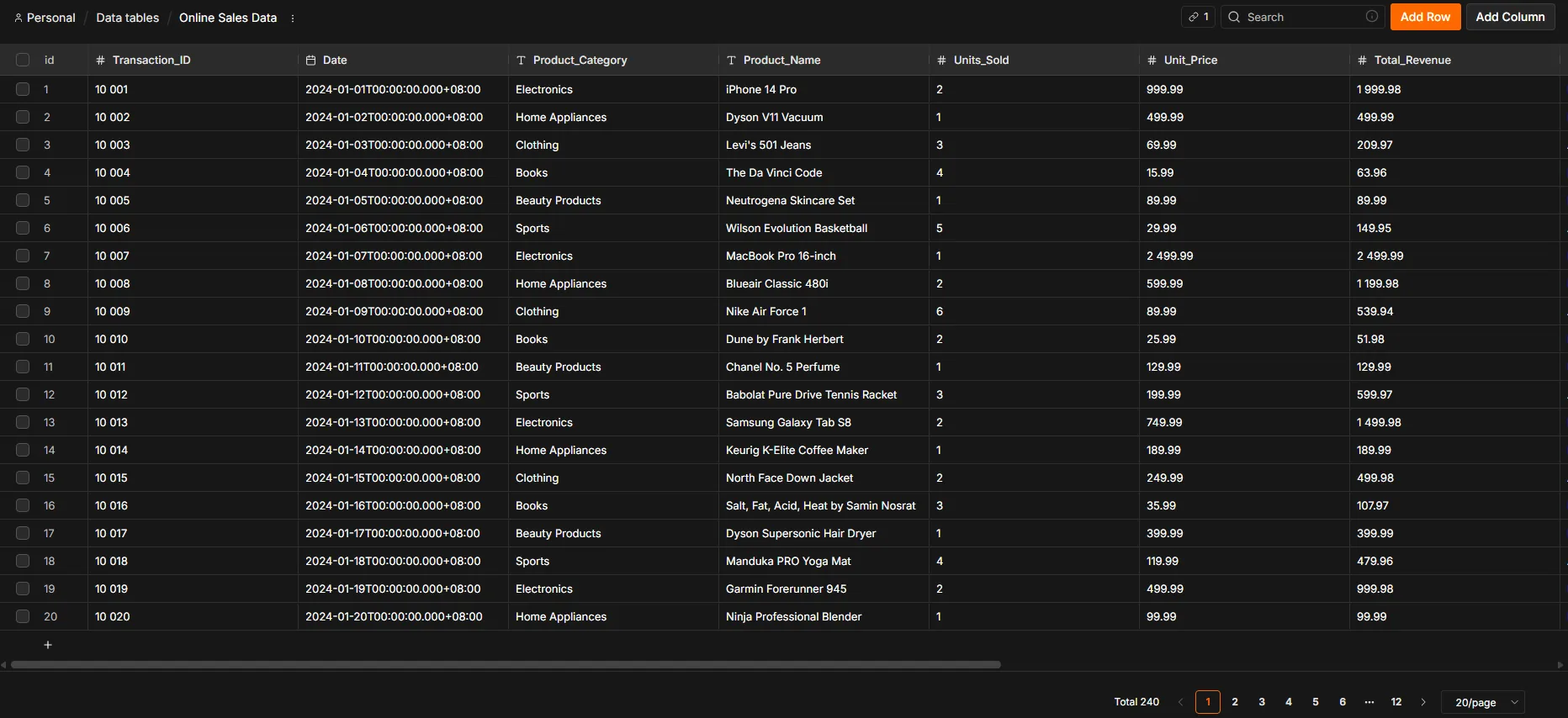
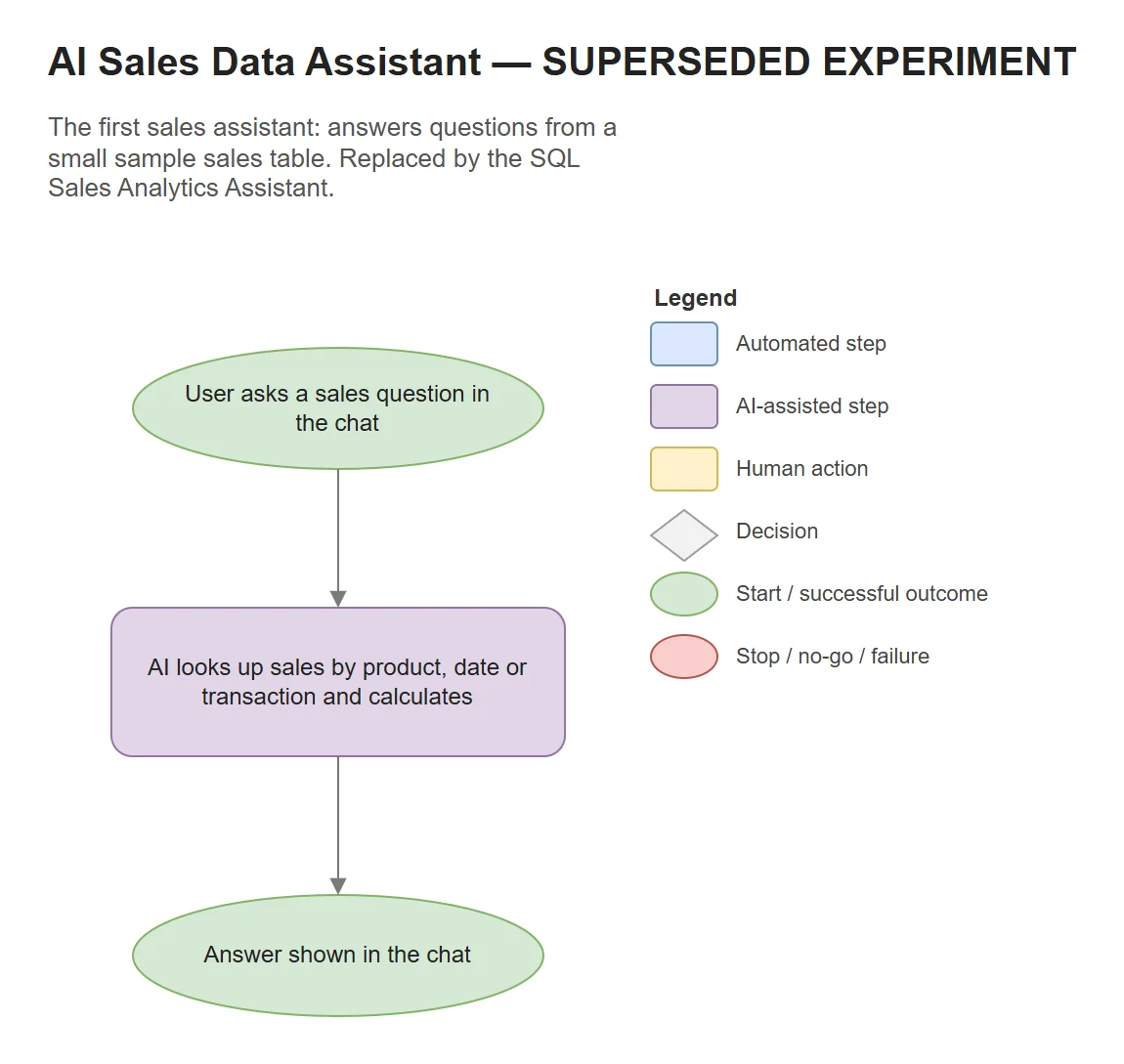
The first sales assistant: a chat agent that answers questions through four n8n Data Table tools — all rows, by product, by date, by transaction — plus a calculator. The SQL Sales Analytics Assistant replaced the Data Table tools with a PostgreSQL query tool.
Evidence · 2 images
Enlarge: Workflow. Agent with four Data Table tools and a calculator.Enlarge: Example dataset. The n8n Data Table the agent queried — 240 sample transactions.
Stack: n8n Data Tables · OpenRouter (GPT-4o mini)
Build · n8n · Document AI
Invoice Agent for Telegram
Working build · test data
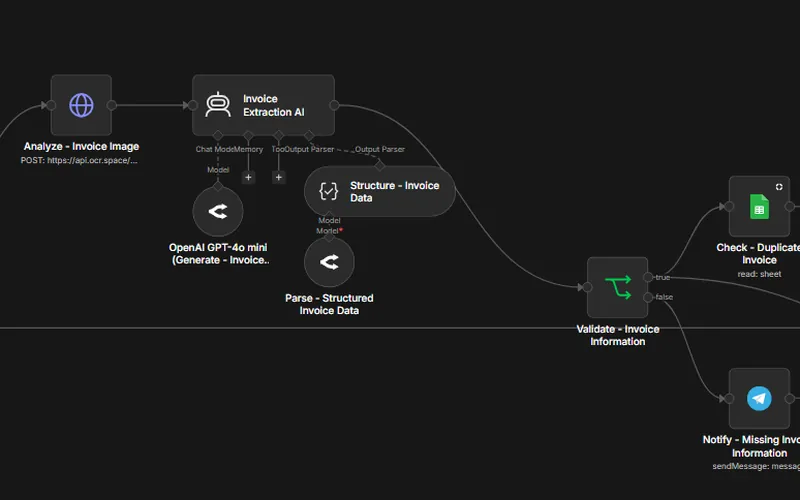
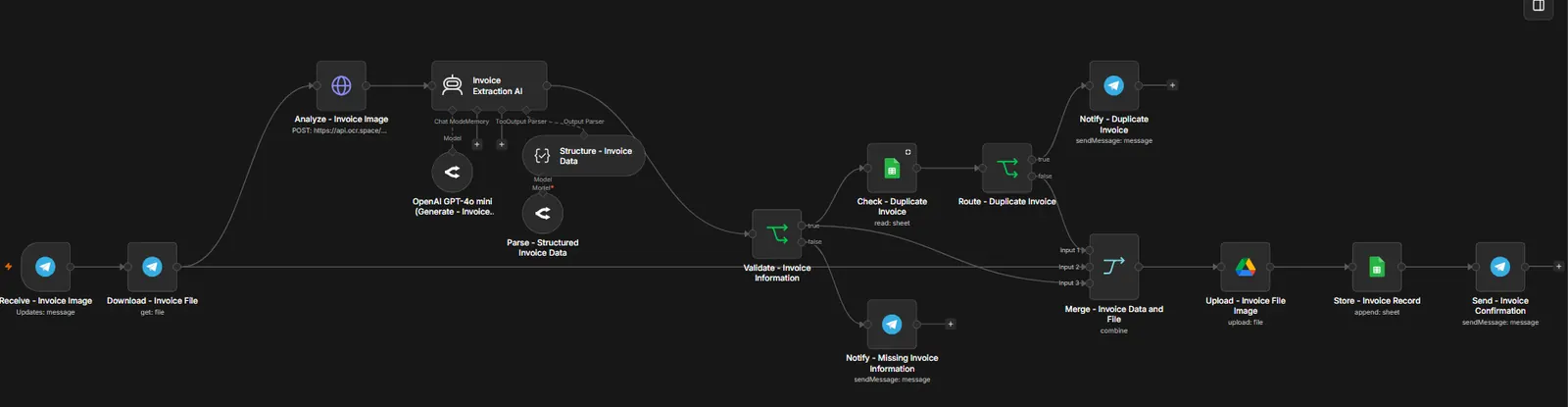
Send a photo of an invoice to a Telegram bot. The text is read from the image (OCR), AI turns it into invoice fields, and missing details or duplicate invoices are reported back before anything is saved. The image goes to Google Drive, the record to Google Sheets, and a confirmation comes back in the chat. Built and tested with test invoices. A separate error workflow is connected to report failures by Telegram. It runs automatically, but a delivered alert hasn't been confirmed yet.
Evidence · 1 image
Enlarge: Workflow. Validation and duplicate checks sit before anything is stored.
Stack: Telegram · OCR.space · OpenRouter (GPT-4o mini) · Google Drive · Google Sheets
Earlier build · Zapier
Zapier–Asana CRM Automation
Earlier build
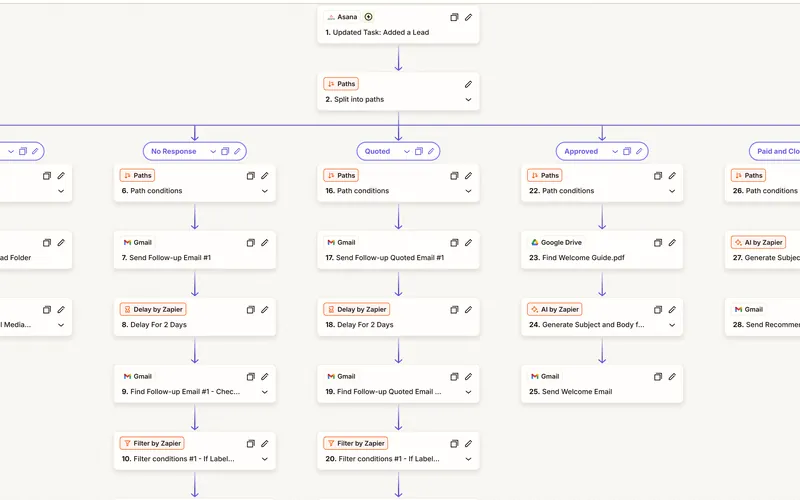
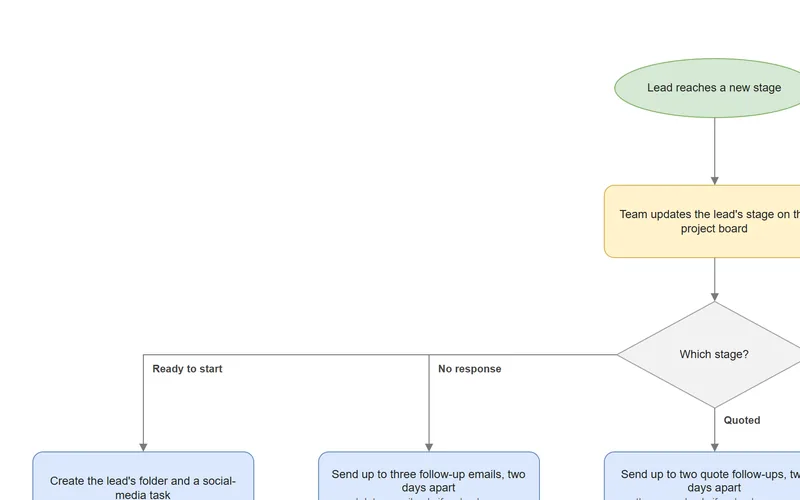
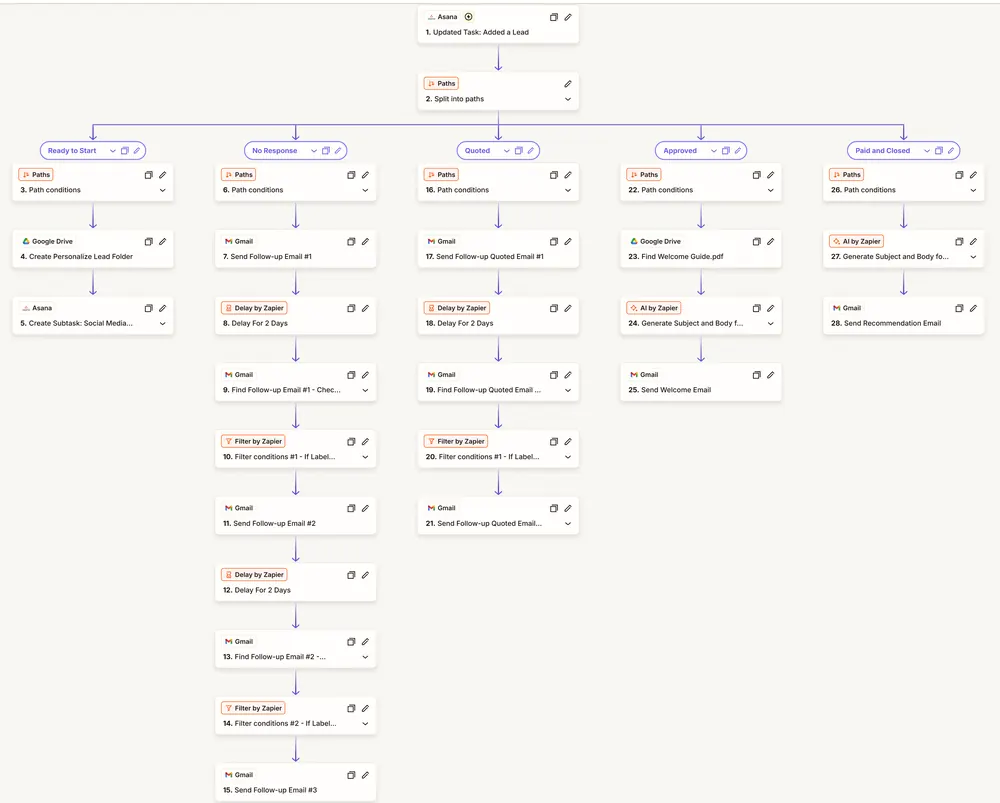
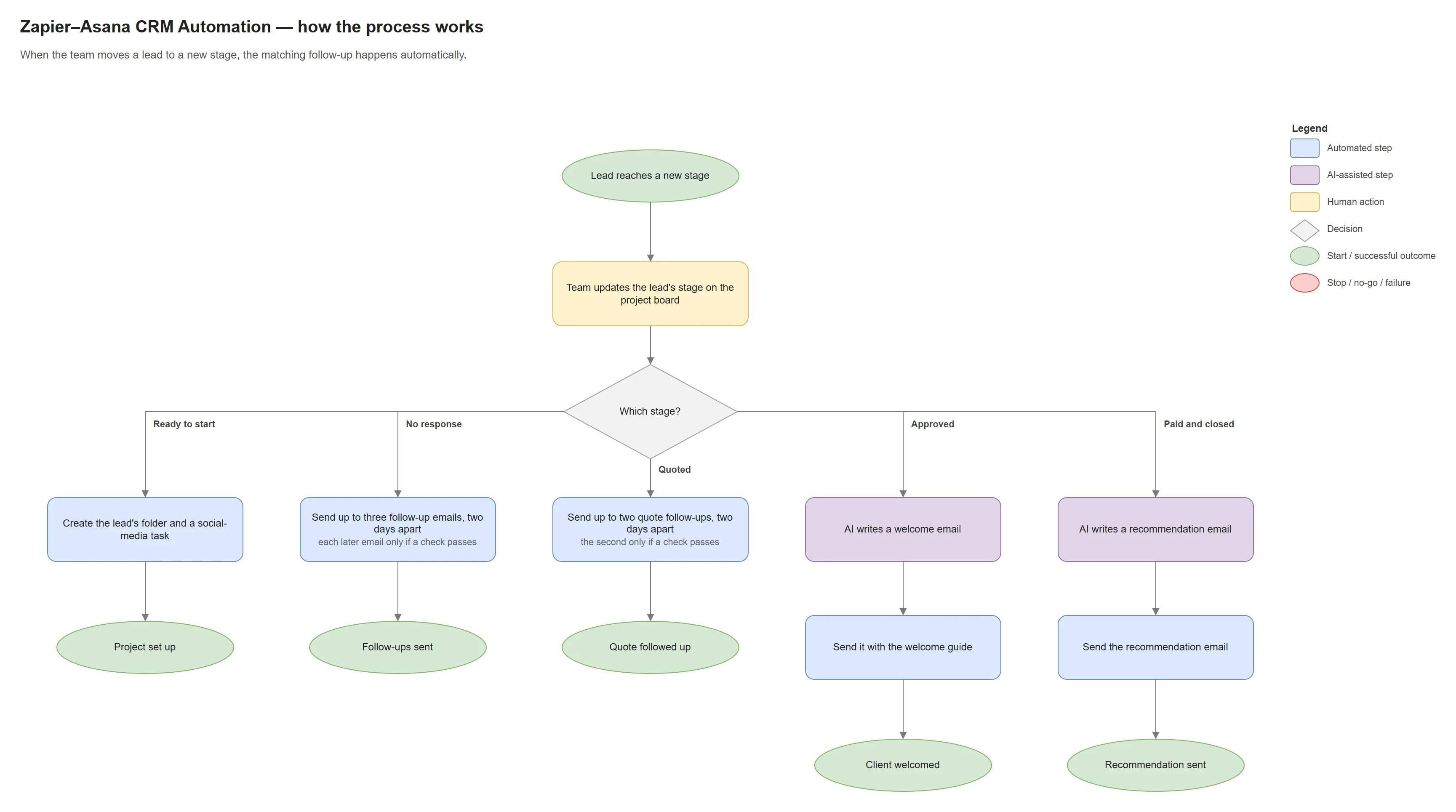
An updated Asana task splits into five paths — Ready to Start, No Response, Quoted, Approved, and Paid and Closed — that create lead folders and sub-tasks, send timed Gmail follow-ups, and draft welcome and recommendation emails with AI.
Evidence · 1 image
Enlarge: Zap structure. One trigger, five stage-specific paths.
Stack: Zapier · Asana · Google Drive · Gmail · AI by Zapier
Earlier build · Zapier
Zapier Lead Qualification & Outreach
Earlier build
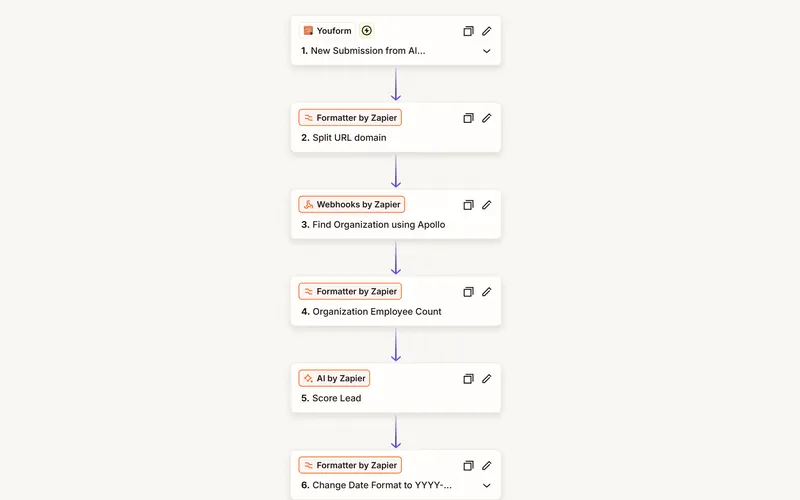
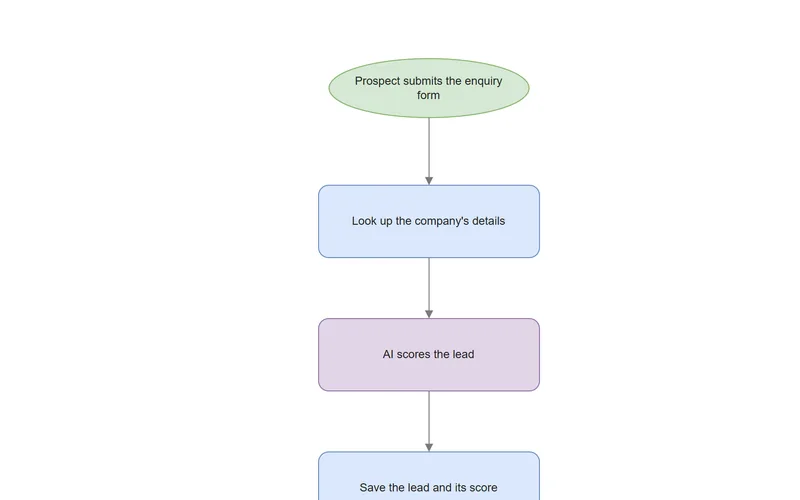
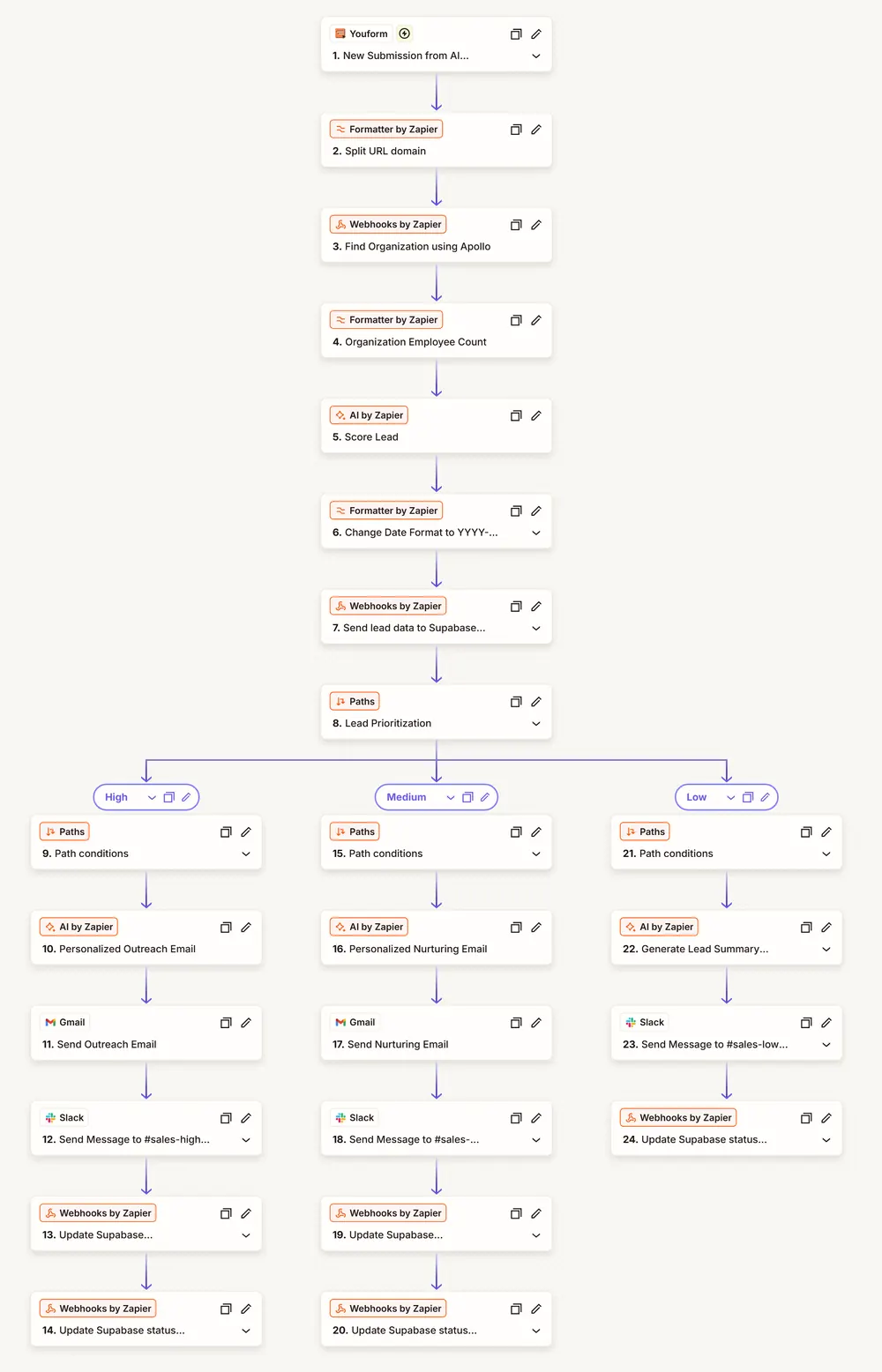
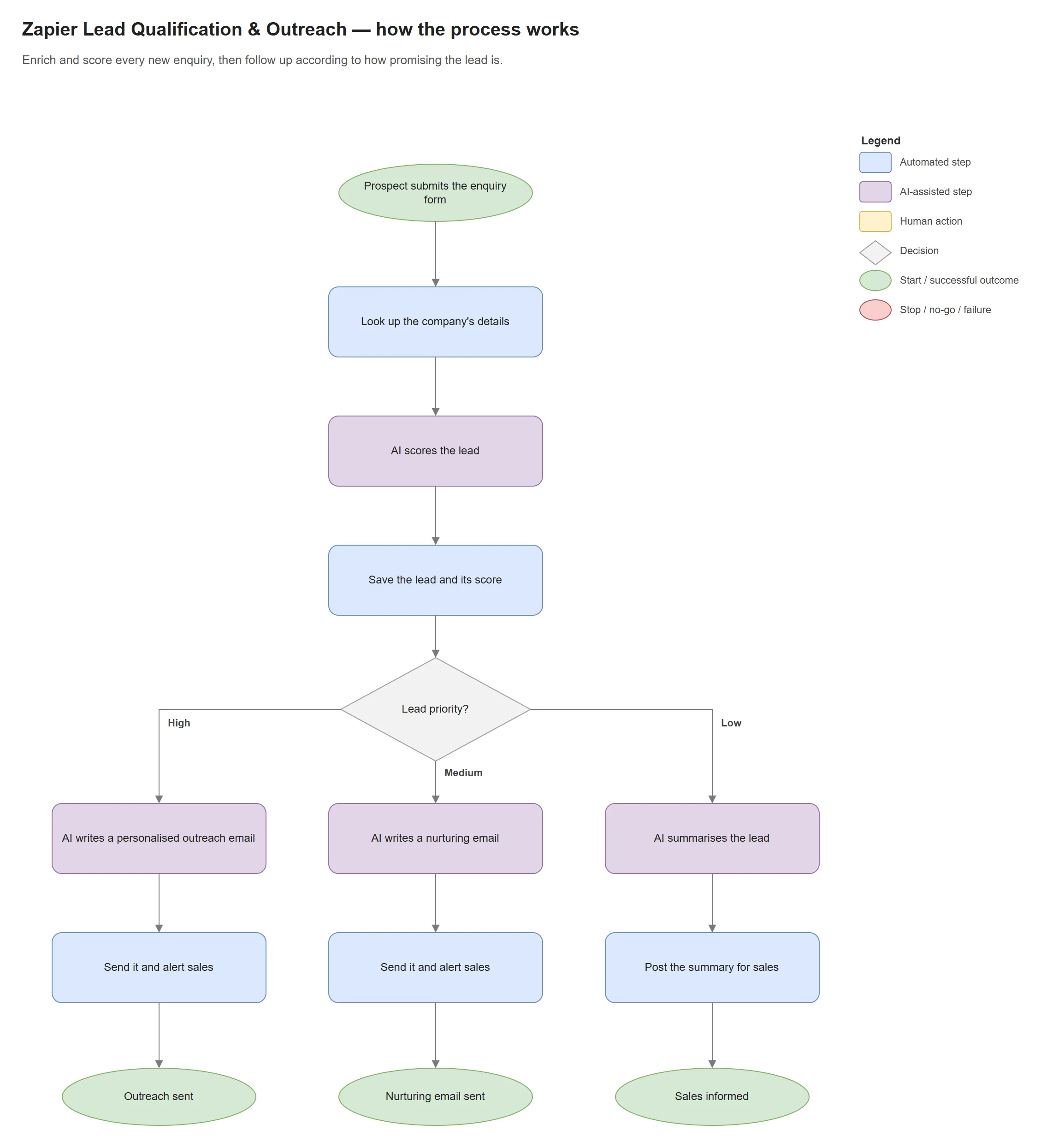
A form submission is enriched with company data from Apollo, scored by AI and saved to a Supabase database, then routed by priority: high and medium leads are automatically sent an AI-written outreach or nurturing email, with a Slack alert; low leads get a summary in Slack.
Evidence · 1 image
Enlarge: Zap structure. Enrichment and scoring, then three priority paths.
Stack: Zapier · Apollo API · AI by Zapier · Supabase REST · Gmail · Slack
Earlier build · Zapier
Zapier Content Repurposing
Earlier build
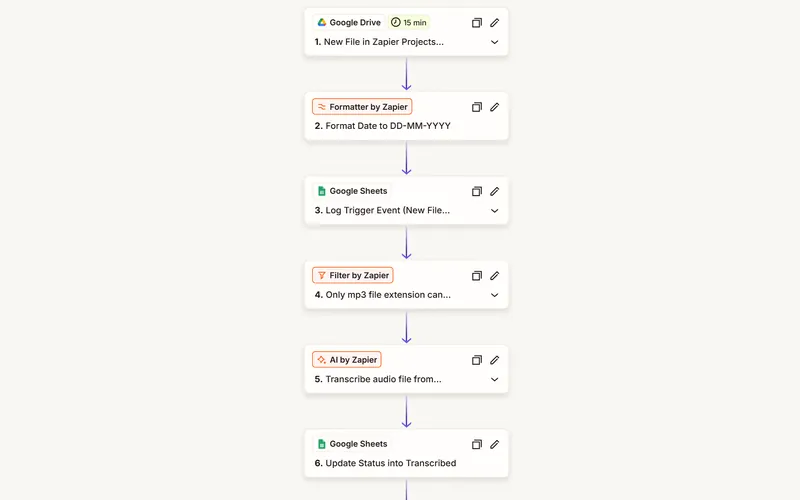
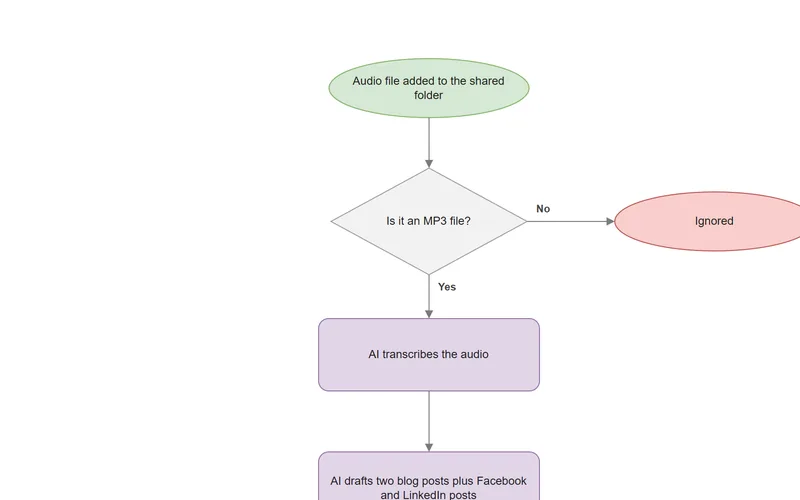
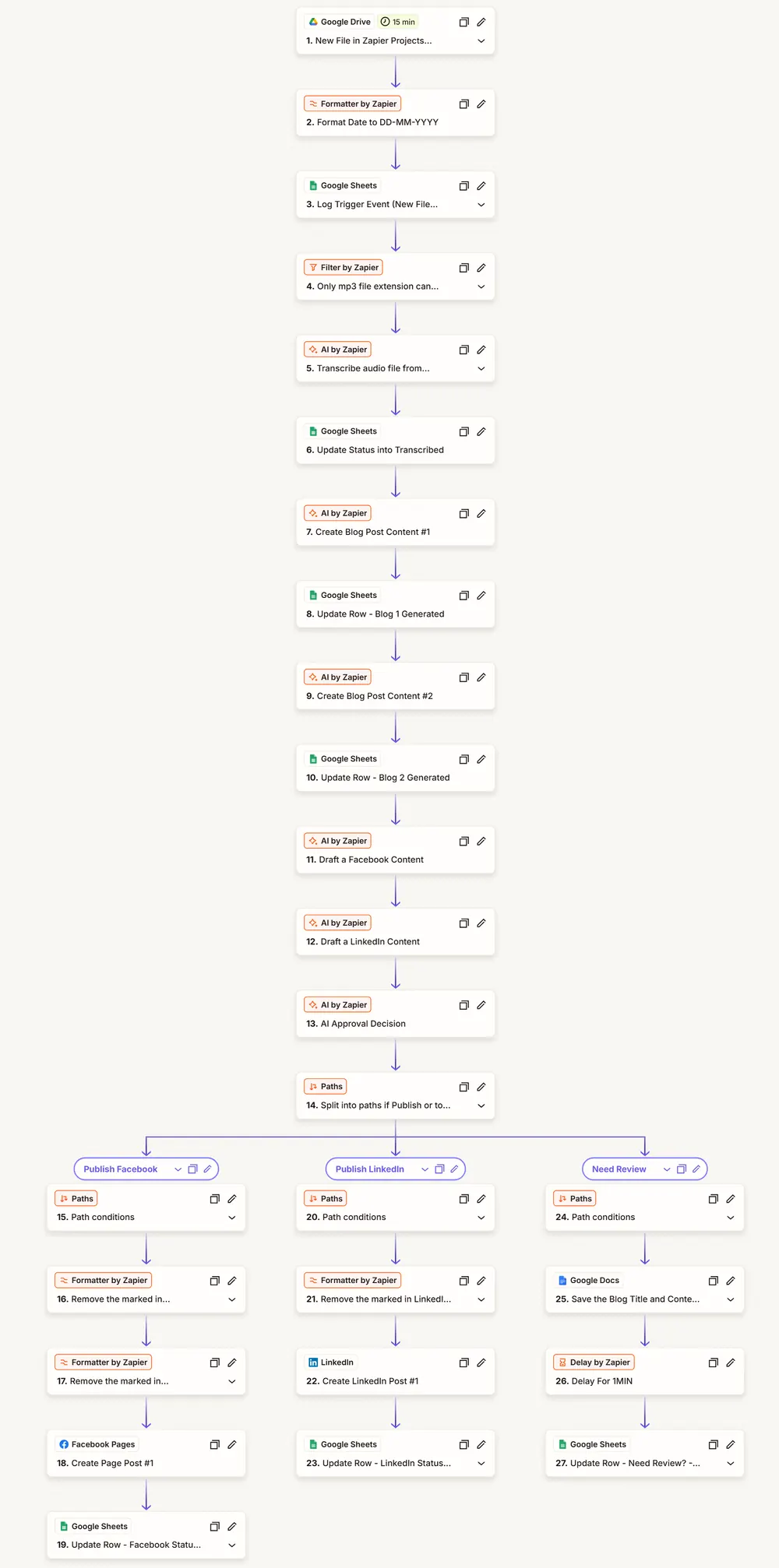
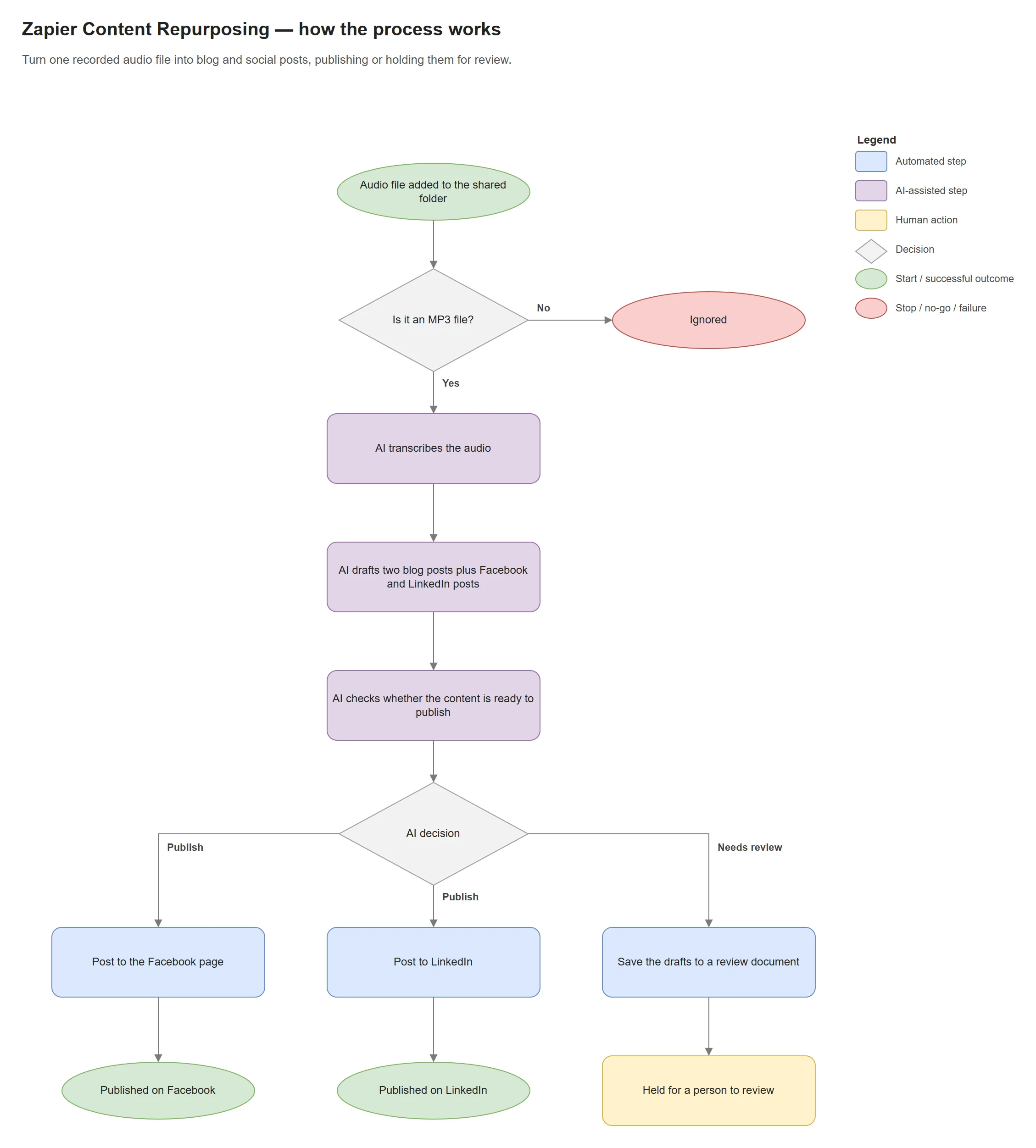
An audio file added to Google Drive is transcribed and turned into two blog drafts and Facebook and LinkedIn posts. An AI check then posts them to my own Facebook and LinkedIn accounts or saves them to Google Docs for a person to review, and every stage is logged in Google Sheets.
Evidence · 1 image
Enlarge: Zap structure. Transcribe, draft, then publish or hold for review.
Stack: Zapier · Google Drive · AI by Zapier · Google Sheets · Google Docs · Facebook Pages · LinkedIn
Earlier build · GoHighLevel
Car Insurance Sales Workflows
Earlier build
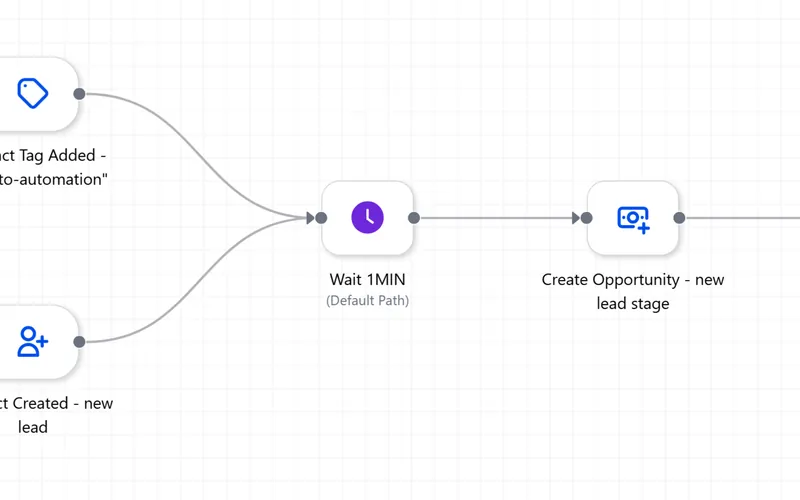
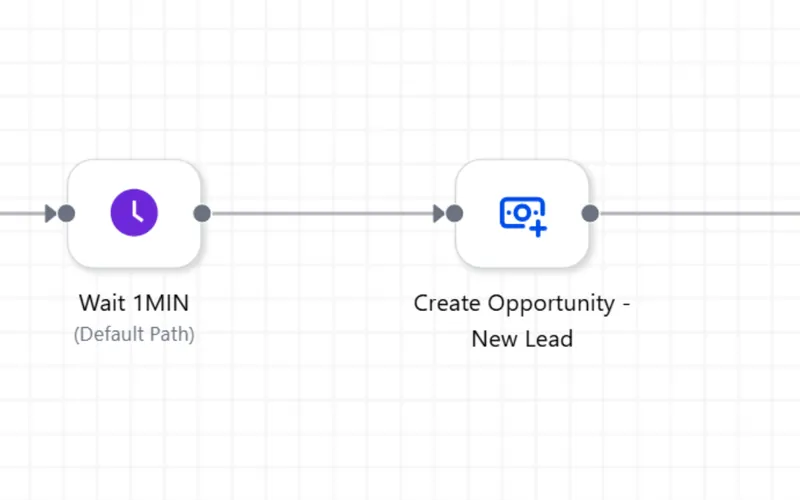
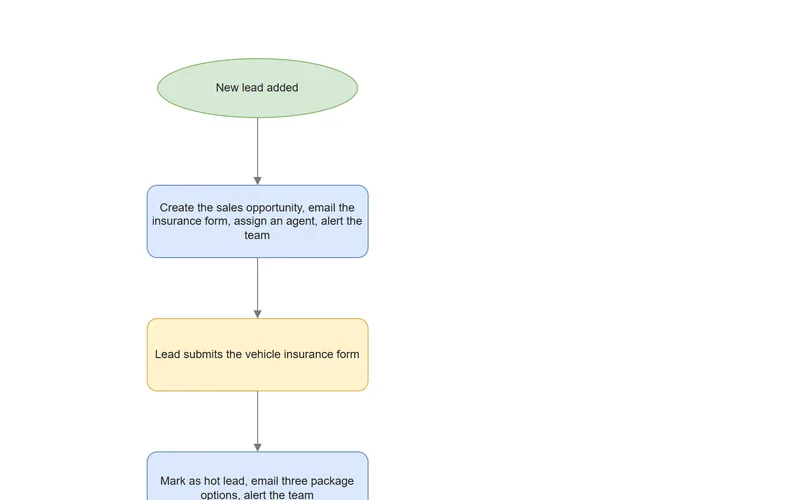
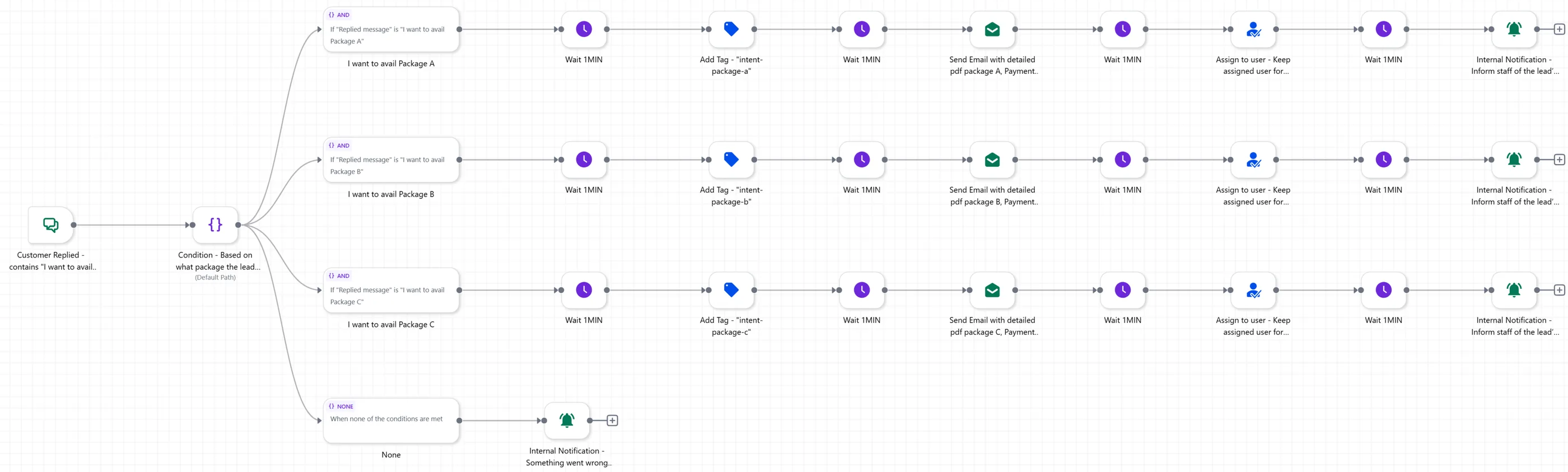
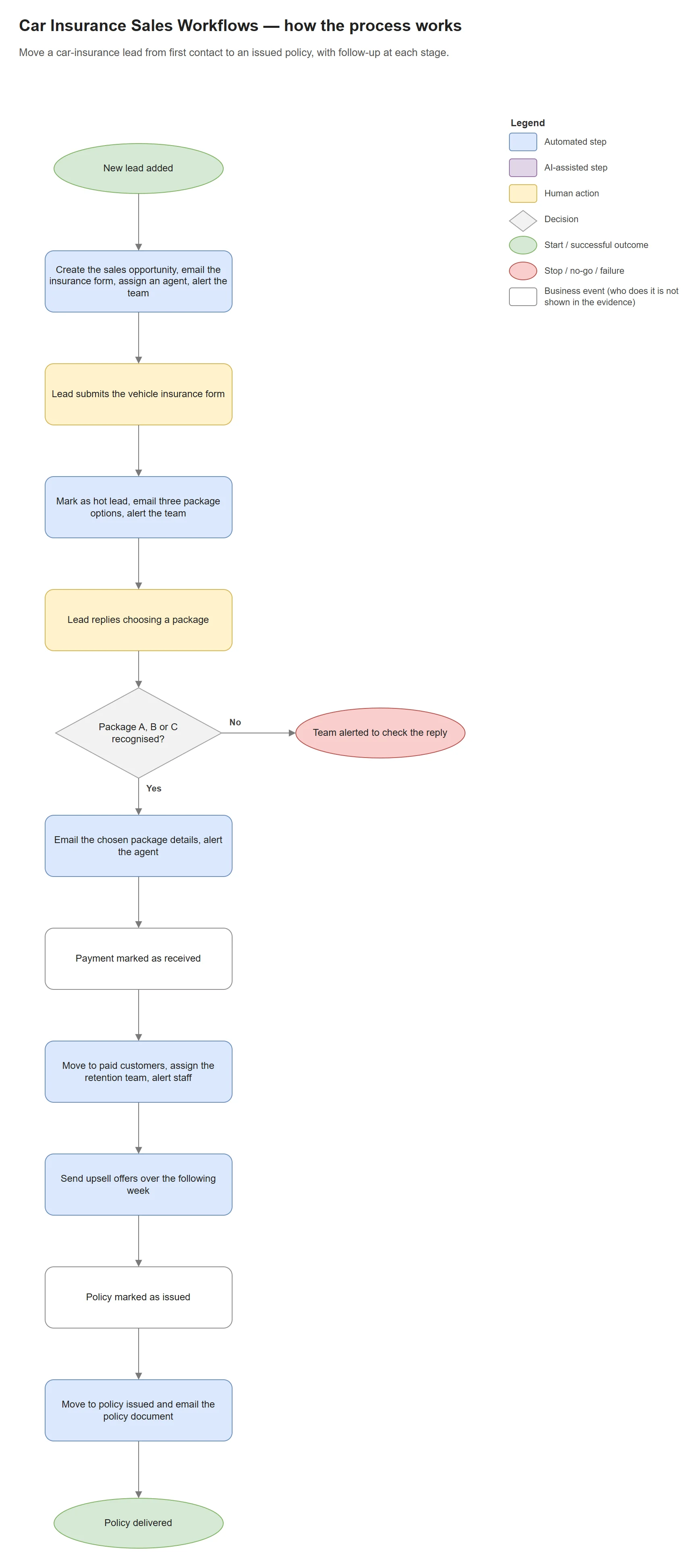
A set of GoHighLevel workflows for a car-insurance sales process. The first takes a new or tagged contact, creates an opportunity, tags it, sends the insurance intake form, assigns an available agent and notifies the team.
Evidence · 5 images
Enlarge: CI 01. New contact to assigned agent.Enlarge: CI 02. Form submitted → hot lead with package options.Enlarge: CI 03. Reply routes to package A, B or C.Enlarge: CI 04. Payment → paid-customer stage and timed upsells.Enlarge: CI 05. Policy issued → confirmation with the policy PDF.
Stack: GoHighLevel workflows · email
Earlier build · GoHighLevel
Salon Client Retention Pipeline
Earlier build
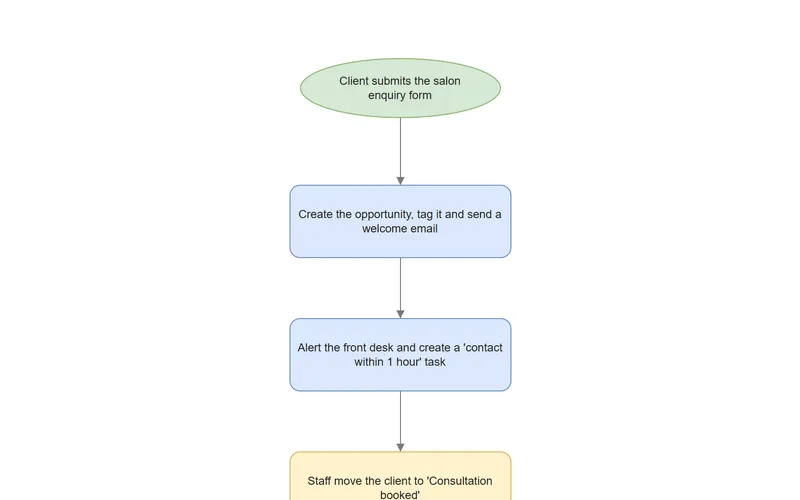
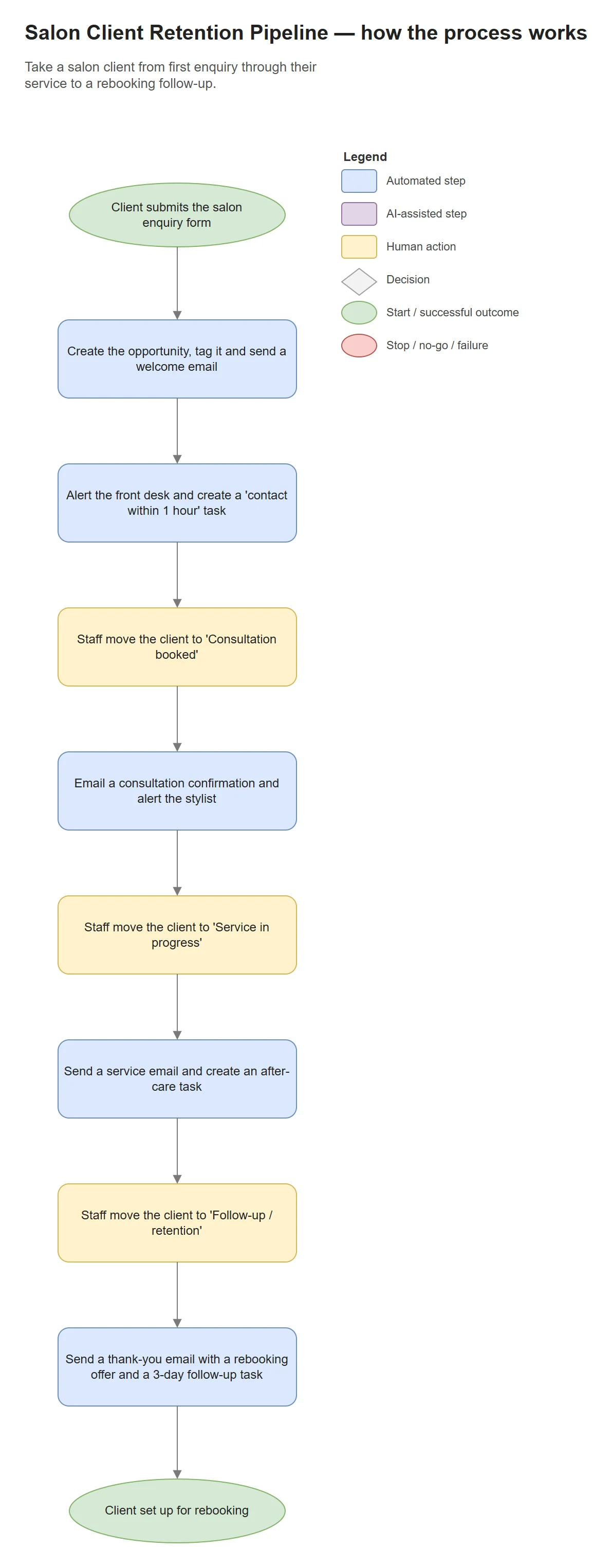
GoHighLevel workflows for a salon. New-lead intake turns an inquiry form into an opportunity with a tag, a welcome email, a front-desk notification, a note and a “contact within 1 hour” task.
Evidence · 4 images
Enlarge: SLA 01. New lead intake.Enlarge: SLA 02. Consultation booked.Enlarge: SLA 03. Service in progress.Enlarge: SLA 04. Follow-up and rebooking.
Stack: GoHighLevel workflows · email
Earlier build · GoHighLevel
Lead Nurturing Pipeline
Earlier build
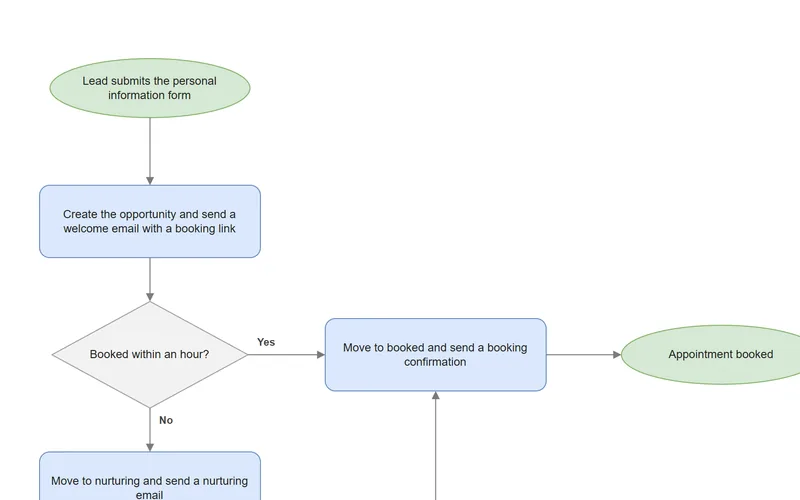
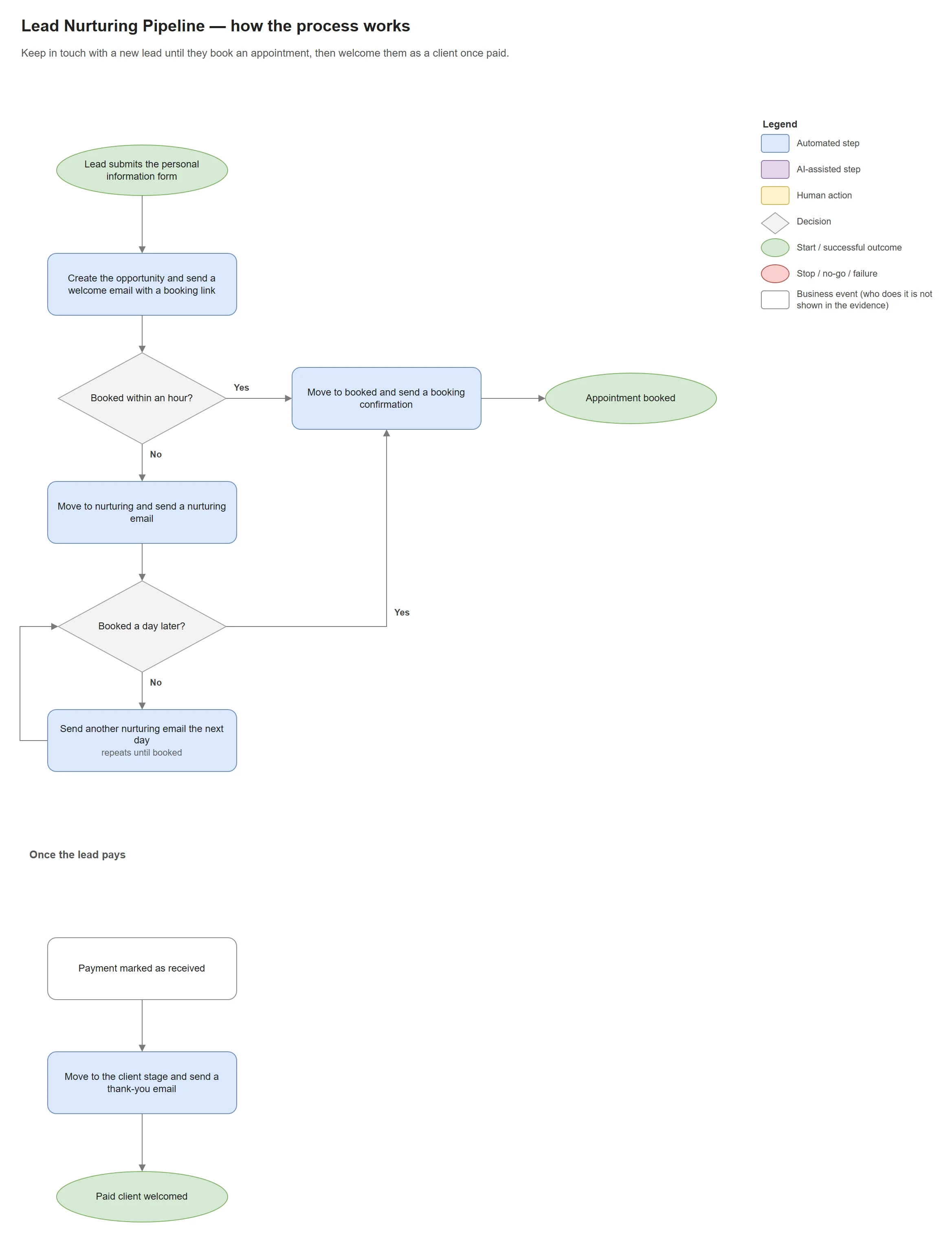
GoHighLevel workflows that move a lead through tagged stages. When the appointment form is submitted, the “new lead” and “nurturing” tags are removed and “booked” is added.
Evidence · 4 images
Enlarge: GBA 01. Lead to nurture or appointment.Enlarge: GBA 02. Appointment form to booked stage.Enlarge: GBA 03. Universal booking automation.Enlarge: GBA 04. Paid client.
Stack: GoHighLevel workflows · forms
Background · Team thesis
Rebar Vista — Deep Learning-Based Rebar Column Measurement System
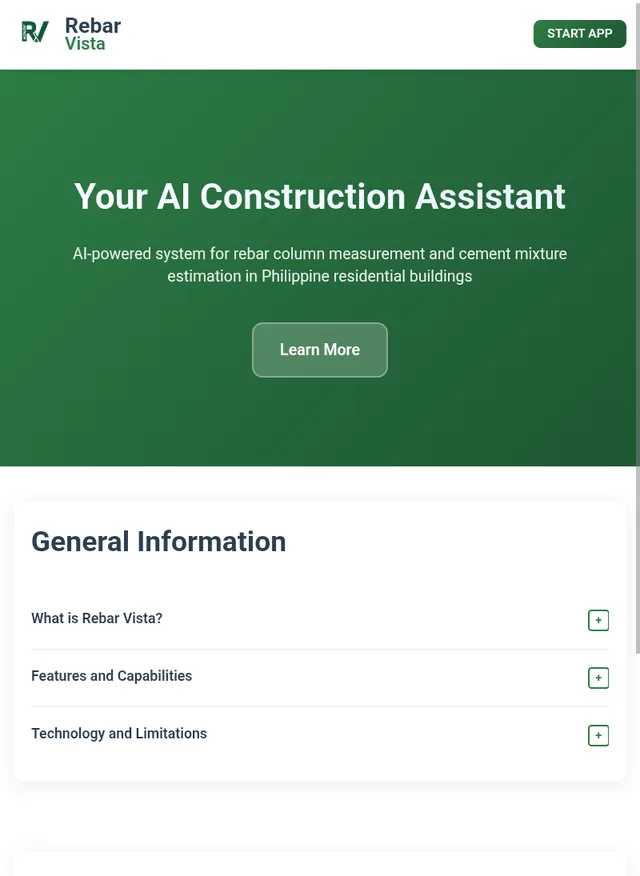
A Raspberry Pi 5 with a camera and distance sensor photographs a rebar column; a Mask R-CNN model — chosen after evaluating YOLOv8 and RetinaNet — detects it, the system computes its dimensions and concrete volume, and a web app recommends the cement mixture.
My role
Deep-learning model
Web application
Raspberry Pi deployment
I started as the deep-learning model developer, was reassigned to web-application development in the final phase, and integrated the move from a laptop-hosted web app to a Raspberry Pi deployment.
96.3%System test success rate: 77 of 80 trials within a ±5% tolerance
Background · Internship · Quezon City Public Library
Employee Daily Time Record System
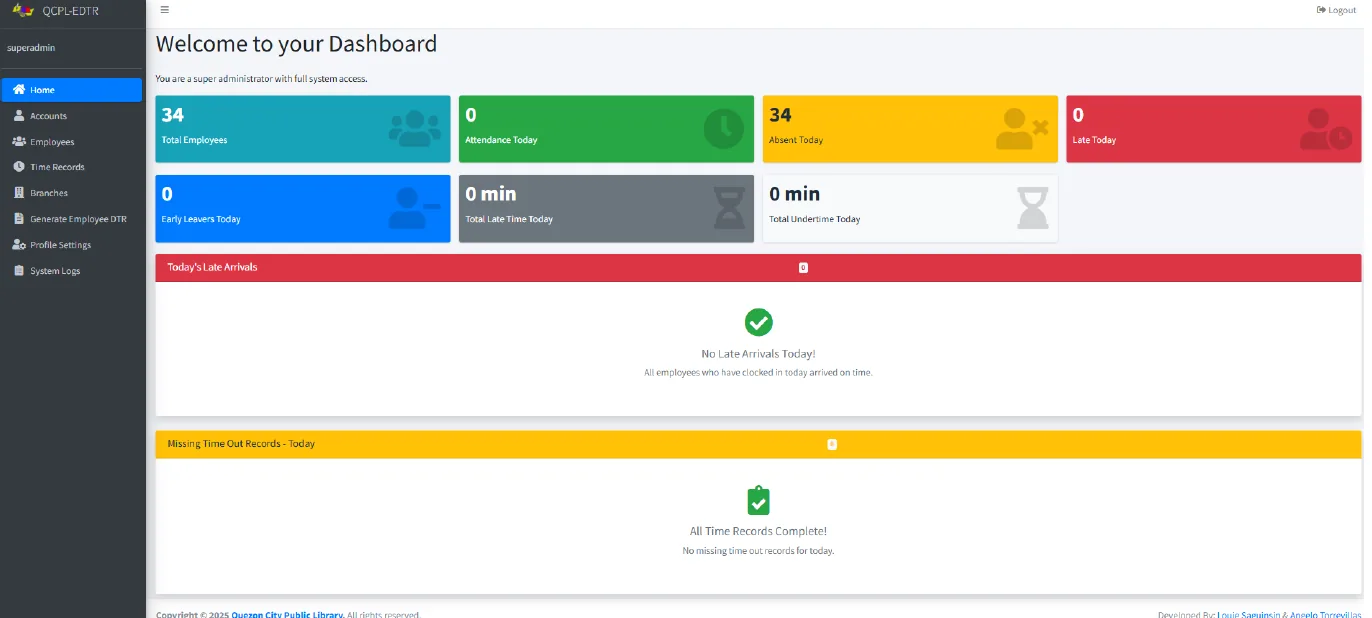
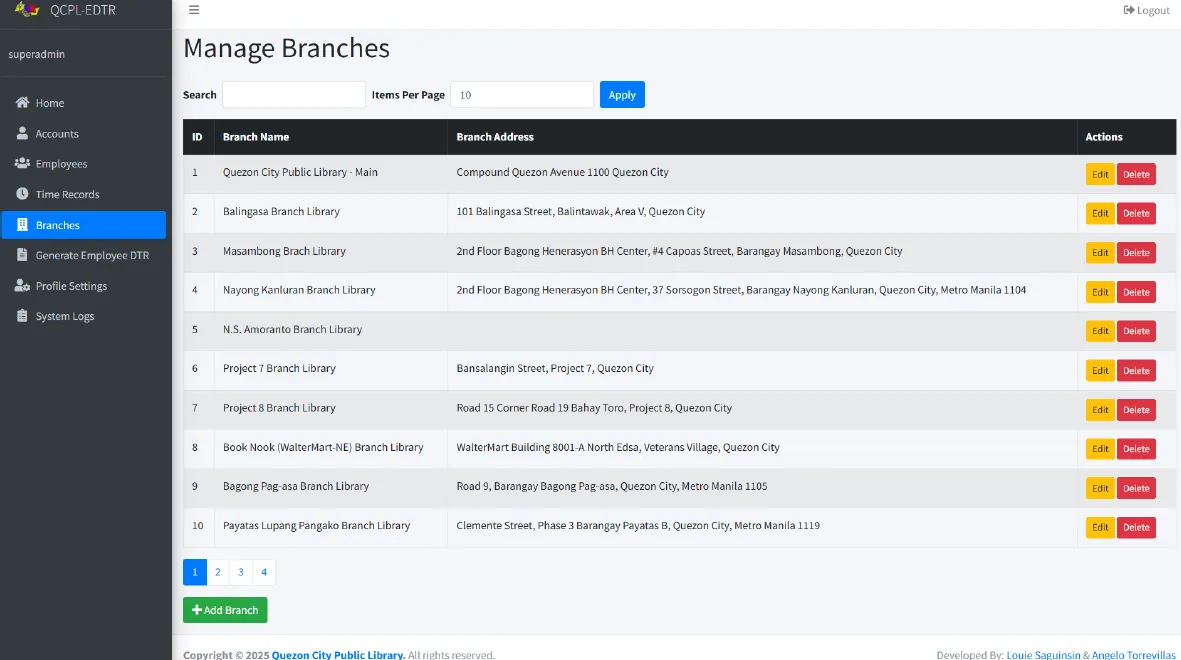
A web application built during my internship to replace manual attendance records, with time-in and time-out, attendance history, an admin dashboard and reports.
Screens · 5 images
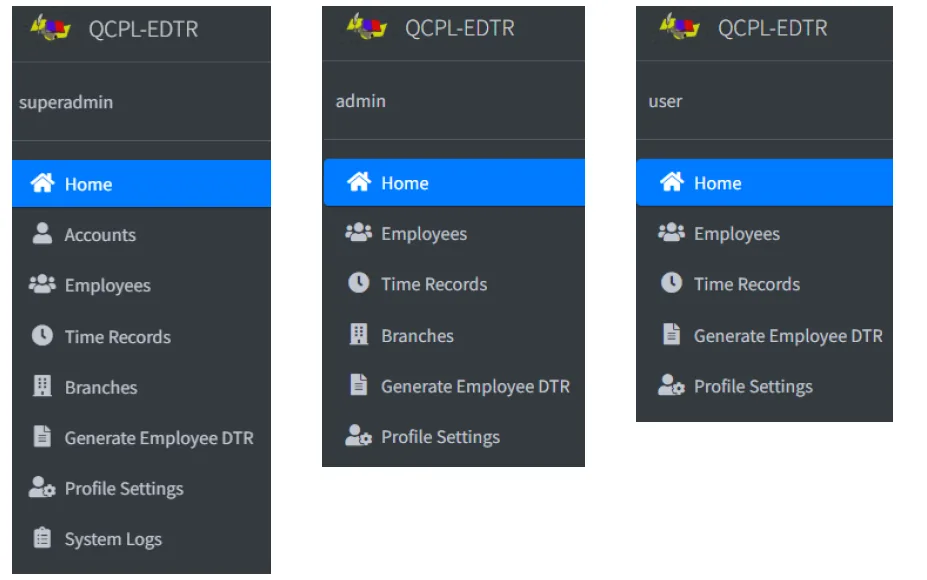
Enlarge: Attendance kiosk. Employees clock in and out with ID and passcode.Enlarge: Sign-in. Admin and staff accounts sign in here.Enlarge: Dashboard. Daily attendance at a glance.Enlarge: Branches. Attendance is tracked across library branches.Enlarge: Role-based menus. Superadmin, admin and user see different pages.
Stack: PHP · MySQL · JavaScript · HTML/CSS
Process maps in detail
Process map · Accounts receivable
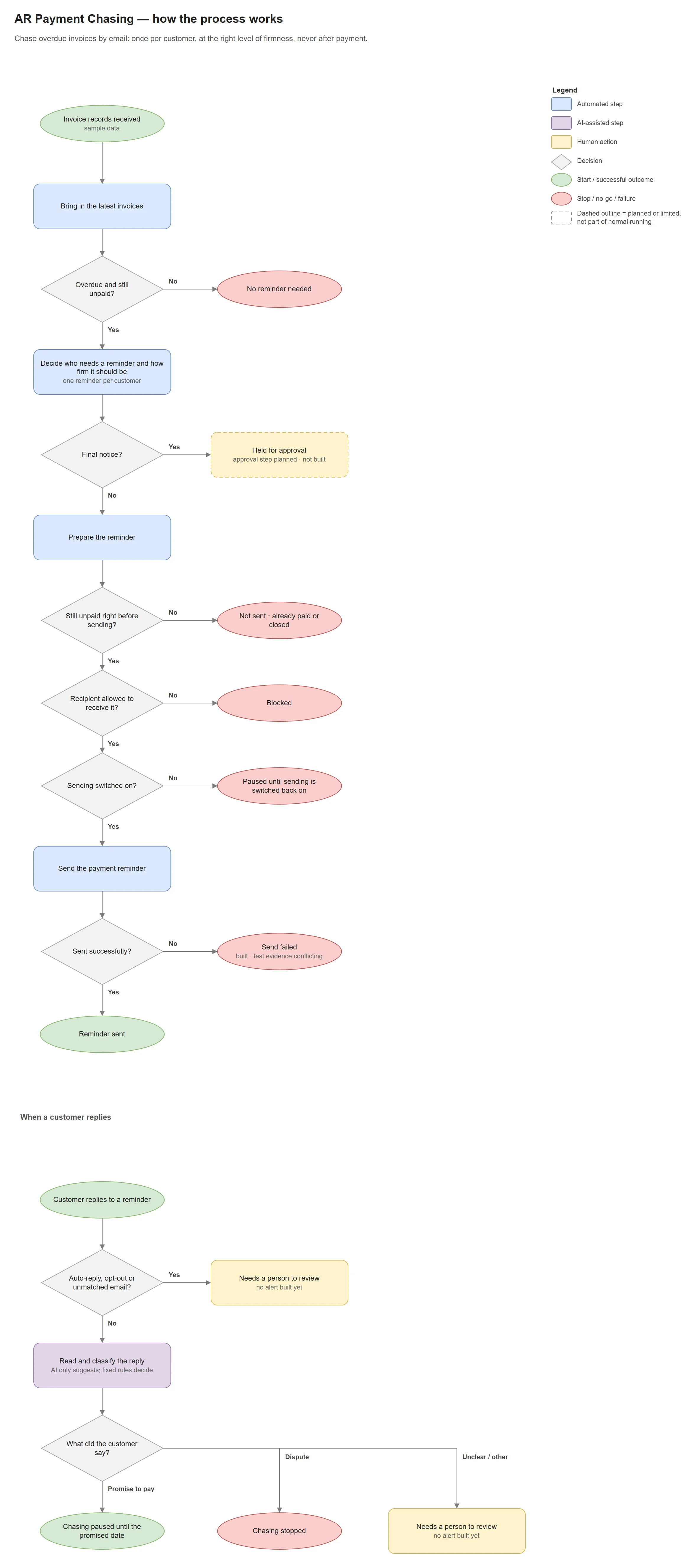
Accounts Receivable Payment Chasing
Concept Demo · FINAL
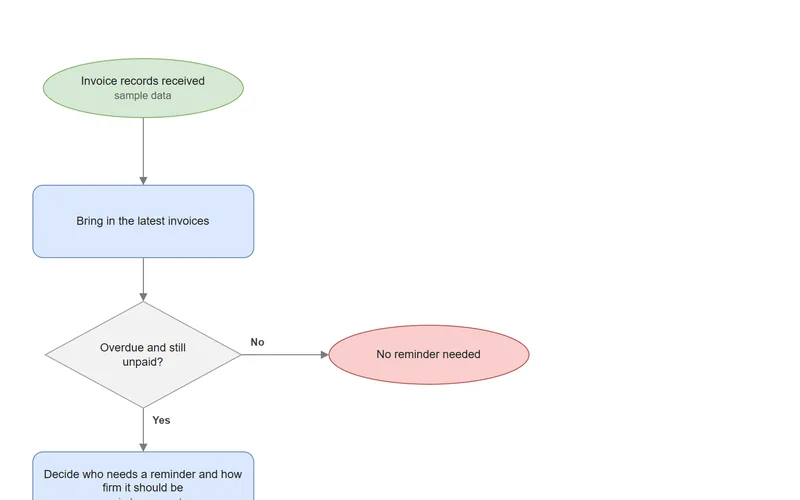
Chase overdue invoices by email: once per customer, at the right level of firmness, never after payment.
The challenge
Chasing overdue invoices is repetitive, but mistakes are costly: a reminder after payment, several emails to one customer or a message to the wrong address damages the relationship.
The approach
Fixed rules decide who to chase and how firmly, every reminder is re-checked just before it's sent, and customer replies are sorted by an AI classifier that can't change any financial records.
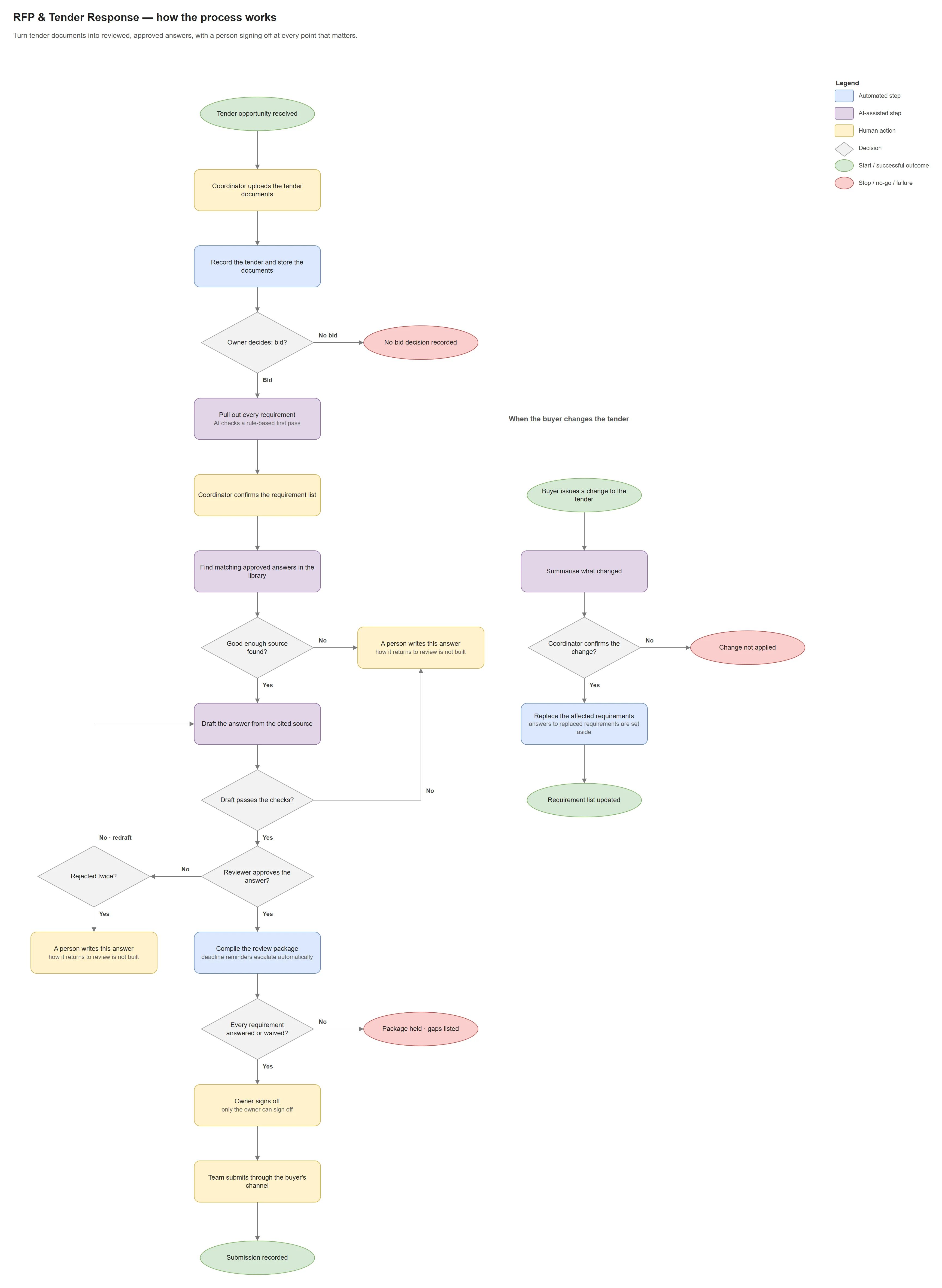
Request for Proposal (RFP) & Tender Response Preparation System
FINAL · structural
Turn tender documents into reviewed, approved answers, with a person signing off at every point that matters.
The challenge
Answering a tender means pulling every requirement out of long, inconsistent documents and getting approved answers signed off before a hard deadline. A missed requirement or an unapproved claim can cost the bid.
The approach
Requirements are extracted and confirmed by a person, answers are drafted only from an approved library, and every answer goes through review, approval and the owner's final sign-off.
View full process map: Request for Proposal (RFP) & Tender Response Preparation System · FINAL · structural
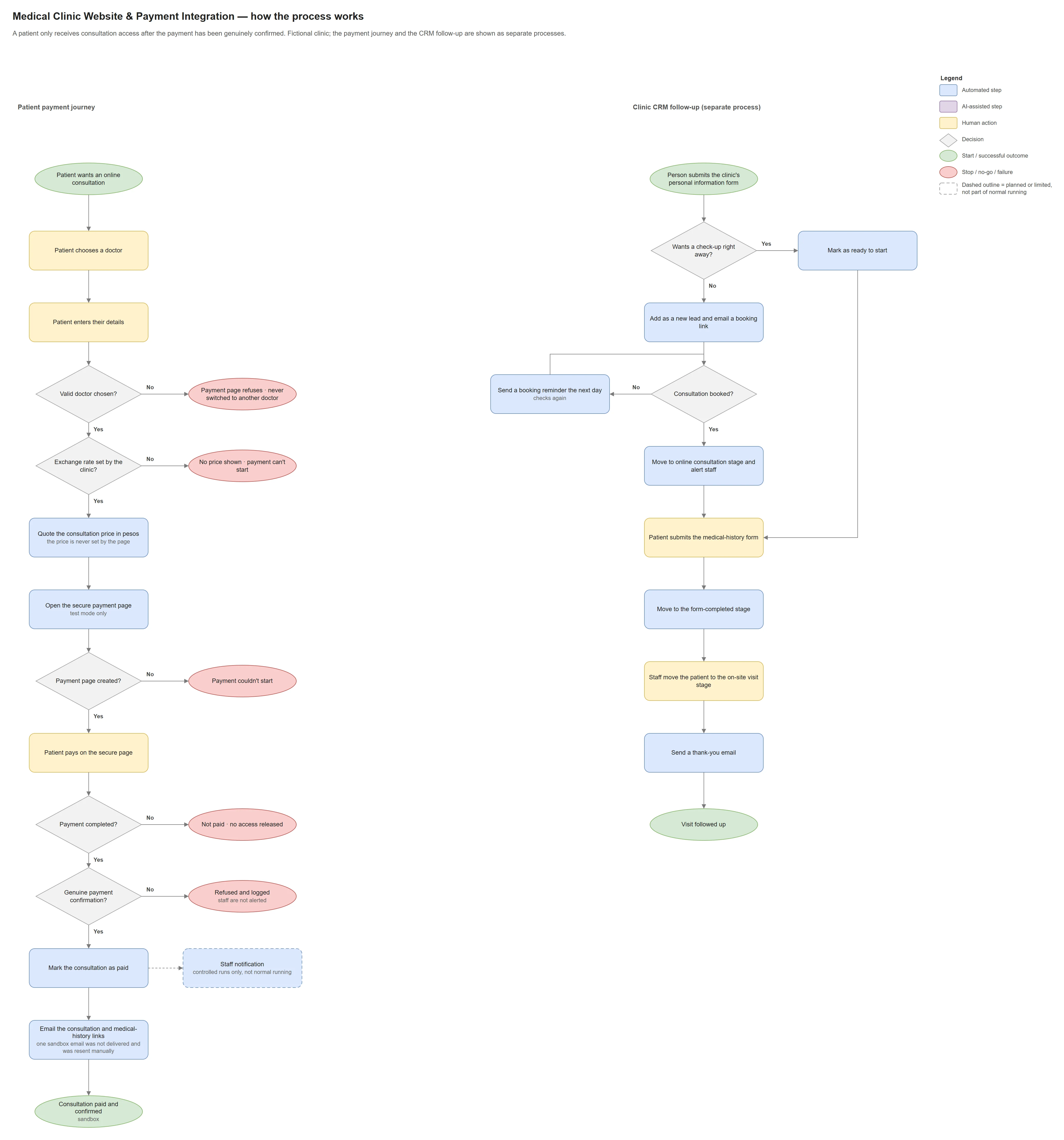
Designed so a patient receives consultation access only after the payment is confirmed. Fictional clinic, test payments only.
The challenge
For paid online consultations, the consultation link is the product: access should only be released once payment is genuinely confirmed, not because a confirmation page said so.
The approach
A patient journey from choosing a doctor to payment, where the clinic's system sets the price, checks that the payment confirmation is genuine and only then sends the consultation links. A separate CRM process follows up on bookings and visits.
View full process map: Medical Clinic Website & Payment Integration · In development · Sandbox
Turn a sales intake into a priced proposal that Sales reviews and approves before it reaches the client once.
The challenge
The firm needed design-fee proposals from sales intake where the same inputs always give the same base fee, Sales approves before anything is sent, and retries never duplicate a proposal or a client email.
The approach
Rule-based pricing sets the base fee, AI reviews the risks and recommends the final fee, Sales reviews both and approves the PDF, and the client receives the proposal once.
An AI voice assistant answers calls and books, moves or cancels appointments in the clinic calendar.
The challenge
Callers need to check, book, move or cancel appointments over the phone.
The approach
An AI voice assistant handles the call and uses calendar actions to find free times and book, move or cancel appointments, recording the outcome of every call.
When the team moves a lead to a new stage, the matching follow-up happens automatically.
The challenge
Each stage a lead reaches on the project board calls for a different follow-up.
The approach
When the team updates a lead's stage, the matching follow-up runs: a project folder and task, timed follow-up emails, quote follow-ups, or an AI-written welcome or recommendation email.
Enrich and score every new enquiry, then follow up according to how promising the lead is.
The challenge
New form enquiries need enriching with company data and prioritising, so each gets the right follow-up.
The approach
Each enquiry is enriched with company details and scored by AI; high and medium leads are automatically sent an AI-written email with a sales alert, and low leads are summarised for sales.
Take a salon client from first enquiry through their service to a rebooking follow-up.
The challenge
A salon client moves from first enquiry, through their service, to rebooking, and each stage has its own follow-up.
The approach
The enquiry creates the client record and a welcome email; as staff move the client through each stage, the matching emails, notes and tasks follow, ending with a rebooking offer.
Keep in touch with a new lead until they book an appointment, then welcome them as a client once paid.
The challenge
New leads who don't book straight away need following up until they do.
The approach
Leads get a booking link, then a nurturing email each day until they book; the booking is confirmed, and paid clients are moved to the client stage and thanked.